4
Installation
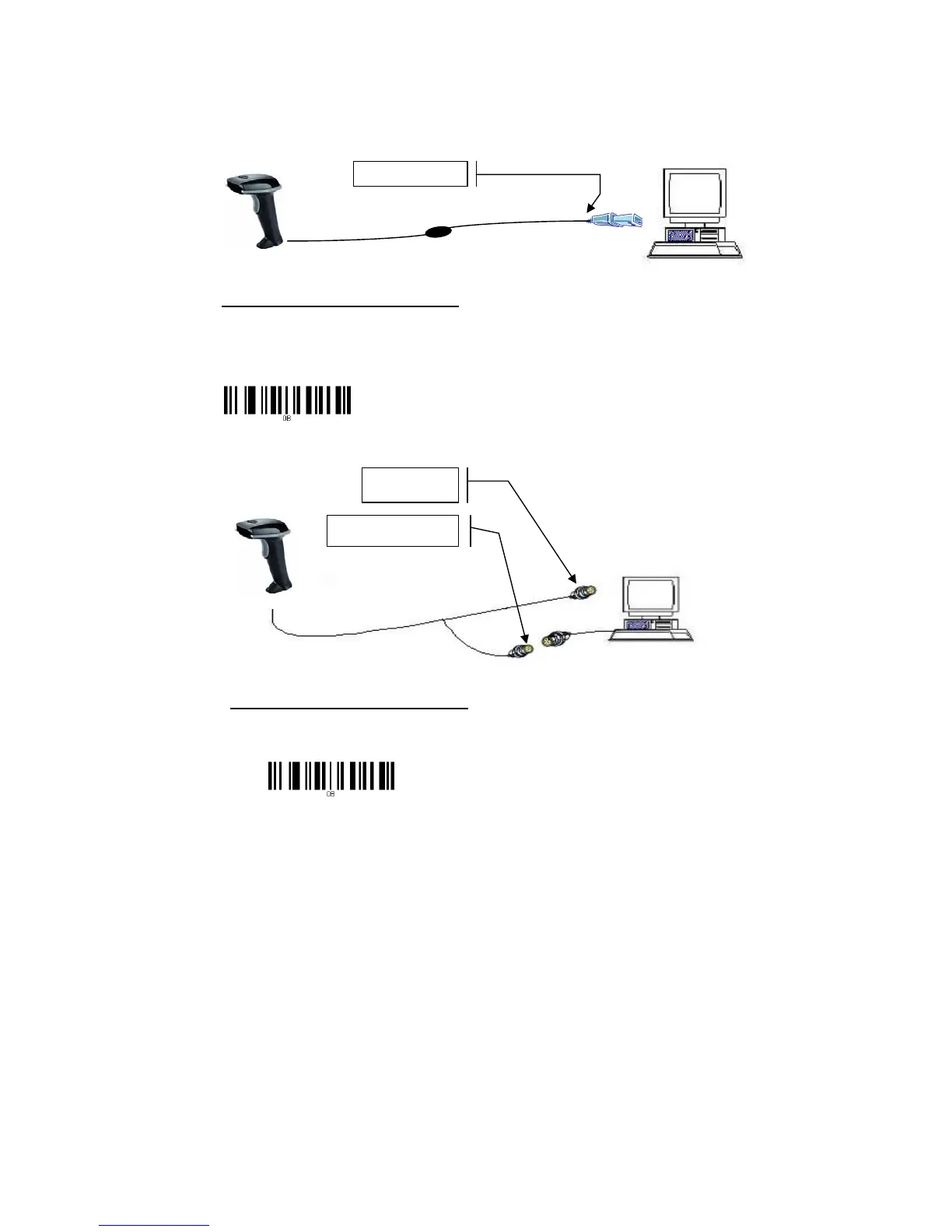
Insert the plug on the free end of the Communications Cable into the appropriate connector on
the t as below described:
1. USB cable Connection:
Reset Configuration to Defaults
If you are unsure of the scanner configuration or have scanned the incorrect codes,
please scan the “Reset Configuration to Defaults” barcode. This will reset the scanner
to its factory defaults settings in USB interface.
2. PS2 (K/B) cable Connection:
Reset Configuration to Defaults
If you are unsure of the scanner configuration or have scanned the incorrect codes,
please scan the “Reset Configuration to Defaults” barcode. This will reset the scanner to
its factory defaults settings in PS/2 interface.
Connect with host
Connect with host
Connect with keyboard’s
connector



 To Next Page