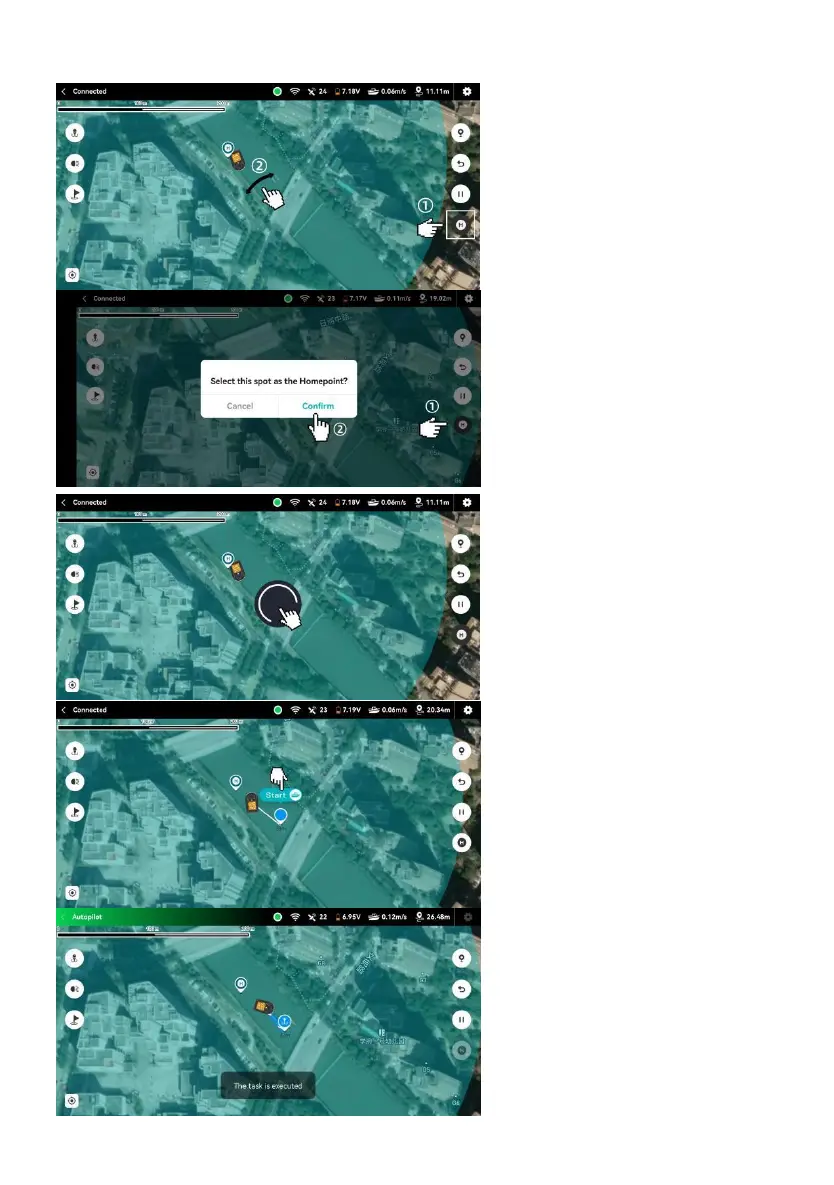
3.2.7 SET A MISSION PLAN FOR AUTOMATIC DROPPING
1.Tap the “Home Point” button;
2.Move the map to set the “H” icon
at your desired spot as the home
point.
If you have set the home point using
the remote control, that point will be
synchronized to the mobile app
1.Re-tap the “Home Point” button;
2.Tap the “Confirm” button.
In the green circle, long press the
screen to set a task point till the blue
marker appears .
Tap the “Start” to perform the task.
The status in the upper left corner
will change to Autopilot.
The boat will start moving towards
the waypoint.


 To Next Page