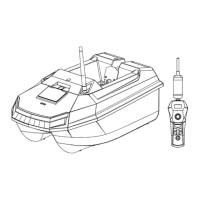
The Rippton Intrepid, also known as the "CatchX Mini," is a GPS bait boat designed for fishing. It can be controlled via a dedicated remote control or a mobile application, offering both manual and automated operation modes.
Function Description
The Intrepid bait boat is primarily used to deliver bait and berley to specific fishing spots. Its GPS capabilities allow for precise navigation, setting home points, and defining task points for automatic bait dropping. The boat features a single hopper for bait release and is equipped with lights for visibility. The remote control provides manual steering, cruise control, and functions for setting and executing automated tasks. The mobile app enhances functionality with map-based navigation, real-time spot marking, historical waypoint management, and advanced mission planning. The device incorporates fail-safe mechanisms, including automatic return-to-home on low battery or lost connection, ensuring the boat's safe retrieval.
Important Technical Specifications
Boat:
- Weight (Inc Battery): 2.8 kg
- Dimensions: H21.3cm x W31.4cm x L48.2cm
- Number of Hoppers: 1
- Max Speed: 1 m/s
- Range: 400 meters for remote control; 250 meters for app control
- Hopper Capacity: 1.5 kg
- Run Time on a Full Charge (calm water): 2 hours
- Boat Lights: 1 front white; 1 rear red
- Operating Temperature: -10°C to 45°C
- Storage Temperature: -20°C to 25°C (15 months)
- Radio Frequency: 2.4 GHz
- Waterproof Level: Top: splash resistant; Bottom: fully waterproof
- Battery Type: Li-ion Battery Pack
- Battery Capacity: 7500 mAh x 1
- Battery Voltage: 7.4 V
Remote Control:
- Frequency: 2.4 GHz
- Play Time: 3 hours continuous
- Waterproof Level: No
- Battery Type: 18650 1S 1P
- Battery Capacity: 3200 mAh
- Battery Voltage: 3.7 V
The system requires Android System 8.0 or above or iOS 9.0 or above for app control.
Usage Features
Remote Control Operation:
- Turning On/Off: Long press the power button on the remote for 2 seconds to turn it on. Place the boat battery in its compartment, power on, close the compartment, and then short press the boat's power button. Wait 10 seconds for activation (indicated by a long "beep").
- Lights: Short press the remote's power button to toggle boat lights.
- Calibration: After placing the activated boat in water, simultaneously press and hold "Point A" and "Point B" buttons for 3 seconds. The boat will spin automatically for calibration.
- Manual Movement: Use the joystick to control the boat's direction and speed (up to 1 m/s).
- Hopper Release: Long press the "Hopper" button for 3 seconds to drop bait. Restore the hopper board to its original position afterward.
- Cruise Control: Long press the "Cruise Control" button for 3 seconds to set the boat sailing in a straight line. Pulling down the joystick exits this mode.
- Home Point Setting: Drive the boat to the desired home point, short press the joystick, then short press "Enter/ESC" to confirm.
- Return-to-Home (RTL): Long press the joystick to activate RTL. The boat will return to the set home point, indicated by an "Anchor" symbol and vibrations. Press and hold "Enter/ESC" to cancel RTL.
- Task Point Setting: Drive the boat to the desired bait dropping location, then short press "Point A" or "Point B" button. Short press "Enter/ESC" to confirm the task point.
- Executing Task Points: Long press the set "Point A" or "Point B" button to perform the task. The boat will navigate to the point, and an "Anchor" symbol will appear. Long press the "Hopper" button to manually release bait. Press and hold "Enter/ESC" to cancel a task.
- Exiting Auto Mode: When in auto mode (RTL or task mission), press and hold the "Enter/ESC" button to switch back to manual control.
App Operation:
- App Download: Search "Rippton Boat" in app stores or scan the QR code.
- Map Preload: Before connecting to the boat, access the app's operation interface with internet access to preload the map of your fishing destination.
- Connection: Turn on the remote and boat. On your mobile device, search for the boat's Wi-Fi signal (RIPMINI_XXXXXXXX) and connect using the password "12345678". It is recommended to switch off cellular data to avoid interference.
- App Interface: The app displays signal strength, battery voltage, speed, distance, and offers controls for hopper release, lights, real-time spot marking, historical points, return-to-home, pause mission, set new home point, start mission, battery power, connection strength, distance from home point, speed, common settings, and view log.
- Calibration by App: In the app, navigate to "Common Settings" -> "Compass" and tap "CALIBRATE." Ensure the boat is connected to the remote and on water. The boat will rotate clockwise for calibration.
- Learner Mode: This mode limits sailing range to 30 meters and is active by default on first use. It can be turned off in "Common Set," allowing adjustment of sailing distance between 30-250 meters.
- Automatic Dropping Mission:
- Tap the "Home Point" button, then move the map to set the "H" icon at your desired home point.
- Long press the screen in the green circle to set a task point (blue marker appears).
- Tap "Start" to begin the mission. The app status will change to "Autopilot."
- Upon arrival at the task point, tap the "Hopper Release" button and slide to drop bait. If "Cancel" is tapped, the boat waits for further action. After dropping, tap "Reset" for new tasks.
- Pause and Return to Home by App: During a mission, tap the pause button on the right-hand side and slide to stop. Re-tap to resume. To return to home, tap the relevant button and slide to confirm.
- Real-time Spot Marking: Click the flag button in the app or press the trigger on the remote to mark the boat's current position with an orange flag.
- Historical Waypoints: The app saves historical waypoints. These can be customized, used as new task points, and deleted in batches. Different labels help distinguish waypoint features.
Maintenance Features
- Battery Charging: Charge the boat battery separately after removing it from the compartment using the supplied charger.
- Battery Storage: To prevent over-discharge and prolong battery life, fully charge the battery every month. For long-term storage, ensure both boat and remote power switches are off, and battery levels are above 80%. Store at -20°C to 25°C (within 15 months).
- Cleaning: Clean the bait boat with a damp cloth after use.
- Battery Recharge: Ensure all batteries are fully charged before each trip. If not used for several months, recharge monthly.
- App Updates: Regularly update the Rippton APP via app stores.
- Power Sequence: Always turn on the remote control first, then the boat. To turn off, turn off the boat first, then the remote control.
- Remote Protection: Protect the remote control from water.
- Storage Environment: Store the boat and remote control in a warm, dry place to prevent condensation.
Troubleshooting Tips
- Cannot Control Boat by Remote:
- Check if the boat is in Auto Mode; if so, press and hold "Enter/ESC" to exit.
- Check if Cruise Control is active; if so, pull down the joystick to exit.
- Check remote power; if low, the boat will return home.
- Check boat power; if low (approaching 6.5V), recall the boat promptly. Always set a home point and low battery return value before each voyage.
- Boat Takes Extended Time/Fails to Reach Point:
- GPS positioning might be calibrating due to turbulent currents; wait patiently.
- If no response after 3-4 minutes, consider manual operation.
- Phone Wi-Fi Connected, but App Shows Not Connected:
- Ensure the map has been pre-loaded in the app.
- Turn off cellular data or mobile data after connecting to Wi-Fi to avoid interference.
- Significant Deviation in Arrival Position:
- Perform calibration before each voyage.
- No Response After Button Press:
- Some buttons require a long press, others a short press. Refer to instructions for correct usage.
General Tips
- The distance between two selected spots should be over 5 meters.
- Actual arrival spot may have a 1-meter deviation due to water movements.
- The boat's range depends on weather and environmental conditions.
- When the remote battery is below 5%, it will vibrate continuously until "Enter/ESC" is pressed to stop.


 To Next Page
 General