Paper is stained with ink
㩷 㩷 㩷 㩷 㩷 㩷 㩷 㩷 㩷 㩷 㩷 㩷 㩷 㩷 㩷 㩷 㩷 㩷 㩷 㩷 㩷 㩷 㩷 㩷 㩷 㩷 㩷
Item 1-1
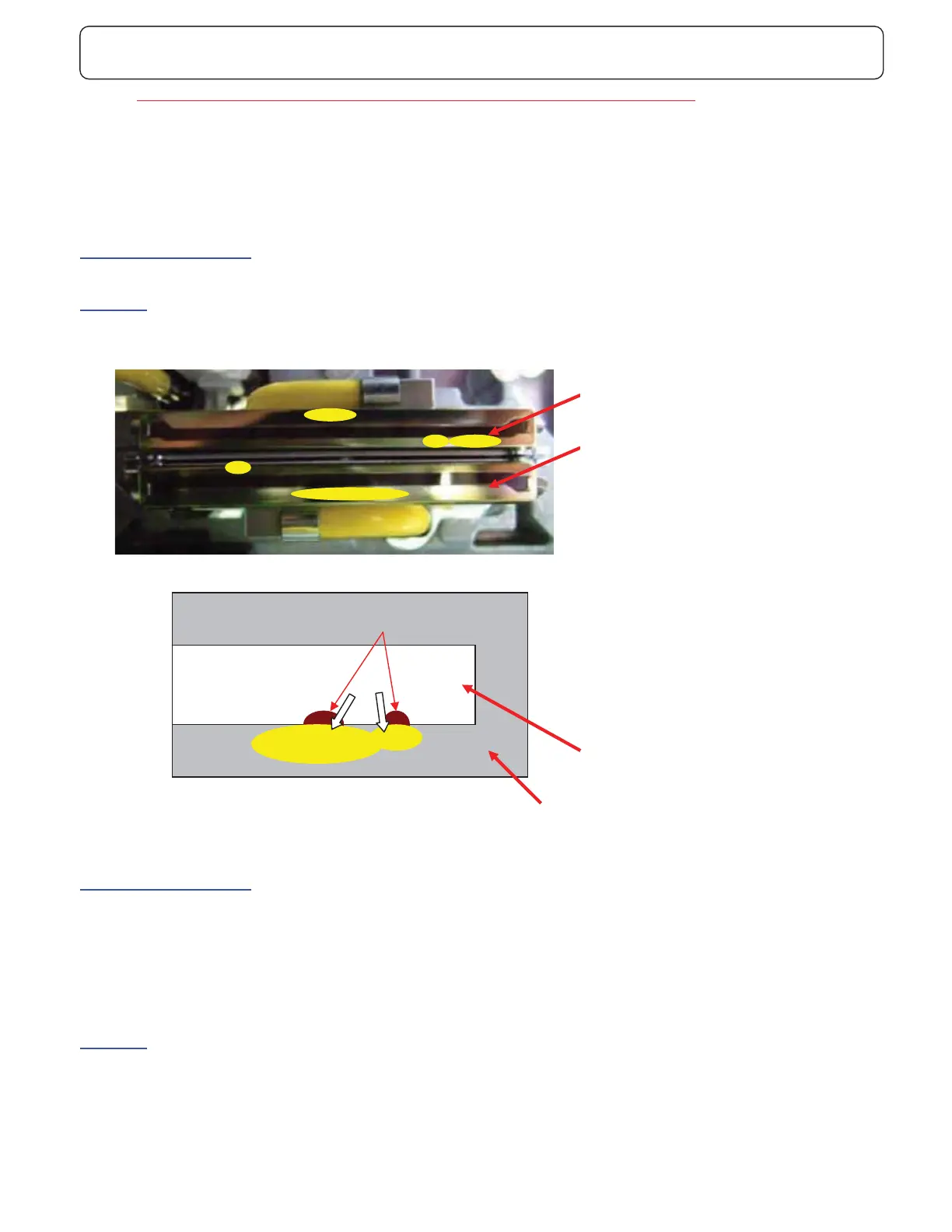
Case Papers are stained with ink on the subsequent prints after Print Head cleaning action.
- Ink spill out to the transfer belt from Print Head, therefore the papers are stained.
- This trouble likely occurs after Print Head cleaning action.
- Misfire may occur instead of ink stain occasionally
Cause of the problem (1)
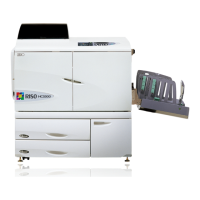
If the surface of SUS plate is dirty with remaining old ink, ink will spill out from Print Head along remaining ink.
Solutions
Remove remaining old ink on SUS plate manually with fresh ink.
Cause of the problem (2)
Maintenance parameter
- The compressed air in the Reservoir will be released at the end of Print Head cleaning action and to what extent this air
releasing is performed is affecting the ink meniscus of Print Head.
- You can change the air releasing level by SE mode 8.6.6 and there is a trade-off condition between the misfire and ink
spilling trouble.
Solutions
- Adjust the “CLEANING CONFIG” by SE mode 8.6.6 (HC5500)
- This parameter has the values of OFF(default), WEAK, NORMAL and HARD.(HC5500)
- When [ HARD ] is selected, the possibility of the ink spilling trouble will decrease but the possibility of misfire will increase.
Clean both Print Head and
SUS plate
Print Head
SUS plate
Print Head
SUS plate
Remaining Ink or scratch, scar
If the surface of SUS plate is dirty with
remaining old ink, ink will spill out from Print
Head along remaining ink.
Ink



 To Next Page