Cause of the problem (4)
There is a problem in the Print Head.
- If there are some scratches on coating of surface of Print Head, ink will stick there after Print Head cleaning action and ink
will spill out from Print Head.
Solutions
- Replace the Print Head.
- You can not check this problem in field.
Cause of the problem (5)
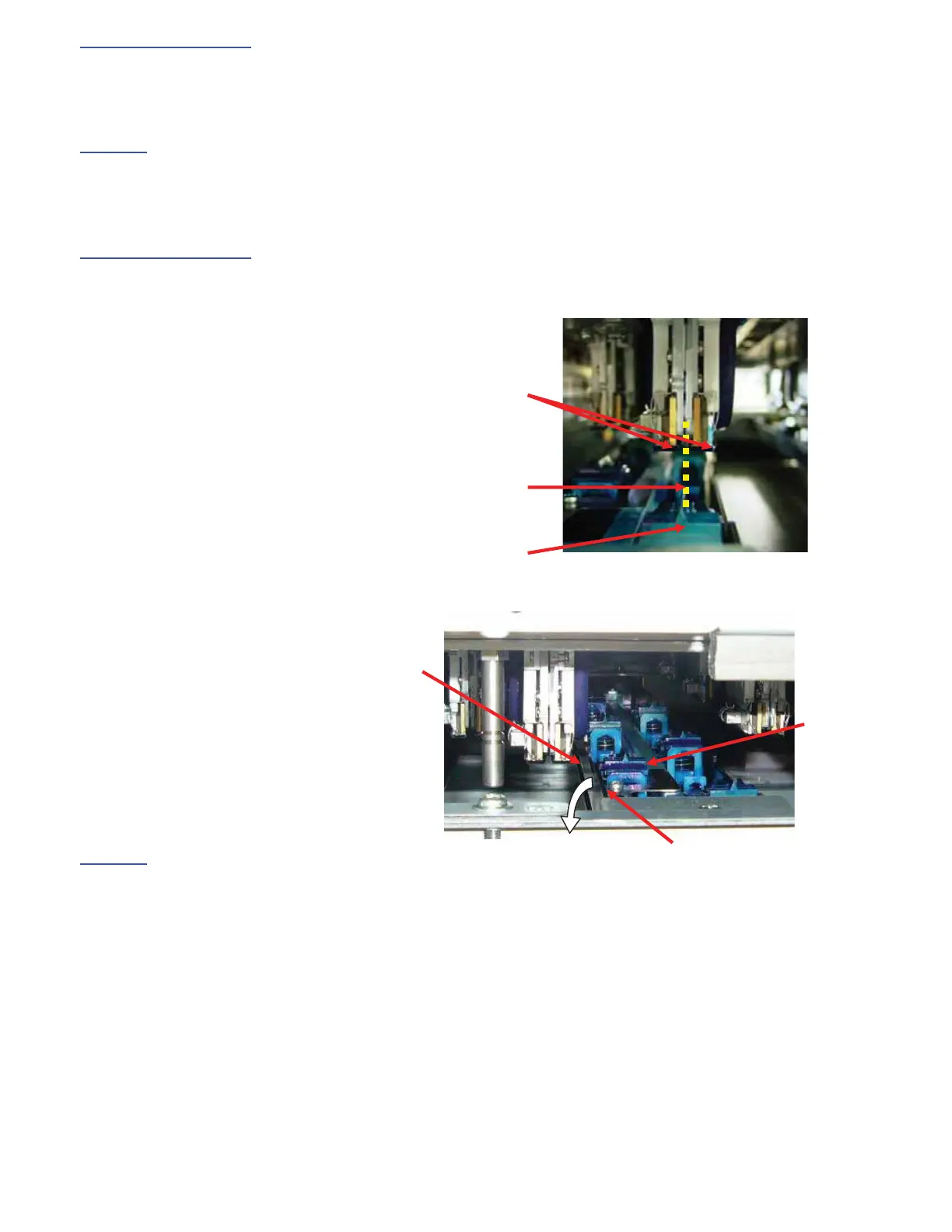
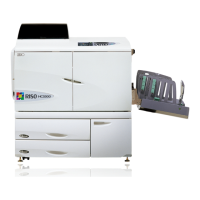
There is a problem in the stopping position of maintenance unit.
- If the stopping position of maintenance unit is not proper during Print Head cleaning operation, Suction head cannot wipe
the surface of Print Head sufficiently.
- If there is a problem with the stopping position of maintenance unit, Ink might drop down from “Ink Pan” because the
“Suction Head” touches “Ink Pan”.
Solutions
- Repair the deformed unit or replace the unit.
Print Head
Suction Head
Straight!
㩷
Suction
Head
Ink Pan
Ink
Touch!



 To Next Page