12
ASSEMBLY ILLUSTRATION
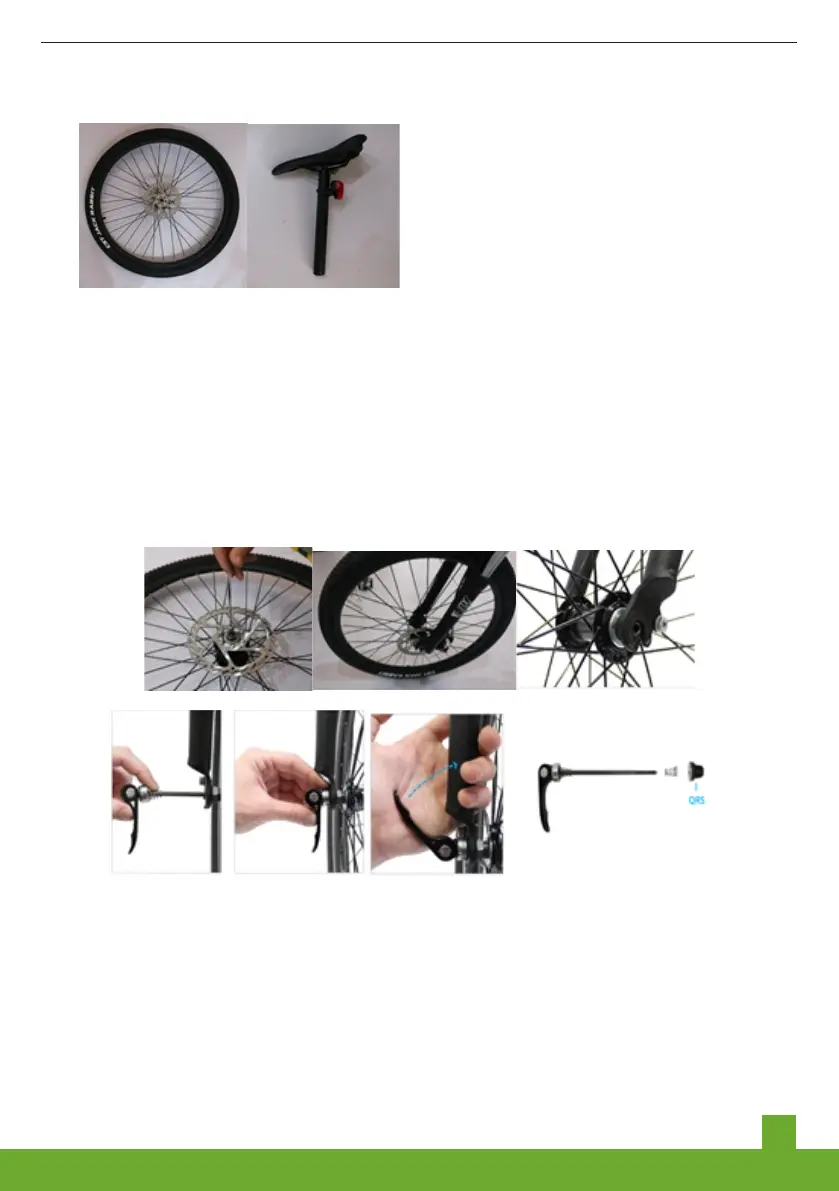
1. After opening the box, put the front wheel and saddle beside the frame
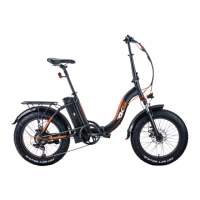
2. Installaton of front wheel: Take out the dsk brake, whch s shown n the pcture.
Stuck the hub nto the center of the end of front fork, along wth the forward drecton
of the tre thread. Stuck the hub nto the center of the end of front fork, along wth the
forward drecton of the tre thread.Infix the quck-release lever from your rght-hand
sde, adjust the front wheel to the center of the front fork, and tghten the nut, lock the
quck-release handle from 90 degrees upwards.
3. Installaton of handle bar wth stem : Use the nner hexagon wth no.4 wrench to
remove the small four-pont screw and alumnum cover of the stand ppe, adjust the
angle of the handlebar, fix the small four-pont screw and alumnum cover wth 4MM
hexagon socket wrench.


 To Next Page