1615
Time Setup
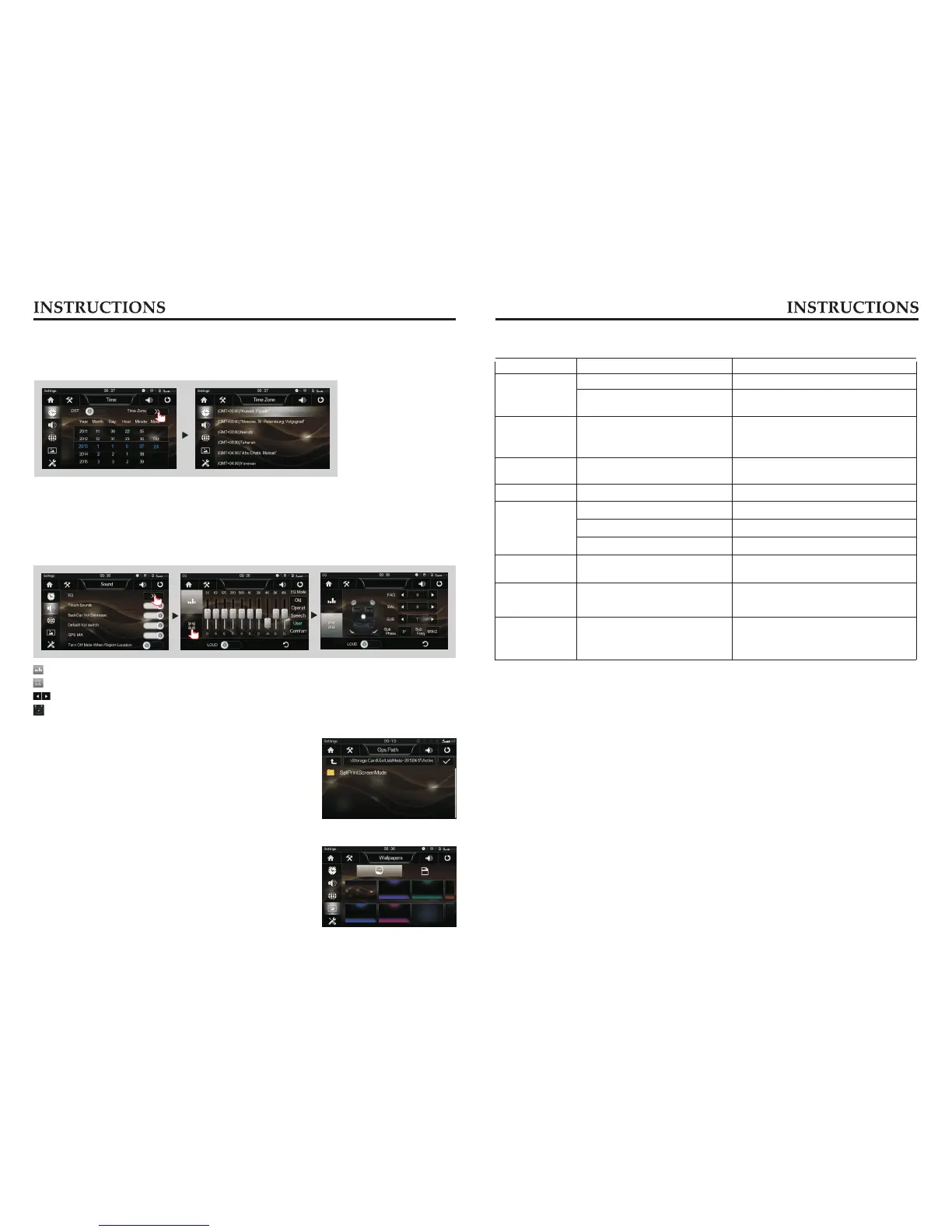
Click [Time] icon to access Time setup interface.
Drag the year, month, day, hour, minute office to set the time.
Slide up and down to browse the time zone, time zone can be selected.
Audio Setup
Click [Audio] icon to access Audio setup interface.
In the sound settings screen you can turn on / off and adjust the volume settings related to
the default volume-related functions.
: Click to enter equalizer setting function;
: Click to enter a sound focus control function;
: Click on the icon at the corresponding function can be fine-tuned;
: Set of control points for fast audio center of gravity.
Wallpaper Setup
Click [Wallpaper] icon to access Wallpaper setup interface.
You can choose the wallpaper you like.
GPS Path Setup
not enter the navigation setup interface to change the
path freely, otherwise the procedure many lead to
abnormal navigation.
Navigation path has been set at the factory, please do
更换图片
Trouble shooting
PROBLEM CAUSE
CORRECT ACTION
Poor performance
of radio station
Cannot load disk
There is a disk inside
After ignition
switch off,
setting information
all lose
Reset information and save
Change battery or fuse
Cannot power
on
Change fuse same as the old one
Some factors cause MPU wrong
operation
Press RES button on the panel by
penpoint, then, power on
Weak signal Move the car to another place, then
research
Cannot play disc
Disc is scratched
Change new disc
Put wrong side of disc into the unit Slot in the disk with sign side up
Clean lens by lens clean disc
Lens has dirty
Cannot switch
language/subtitle
There is only one language/subtitle
in disc
If disc is not with multi-language/subtitle,
it cannot switch language/subtitle
No image
Other factors cause MPU wrong
operation
Press RES button on the panel by
penpoint, then, power on
Cannot watch
image during
driving
It’s not allowed to watch image
during driving
Check fuse
Remove disc before inserting another one
Park the car in a safe place, put the car
stall in “ P ” postion, pull up the hand
brake, parking brake wire must be
grounded



 To Next Page