EnglishEnglish
34
22. INFRARED REMOTE SENSOR
23. FRONT PANEL
24. MUTE BUTTON
25. RESET BUTTON (on main unit)
26. AUX-IN AUDIO
27. CASSETTE TAPE EJECT BUTTON
28. CASSETTE TAPE SLOT-IN
29. FAST FORWARD / REWIND TAPE BUTTONS
FEATURES
The unit features a detachable front control panel, AM/FM/FM stereo-RDS, CD/MP3 player
the following features:
• The best stations memory automatically memorizes the best (strongest) station in the
order of their strength (AS).
• USB / SD Card Reader
• Electronic Volume, Bass, Treble, Fader, Balance and Equalizer control.
• Precision electronic tuning with phase-lock loop (P.L.L.) circuitry.
• Programmable 30 preset memory tuning (6 each for AM1 / AM2 / FM1/ FM2 / FM3)
• Autoreverse Cassette Mechanism
• Loudness control
• Manual / Auto (Seek) / up and down tuning control
• Band selector for AM1 / AM2 / FM1/ FM2 / FM3
• Display control (Frequency, Station Name, Program Type, Clock)
• Clock Function in RDS
• CD / USB / SD Repeat Function
• CD - MP3 files on CD/CD-R/CD-RW / USB / SD player function
• Preamplified Line-out
• Detachable front panel protects against theft
• Lighting system
• RDS Function: PI (Program Identification) TA (Traffic Announcement)
PS (Program Service Name) PTY (Program Type)
AF (List of Alternative Frequencies)
TP (Traffic Program)
INSTALLATION
PRECAUTIONS
• Choose the mounting location carefully so that the unit will not interfere with the normal
driving functions of the driver.
• Avoid installing the unit where it would be subject to high temperatures, such as from
direct sunlight or hot air from the heater, or where it would be subject to dust, dirt or
excessive vibration.
• Use only the supplied mounting hardware for a safe and secure installation.
• Be sure to remove the front panel before installing the unit.
Mounting angle adjustment
Adjust the mounting angle to less than 20
o
.
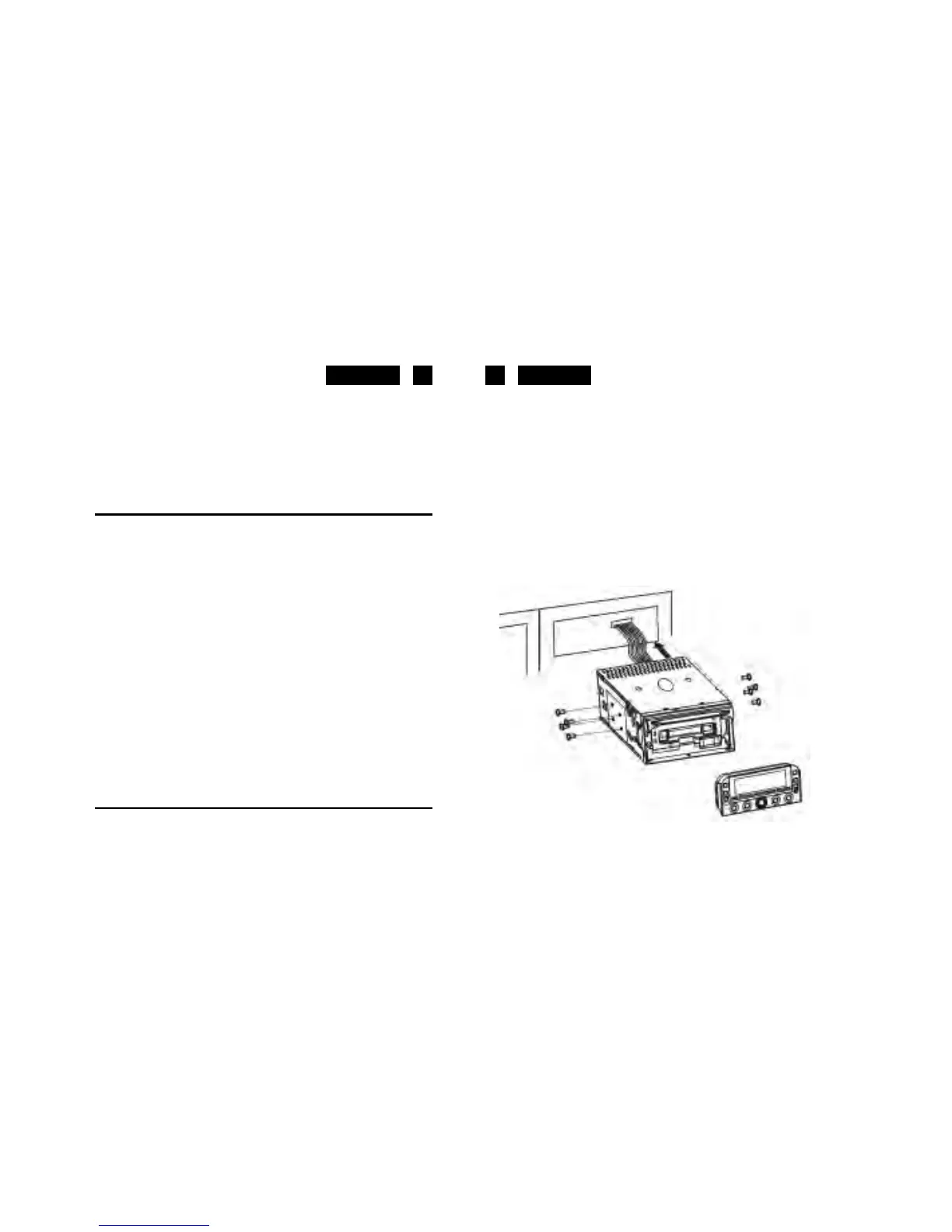
MOUNTING EXAMPLE
Installation in the dashboard


 To Next Page