EnglishEnglish
109
20. RANDOM BUTTON 'SHUFFLE' CD / USB / SD
When this button is pressed, ‘SHF’ indication is displayed and each track of the disc are
played in random instead of normal progression. To cancel RANDOM mode, press
‘SHF’ button (20) again.
21. USB PORT
22. REMOTE CONTROL SENSOR
23. FRONT PANEL
24. MUTE BUTTON
Press this buttton to mute the sound. Press it again to resume listening.
25. RESET BUTTON
Reset button (25) is placed on the housing.
The reset button is to be activated for the following reason:
• Initial installation of the unit when all wiring is completed.
• All the function buttons do not operate properly.
• Error symbol on the display.
26. AUX-IN
Use this input to connect Discman or other external devices with Audio output.
HOW TO SELECT MP3 FILES
A. Searching Track directly
Press the AS/PS Button (12) once, the displays shows “MP3 *”: select the MP3 track by
number with the following method:
rotate the Volume knob (3) to scroll through the numbers.
Then press VOLUME (ENTER,10) to confirm.
B. Searching by Directory or Track name
Press AS/PS twice, the displays shows “*”. Enter the character directly. The unit searches
files and directories which have the same character which is inputted by the user. The
unit shows these sorted files and directories by VOLUME (3) Knob. If the selected name
is directory, the user can go into the selected directory by press AS / PS BUTTON (12)
and continue to search the directory or file name in the directory by VOLUME. The selected
file can be played by pressing (3) VOLUME/Enter Button.
C. Searching from Directory
SEARCH DIRECTORY BY USING VOLUME UP / DOWN KNOB (3).
CD / USB / SD TRACK/SEARCH BUTTON
FORWARD AND REVERSE TRACK SEARCH (or changing songs)
Press the SKIP button (TUN<< or TUN>>) during play to go to the desired track(song).
TUN<<....REVERSE TUN>>....FORWARD
Press and hold the SKIP button (TUN<< or TUN>>) during play to scan the disc at high
speed. When the desired music section of the disc is found, release the button. Normal play
will resume.
When CD/MP3 play is finished, CD/MP3 mode automatically changes to radio mode.
12. AUTO SEEK / PRESET SCAN
By pressing shortly, the radio searches for each preset station (Preset Scan).
When field strength level is bigger than the threshold level of stop level, the radio is
holding at that preset number for 5 sec. with releasing mute, and than searches again.
By pressing longer than 1 sec, and then 6 strongest stations are preset to the corre-
sponding preset number.
When AS operation is finished, the radio executes the preset scan.
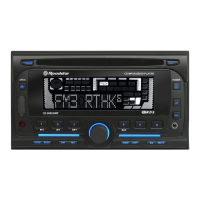
13. LCD DISPLAY
The Liquid Crystal Display will display the current state of the unit.
14. FRONT PANEL RELEASE BUTTON
CD CONTROL LOCATION OF PARTS
15. CD SLOT-IN
16. CD EJECT BUTTON
Press the EJECT button to remove the CD.
17. PAUSE BUTTON CD / USB / SD
During “PLAY”, press (17) ‘PAUSE’ button to “PAUSE”. Press it again to resume play.
18. INTRO BUTTON (CD SCAN) CD / USB / SD
When this button is pressed, ‘SCN’ indication is displayed and the first several seconds
of each track of the disc are played. Press again to stop intro and listen to track.
19. REPEAT BUTTON 'REPEAT' CD / USB / SD
When this button is pressed, ‘RPT’ indication is displayed and play of the selected track
will be continually repeated until the Track repeat mode is cancelled by pressing ‘RPT’
button again.


 To Next Page