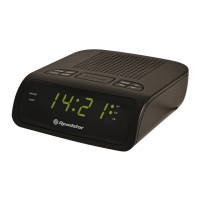
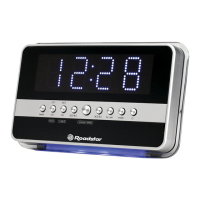
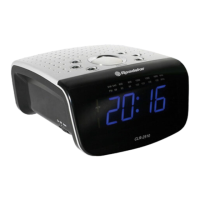
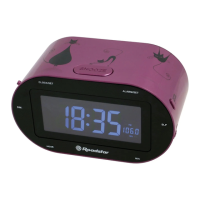
1 English
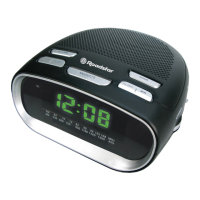
LOCATION OF CONTROLS
1. TUN-/HR BUTTON
2. TUN+/MIN BUTTON
3. PRESET/TIME BUTTON
4. AL2/VOL+ BUTTON
5. AL1/VOL– BUTTON
6. POWER/ AL OFF BUTTON
7. SNOOZE/SLEEP/DIMMER BUTTON
8. USB CHARGER
9. BACKUP BATTERY
10. AC POWER CORD
POWER SOURCES
AC POWER: You can power your clock radio by plugging the AC power cord into a
wall AC power outlet. Check that the rated voltage of your appliance matches your lo-
cal voltage.
BATTERY BACK-UP POWER FAILURE PROTECTION
This radio has a battery back up circuit that will keep the correct time and alarm set-
tings in the event of a temporary power interruption.
Install a 3V CR-2030 battery (not included), into the battery compartment located on
the bottom of the unit.
Change the battery every 9 to 12 months for best result and avoid possible battery
leakage.
If power is temporarily interrupted the display will blink and the radio will not play.
However, the battery back-up circuit will continue to maintain the clock and alarm set-
tings. When power is restored the clock will display the correct time and alarm set-
tings, and no adjustment is necessary.
CLOCK SETTING
In stand-by mode:
1. Press 2 seconds the [TIME] button (3);
2. Press the [HOUR] (1) button to adjust the hour;
3. Press the [MIN] (2) button to adjust the minutes;
4. Press the [TIME] button (3) to complete the setting operation.
ALARM SETTING
In stand-by mode:
1. Press 2 seconds the [ALARM 1 or 2] (4/5) button;
2. Press the [HOUR] (1) button to adjust the hour;
3. Press the [MIN] (2) button to adjust the minutes;
4. Press the [ALARM 1 or 2] (4/5) button to confirm;
In Stand by mode, short press [AL.1] (5) or [AL.2] (4) to choose alarm mode: BUZ-
ZER, FM RADIO or OFF.


 To Next Page
 Loading...