Getting Started
Plug Roav SmartCharge T2 into your vehicle’s cigarette lighter socket.
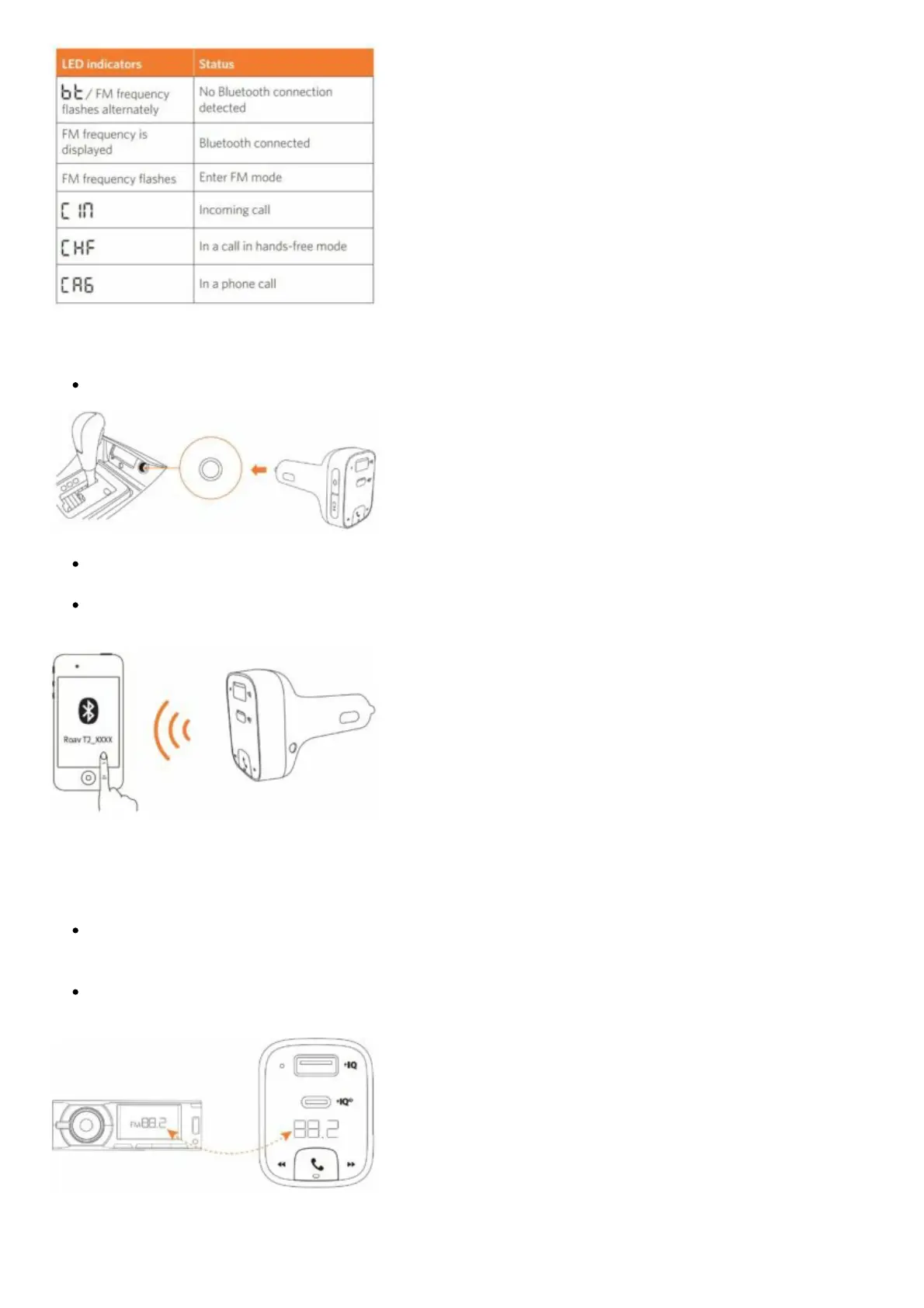
Start your vehicle’s engine. The LED display will light up, and BT/ FM frequency will flash
alternately.
Enable Bluetooth on your smartphone and search for available Bluetooth devices. Select “Roav
T2_XXXX” and connect. Once successfully connected, the FM frequency will be displayed.
Customizing FM Channel
The Roav SmartCharge T2 allows you to connect your phone to your car’s stereo via an FM signal.
Press CH. T2 begins to search for an
unoccupied FM frequency. Or select the channel manually:
Press and hold CH for one second. FM mode is activated. Press to select an FM frequency.
Turn on your car radio. Make sure the transmitting frequency matches the frequency T2 is tuned
to.
Using the Car Charger T2


 To Next Page