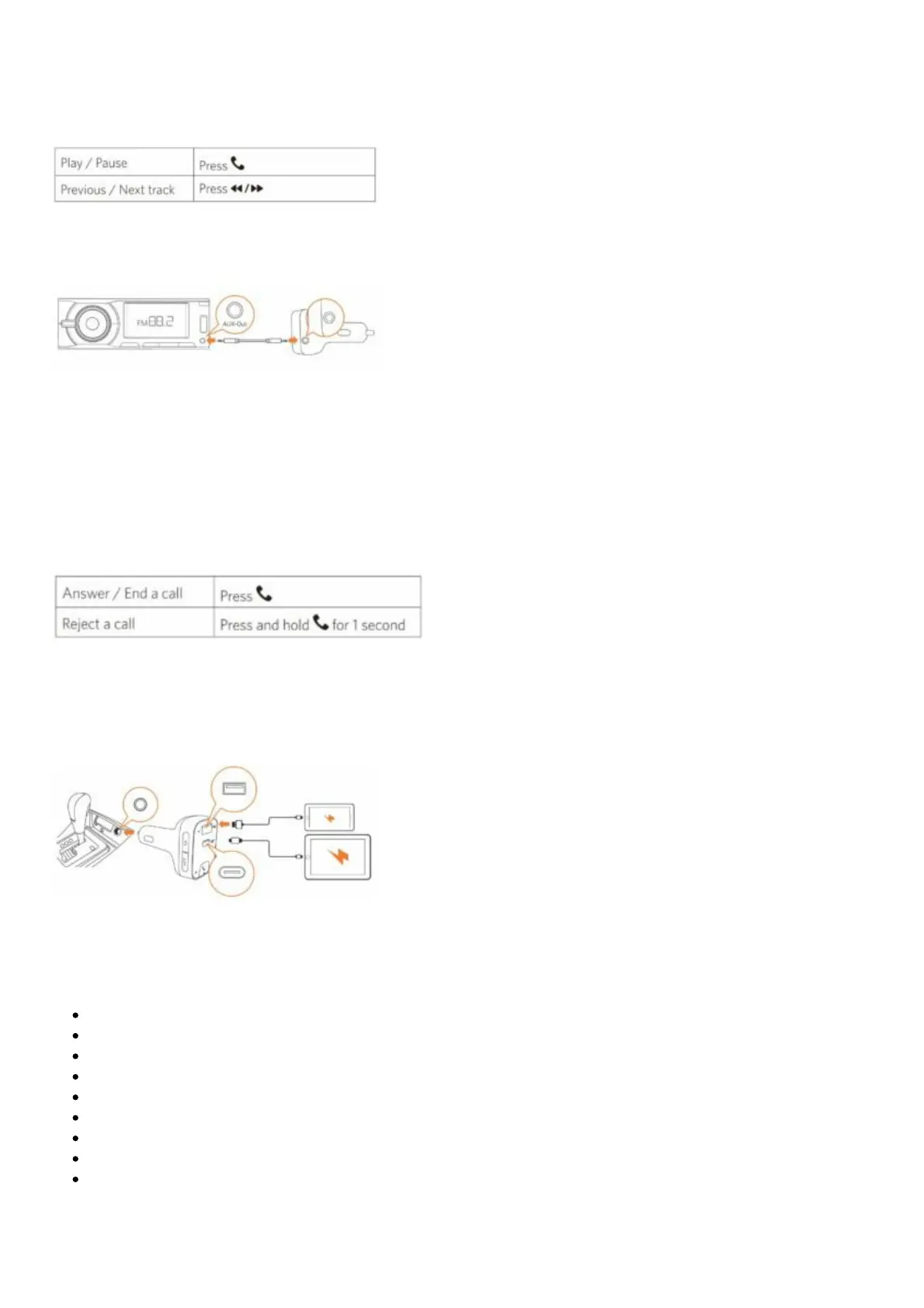
Play Music
When T2 is successfully paired with your smartphone, you can play music from your phone. Music can
then be streamed to your car’s audio system via an FM transmitter or AUX-Out socket.
To further reduce echo and cabin noise on your calls and music, you can connect a 3.5 mm AUX cable
(not provided) to T2’s AUX-Out socket and the AUX-In socket of your car’s audio system.
Note: If Bluetooth is not connected within 30 minutes, T2 will enter sleep mode and stop emitting FM
signals. Then you will listen to the local channel with the LED display shut off.
When Bluetooth is re-connected, T2 will be activated and resume operation.
Make Hands-Free Calls
When T2 is successfully paired with your smartphone, you can enjoy convenient hands-free calling.
Charging Your Devices
Note: Roav SmartCharge T2 has one USB-A and one USB-C charging port. You can charge two devices
simultaneously with a maximum output of 30W.
Specifications
Specifications are subject to change without notice.
DC input: 12V – 24V
USB-C output: 5V 3A, 9V 2A
USB-A output: 5V 2.4A
Bluetooth: V5.0
Bluetooth transmission distance: 10 m / 393.7 in
FM frequency range: 88.1 – 107.9 MHz
FM transmission range: 2 m / 78.7 in
Operating temperature range: -4°F to 104°F / -20°C to 40°C
Storage temperature range: -40°F to 185°F / -40°C to 85°C
Notice


 To Next Page