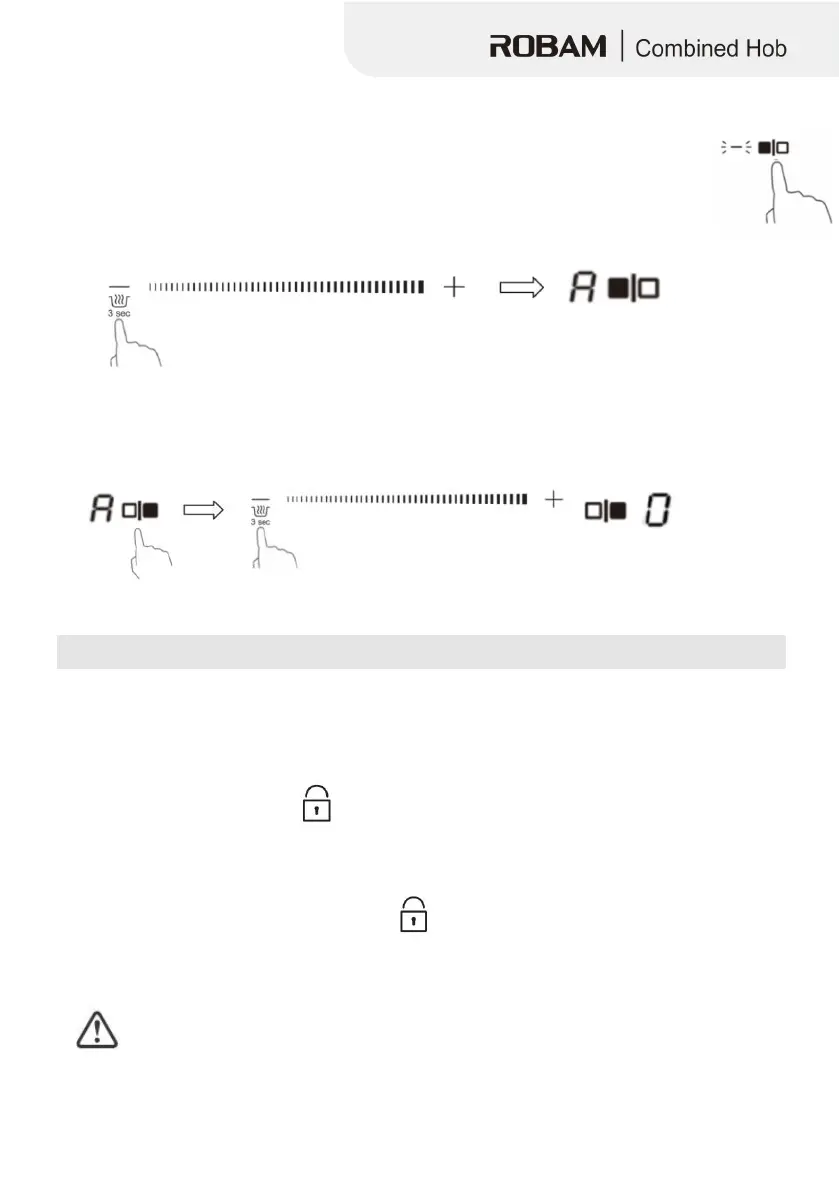
1. Touch the heating zone selection button that you wish to use keep warm, an
indicator next to the key will flash.
2. Touch the button ‘-’ and hold 3s in the meantime, the cooking
zone indicator will display “A”.
3. If you want to cancel the keep warm, touch the button ‘-’and hold 3s in the meantime. The
heating zone will go back to “0” power stage.
Locking the Controls
• You can lock the controls to prevent unintended use (for example children accidentally
turning the cooking zones on).
• When the controls are locked, all the controls except the ON/OFF control are disabled.
Touch the key lock control
the timer indicator will show “ Lo “
1. Make sure the Induction hob is turned on.
2. Touch and hold the key lock control
3. You can now start using your ceramic hob.
When the hob is in the lock mode,all the controls are disable except the ON/OFF
, you can
always turn the induction hob off with the ON/OFF control in an emergency,but you
shall unlock the hob first in the next operation


 To Next Page