Page: 7
OPERATION
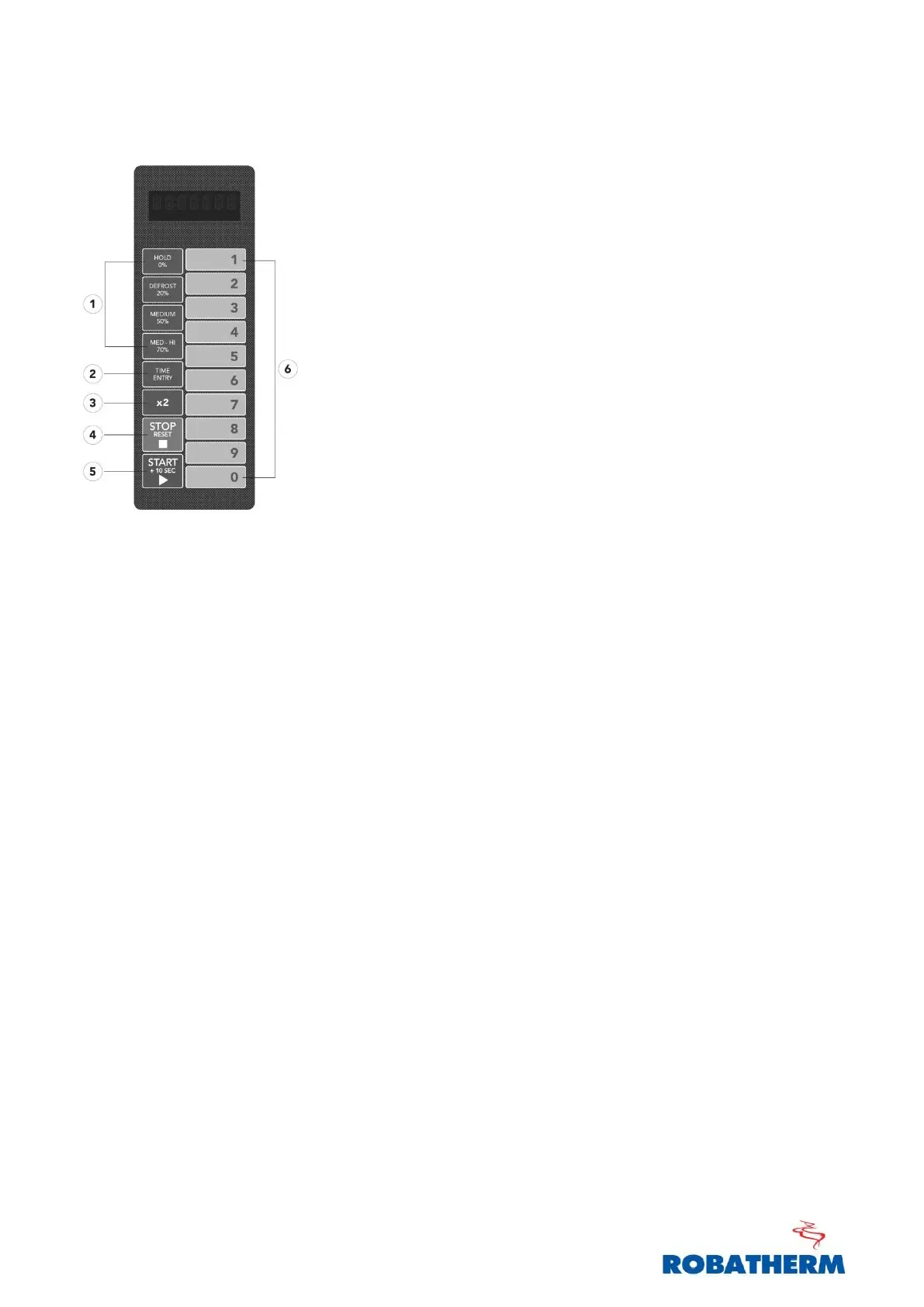
1. POWER LEVEL – Used to select power
2. TIME ENTRY – To enter cooking time
3. x2 – Double quantity
4. STOP / RESET – To stop Cooking and Reset timer
5. START / +10s – Begin/resume cooking or quickstart 10s
6. NUMBER 0-9 – To input time or program
QUICKSTART
1) Open the door and insert food in the oven. Close the door. “Ready” will
display.
2) Press ‘Start’ to begin cooking with a time of 10 seconds.
3) Pressing ‘Start’ again while running will add 10 seconds to the timer. Press
‘Start’ multiple times to reach desired cooking time.
NOTE: QuickStart always runs at 100% power.


 To Next Page