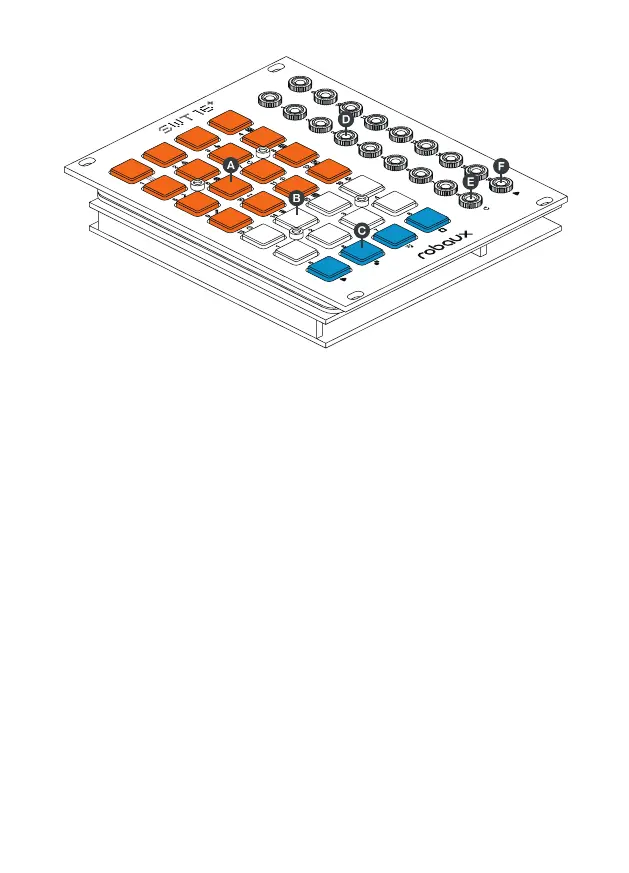
c Blue
The blue buttons are the function keys of the sequencer.
Jacks
The connections of the SWT16+ are divided into two dierent sections.
d Track Outputs
The upper 16 jacks are assigned to the 16 dierent output tracks. Connect
these outputs to the trigger inputs of your drum and modulation modules.
e Reset Input
The lower left socket is designed to receive a reset signal.
f Clock Input
The lower right socket is designed to receive a clock signal. Plug in any
clock source like an LFO or another sequencer.
q Play
Starts or stops the sequencer.
s Presets
Call, save or delete presets.
r Copy
Copy sequences or patterns.
t Modes/Patterns
Select modes or patterns.


 To Next Page