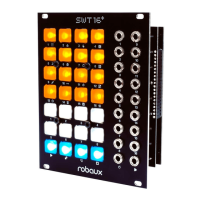
Panel Description
Buttons
The controls are divided into three parts which are characterized by three
dierent illumination colors.
a Orange
The orange buttons 1-16 are the main control elements.
b White
The white buttons 1-8 support the operation in the edit modes. Here you
can also select patterns 1-8 if the t shift button is held at the same time.
a Step
Classic step sequencing.
c Tap
Record with your ngertips.
e Mute
Mute your tracks.
g Clock Reset
Reset your tracks.
i Length
Set the duration of each track.
k Direction
Adjust the play direction.
m Autoclock
External or internal clock.
o Write
Freeze the current state.
b Euclidean
Let math create your beat.
d Random
Randomly dene your track.
f Fill
Add lls to your pattern.
h Perform
Play with your pattern set.
j Oset
Shift your patterns.
l Values
Set the parameters of your tracks.
n Delete
Delete everything.
p Util
Useful adjustments for your setup.


 To Next Page