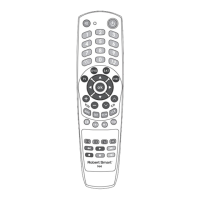
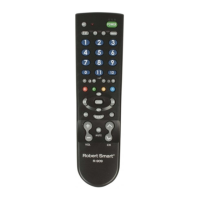
TV REMOTE CONTROL
R-909
Thank you for choosing a Robert Smart product!
USER MANUAL
DESCRIPTION
Robert Smart R-909 is a cutting-edge universal remote control. It is
compatible with more than 300 dierent TV brands which ensures its
operation with all the most popular models. It’s a perfect substitute for
lost or damaged original remote control devices and ensures control of all
the main operating functions. The expanded database ensures that setup
of the Robert Smart remote control is fast and easy.
To start using the remote it must be programmed to control the TV. To
perform programming quickly and simply, please read this manual
carefully.
PREPARATION
Remove the battery case cover and insert two R6 (AA size) 1.5 V batteries
(not included) matching the +/- marks to the marks in the battery case.
PROGRAMMING TO CONTROL PARTICULAR DEVICES
To control a particular TV, program the remote by setting up the code
corresponding to the TV model. The code ensures transmission of a signal
detectable for the device.
The remote can be programmed using 2 methods:
a) Code setup from the code table.
b) Automatic code search.
Each programming method has its own advantages and you can choose
which one you prefer to use. We recommend using 'Code setup from code
table'. Use 'Automatic code search’ only if remote control programming
with code setup fails.
Finding codes for some particular models is only possible with the
'Automatic code search' method. This applies to rare or specic models. In
such cases, code selection may require more time.
IMPORTANT: correct code setup ensures the operation of the main
functions; however, in some cases some specic functions may not function.
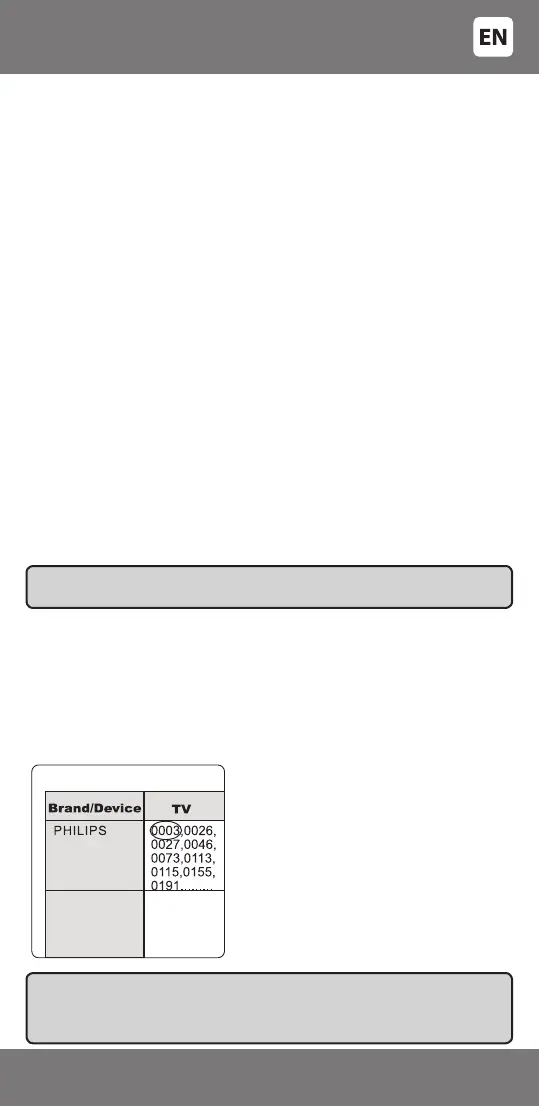
In the table of device codes ('SET-
UP CODES FOR...'), nd the brand
and corresponding code of the
device to be operated.
A. CODE SETUP FROM THE CODE TABLE
'Code setup from the code table' is the most precise method for setup of
the remote; therefore we recommend starting setup of the remote using
this method. Open the code table at the end of the manual to begin setup
with 'Code setup from the code table'. The most popular brand codes are
included in this manual. If the brand of your device is not among them,
visit Robert Smart webpage: www.robertsmartworld.com where you will
nd a full list of brands and codes.
IMPORTANT: the codes have been listed according to the demand for each
brand’s devices. It means that the most popular brands top the list, therefore
start code setup in sequence from the top of the list starting with the rst, second,
third code etc. Don’t start code setup from the middle or the end of the list.
- 3 -
34-240


 To Next Page