If you need any further advice, please call our Technical Helpline on :-
020 8758 0338 (Mon-Fri)
7
Setting alarm time
The alarm can be set to wake you by either the buzzer or the radio.
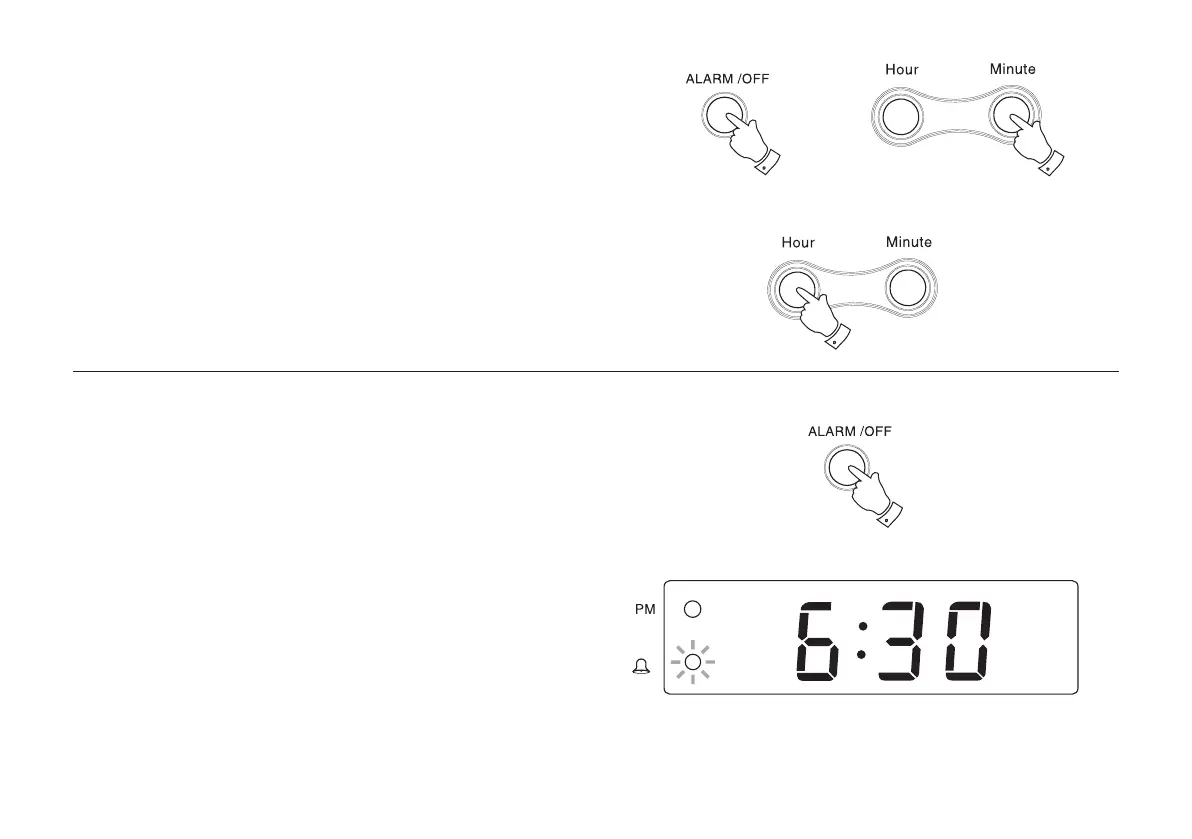
1. Press and hold down the ALARM/OFF button.
2. Whilst holding down the ALARM/OFF button press the Hour or
Minute button to set the correct time. Release the buttons when
the correct time is reached. The clock uses a 12 hour display with
a PM indicator. Ensure that the correct 12 hour cycle is selected.
Checking alarm time
1. To check the Alarm time, press the ALARM/OFF button. The Alarm
time will appear in the display.
1
2
2
1


 To Next Page