If you need any further advice, please call our Technical Helpline on :-
020 8758 0338 (Mon-Fri)
18
Setting alarm times - cont.
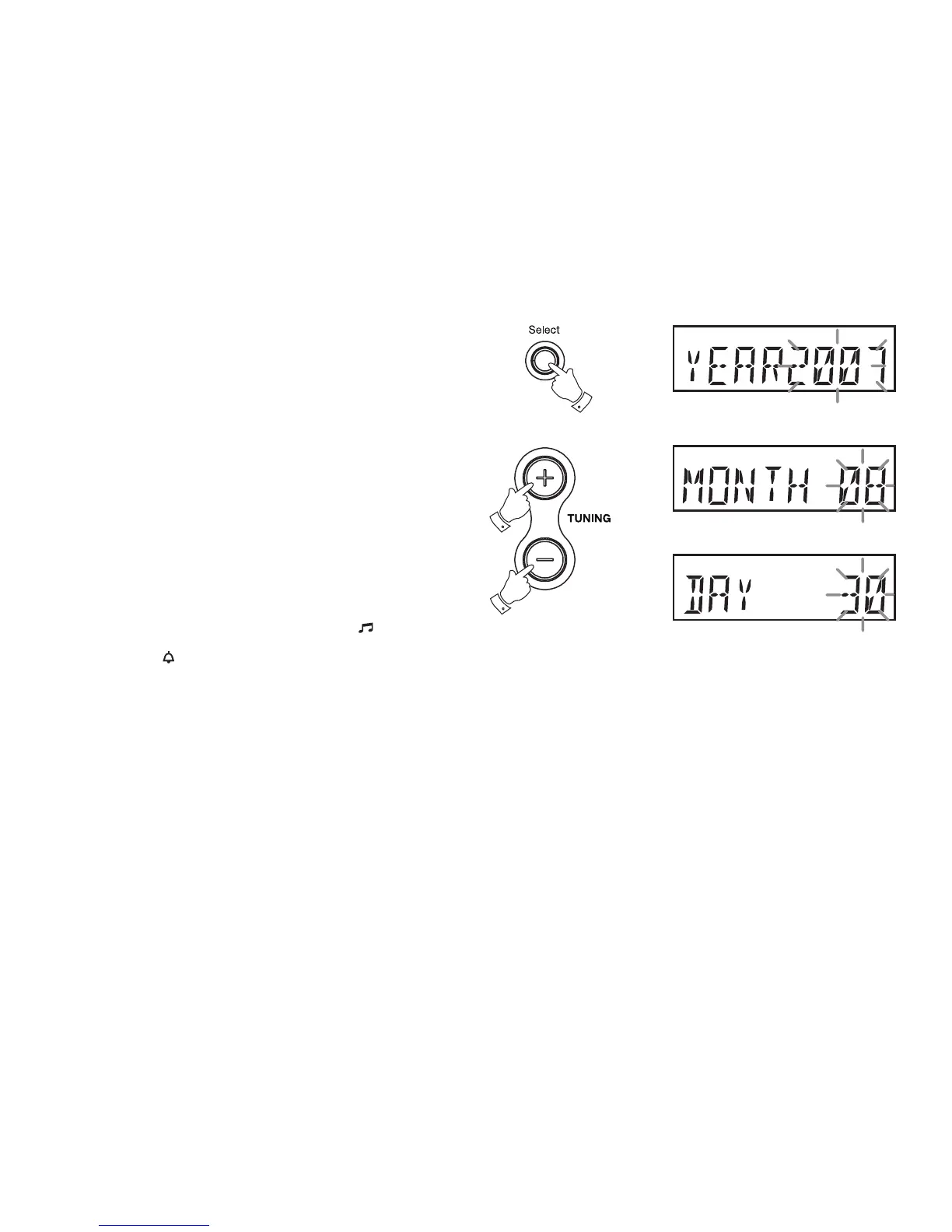
15. Press the Tuning up or down buttons to select the correct year
16. Press the Select button to enter the alarm month option
17. Press the Tuning up or down buttons to select the correct month
18. Press the Select button to enter the alarm day option
19. Press the Tuning up or down buttons to select the correct day.
20. Press the Select buttontoconrmalarmsettingsandreturntonormal
radio mode.
21. Radio alarms are indicated in the display by the symbol and the
corresponding alarm number. Buzzer alarms are indicated in the
display by the symbol and the corresponding alarm number.
Note: The alarms will not sound if the alarms have not been activated and
set to the ON position. When your clock radio is set to wake you by the
radio alarm, your clock radio will switch on to the last used station.
15,17,19
4
16,18,20














 To Next Page