23
Setting the clock cont.
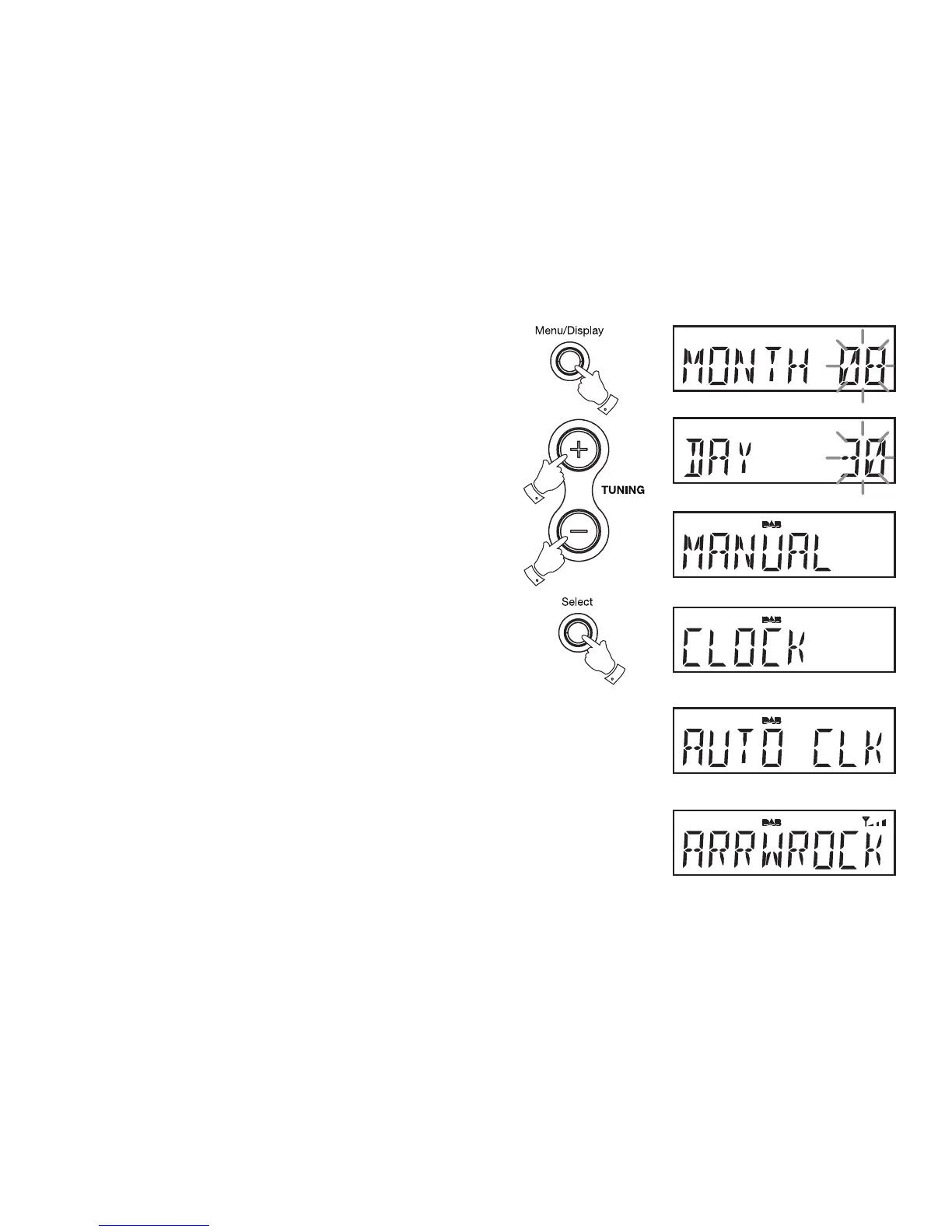
10. Press the Select button to enter the set month option.
11. Press the Tuning up or down buttons to select the correct month.
12. Press the Select buttontoconrmtimesettingsandreturntonormal
radio mode.
To return to Auto clock set mode
1. Press and hold down the Menu/Display button until the display shows
"MANUAL
2. Press the Tuning up or down buttons until “CLOCK” appears on the
display.
3. Press Select button to enter the clock set menu.
4. Press the Tuning up or down buttons until the display shows
"AUTO CLK"
5. Press the Select buttontoconrmtimesettingsandreturntonormal
radio mode.
Note: If you select “AUTO CLK” the current time received will be displayed.
If no DAB signal is found, “NO DABCK” will be displayed
?
?
???
?














 To Next Page