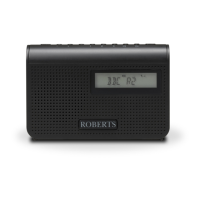
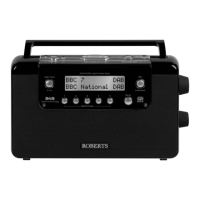
Radio, mains adaptor, quick start guide and safety/warranty leaet.
Features
Controls
continued overleaf...
STEP 1 - Plug in & play DAB radioWhat is in the Box?
• Bluetooth audio streaming from smartphone, tablet or laptop
• DAB / DAB+ / FM RDS wavebands with built-in battery charger
• 20 radio station presets (10 DAB and 10 FM)
• FM RDS station name display
• Up / Down tuning buttons
• Search / manual tuning
• AC adaptor included
• Batteries 4 x AA size / LR6 or rechargeable equivalent (not included)
• Headphone socket for private listening
B - Connect to the mains
A - Lock switch
C - Switch on your radio
D - Select a DAB radio station
Please read the safety leaet provided before connecting your
radio to the mains.
1 Place your radio on a at surface.
2 Fully extend the telescopic aerial located on the rear of the radio.
3 Plug the cable from the mains adaptor into the DC input socket.
Plug the mains adaptor into a wall socket and switch on the socket.
1 Ensure the Lock switch (located on the back of the radio) is in the
‘Unlock’ position (down) before switching on your radio. The lock switch
is used to prevent unintentional operation of your radio when not in use.
• If you are not using your radio for some time, set the Lock switch to
the ‘Lock’ position (up). The power and all other buttons will be disabled,
this should prevent accidental operation when your radio is packed in a
suitcase or travel bag.
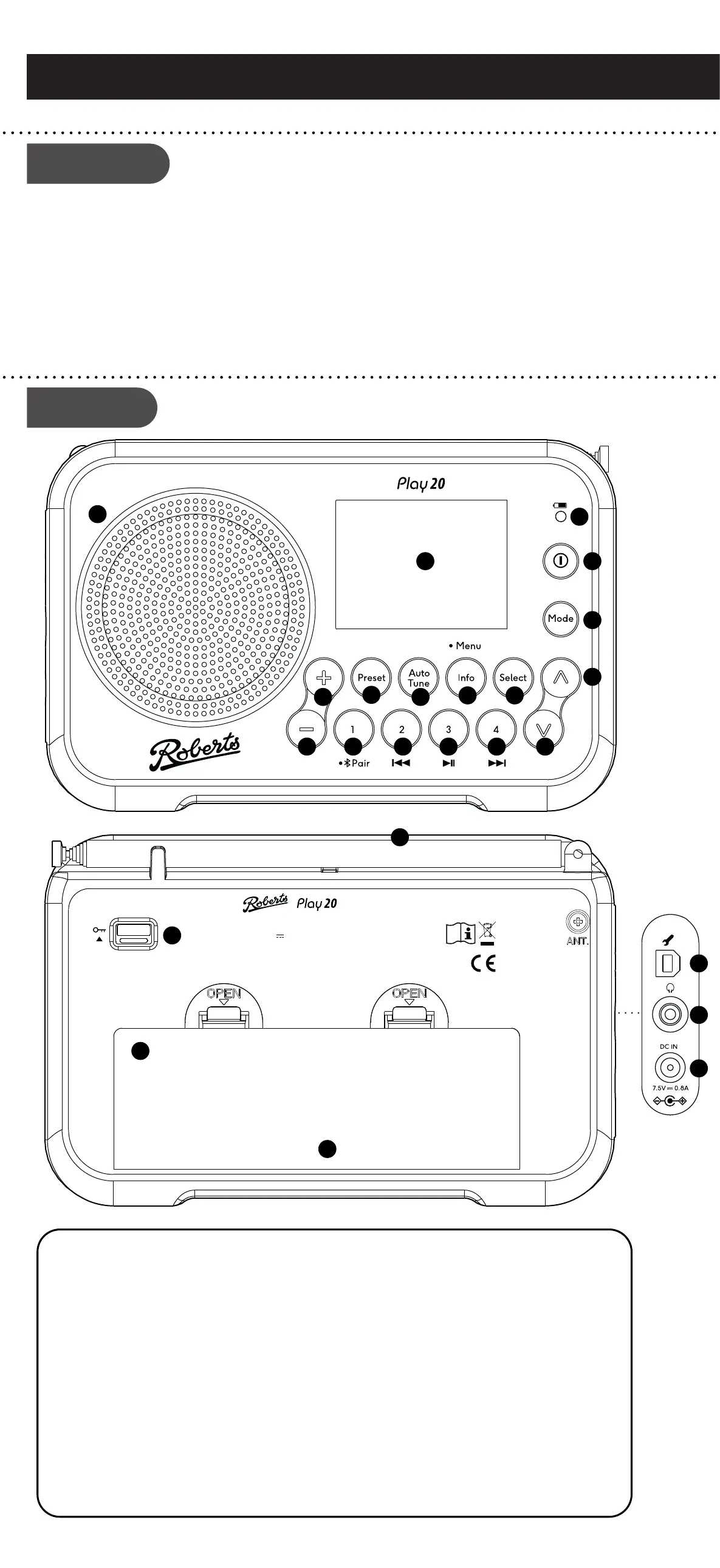
1 Loudspeaker
2 LCD display
3 Charge / Low battery indicator
4 On / Off button
5 Mode button
6 Tuning Up button
7 Select button
8 Info / Menu button
9 Auto Tune button
10 Preset button
11 Volume Up button
12 Volume Down button
13 Preset 1 / Bluetooth Pair button
14 Preset 2 / Previous button
15 Preset 3 / Play/Pause button
16 Preset 4 / Next button
17 Tuning Down button
18 Telescopic aerial
19 Lock switch
20 Battery charge switch (inside battery
compartment) not shown
21 Battery compartment
22 USB socket (for software upgrades only)
23 Headphone socket
24 DC input socket
2
3
5
6
78
9
10
11
12
4
13
14
16
15
1
17
E - Scan for DAB stations
As time passes new stations may become available or you
may have moved to a different part of the country.
1 Press and release the Auto Tune button.
2 Your radio will perform a scan of the Band III DAB
channels. As new stations are found, they will be added
to the list stored in the radio.
1 Press the On/Off button to switch on the radio. A start up screen will be
displayed and a station scan will be performed.
2 If this is the rst time the radio is used a scan of the Band III DAB channels
will be carried out. After each use the radio will remember the mode used
and then switch on in that mode the next time it is used. To switch off your
radio press the On/Off button.
3 Note: If no signals are found it may be necessary to relocate your radio
to a position giving better reception and carry out a scan for new stations.
1 If needed, press and release the Mode button until the
DAB mode is selected.
2 Press the Tuning Up or Down buttons to step through
the list of available DAB stations.
3 Press the Select button to select the station.
4 Adjust the Volume.
5 Some radio stations may have one or more additional
broadcasts associated with them. If these are available
they will appear immediately after the main station.
• If a DAB broadcast provides a slideshow image, this
may be viewed by pressing the Select button. For full-
screen, press the Select button again. Press the Select
button to exit the slideshow.
6 Press and release the Info / Menu button to cycle through
the various DAB display options. Choose from, scrolling
text, program type, multiplex name, date, bit rate, audio
type and signal strength.
A - Search tuning - FM
B - Manual tuning - FM
Menu options
1 Fully extend the telescopic aerial.
2 Press and release the Mode button until FM is
selected.
3 Press the Tuning Up or Down buttons and then press
and release the Auto Tune button. Your radio will
scan upwards (low to high frequency) or downwards
(high to low frequency) and will stop automatically
when it nds a station of sufcient strength.
4 If the signal is strong enough and there is RDS data
present then the radio will display the station name.
5 Adjust the Volume.
• Press and release the Info / Menu button to cycle
through the various FM display options. The display
options are station name, scrolling text, program type,
signal strength or date.
1 Fully extend the telescopic aerial.
2 Press and release the Tuning Up or Down buttons
to tune to a station.
3 The frequency will change in steps of 50 kHz.
4 Adjust the Volume.
1 To access your radios menu system, apply a long
press on the Info / Menu button.
2 Use the Tuning Up or Down and Select buttons to
select menu options.
3 To exit a menu, press the Info / Menu button as
needed.
STEP 2 - Play FM radio
You may store your preferred DAB or FM radio stations
to the preset station memories. There are 20 memory
presets, 10 for DAB and 10 for FM. To store presets
(5 -10) see overleaf.
Presets are remembered by the radio in the event of a
power failure.
To store a preset (1 - 4)
1 Ensure your radio is switched on.
2 Tune to the required radio station.
3 Apply a long press on the required Preset button
1 - 4. The display will show for example, ‘Preset 01
Saved’.
4 The station will be stored under the chosen preset
button. Stations stored in the preset memory may
be overwritten by following the above procedure.
To recall a preset (1 - 4)
1 Choose DAB or FM mode.
2 Press and release the required Preset button 1 - 4.
3 Your radio will tune to the station stored in the preset
memory. Note: The display will show ‘Empty’ if no
station has been stored to that preset.
Preset radio stations
FM: 87.5 - 108 MHz
DAB+/DAB: 5A - 13F
DC IN: 7.5V 0.8A
BATTERY: 4 x AA
DISCONNECT FROM MAINS
BEFORE REMOVING ANY
COVER AND WHEN NOT IN USE.
DO NOT EXPOSE TO MOISTURE.
Designed & Engineered in the UK
Made in China
Roberts Radio Ltd,
Stoney Lane, Rainhill,
L35 2XW, UK
Glen Dimplex Europe Ltd,
Airport Road, Cloghran,
Co. Dublin, K67 VE08, Ireland
18
19
20
21
22
23
24
• It is recommended that the DAB band be used wherever
possible as better results in terms of quality and freedom
from interference will usually be obtained than on the
FM band.
BBC Radio 2
BBC Radio 3
BBC Radio 4
Daily Service
Parliament
Station list
Stations: 044
Scan
Scanning...
103.40 MHz
FM 16.34
Heart FM - The
best variety of
hits
FM
RDS
Preset 01 Saved
i


 To Next Page
 Loading...