EasyManua.ls Logo

Roberts Play 10 - User Manual

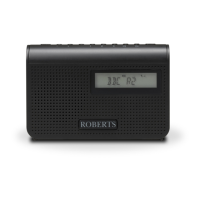
Roberts Play 10
24 pages
Print Icon
To Next Page IconTo Next Page
Loading...
DAB / DAB+ / FM RDS digital portable radio
Please read this manual before use
ROBERTS
Question and Answer IconNeed help?

Do you have a question about the Roberts Play 10 and is the answer not in the manual?

Summary

Roberts Play10 Radio Controls Overview

Top Panel Controls

Details the buttons and display elements located on the top surface of the radio.

Left Hand Side Controls

Explains the functions of controls and ports on the left side of the radio.

Right Hand Side Controls

Details the controls and ports found on the right side of the radio.

Battery Operation Guide

Using the AC Power Adaptor

Operating Your Radio - DAB Mode

Selecting a Station - DAB

Instructions on how to choose and tune into specific DAB stations.

Secondary Services - DAB

How to access and tune into associated secondary DAB radio services.

DAB Display Options

Station Name and Signal Display

Shows the station name and signal strength indicator for DAB reception.

Scrolling Text and Frequency Display

Displays scrolling text messages and the frequency of the DAB station.

Additional DAB Display Information

Bit Rate, Time, and Date Display

Shows the digital bit rate, current time, and date for DAB broadcasts.

DAB Tuning and Settings

Manual Tuning - DAB

Steps for manually tuning to specific DAB frequencies for better reception.

Dynamic Range Control (DRC) Settings

Adjusts sound compression to improve listening in noisy environments.

Prune Stations - DAB

Removes unavailable or old DAB stations from the station list.

Operating Your Radio - FM Mode

Manual Tuning - FM

Guides for manually tuning to FM stations by frequency.

FM Display Options

Details various display modes available when listening to FM radio.

Scan Sensitivity Setting - FM

Configures the radio's sensitivity for scanning FM broadcasts.

Station Presets and Recall

System Information and Settings

Software Version

Displays the current software version of the radio.

Language Function

Allows changing the language of the radio's menus and interface.

System Reset Procedure

Instructions to reset the radio to factory default settings.

Additional Functions

Headphone Socket Usage

Information on using the 3.5mm headphone socket and audio output.

Dimmer Function Adjustment

How to adjust the display brightness to Low or High settings.

Product Specifications and General Information

Product Guarantee and Support

Summary

Roberts Play10 Radio Controls Overview

Top Panel Controls

Details the buttons and display elements located on the top surface of the radio.

Left Hand Side Controls

Explains the functions of controls and ports on the left side of the radio.

Right Hand Side Controls

Details the controls and ports found on the right side of the radio.

Battery Operation Guide

Using the AC Power Adaptor

Operating Your Radio - DAB Mode

Selecting a Station - DAB

Instructions on how to choose and tune into specific DAB stations.

Secondary Services - DAB

How to access and tune into associated secondary DAB radio services.

DAB Display Options

Station Name and Signal Display

Shows the station name and signal strength indicator for DAB reception.

Scrolling Text and Frequency Display

Displays scrolling text messages and the frequency of the DAB station.

Additional DAB Display Information

Bit Rate, Time, and Date Display

Shows the digital bit rate, current time, and date for DAB broadcasts.

DAB Tuning and Settings

Manual Tuning - DAB

Steps for manually tuning to specific DAB frequencies for better reception.

Dynamic Range Control (DRC) Settings

Adjusts sound compression to improve listening in noisy environments.

Prune Stations - DAB

Removes unavailable or old DAB stations from the station list.

Operating Your Radio - FM Mode

Manual Tuning - FM

Guides for manually tuning to FM stations by frequency.

FM Display Options

Details various display modes available when listening to FM radio.

Scan Sensitivity Setting - FM

Configures the radio's sensitivity for scanning FM broadcasts.

Station Presets and Recall

System Information and Settings

Software Version

Displays the current software version of the radio.

Language Function

Allows changing the language of the radio's menus and interface.

System Reset Procedure

Instructions to reset the radio to factory default settings.

Additional Functions

Headphone Socket Usage

Information on using the 3.5mm headphone socket and audio output.

Dimmer Function Adjustment

How to adjust the display brightness to Low or High settings.

Product Specifications and General Information

Product Guarantee and Support

Roberts Play 10 Specifications

General IconGeneral
DisplayLCD
Power SourceMains or Battery
Preset Stations20
Headphone SocketYes
Radio BandsDAB/DAB+/FM
Battery Type4 x AA

Related product manuals