
 Need help?
Do you have a question about the Roberts Classic DAB and is the answer not in the manual?
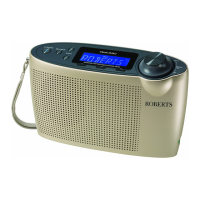
Buttons for power, presets, station, and menu functions.
LCD screen, telescopic aerial, and volume/tuning control.
USB, headphone, DC sockets, and battery compartment details.
Guide to inserting, managing, and safely storing batteries for optimal use.
Instructions for connecting the radio to AC power and essential safety advice.
How to turn on the radio and perform an initial scan for DAB stations.
Understanding the signal indicator and how volume settings are retained.
Steps to select and tune into available DAB stations.
How to access and tune into associated secondary radio services.
Cycling through station name, text, program type, and frequency displays.
Displaying signal error, bit rate, audio type, current time, and date.
How to use Auto Tune to update the station list with new broadcasts.
Guide to manually tune DAB channels for reception optimization.
How to set DRC levels to enhance quiet sounds in noisy environments.
How to delete stations marked with a question mark from the list.
Steps to tune, auto-tune, and operate the radio effectively in FM mode.
Guide to manually tune FM stations by adjusting frequency steps.
Viewing RDS data like text, program type, station name, time, and date.
Adjusting the scan sensitivity to find local or distant FM stations.
How to save preferred radio stations into memory presets for quick access.
Steps to select and tune into stations previously stored in the radio's presets.
Procedure to view the current software version of the radio.
Details regarding potential future software updates and how to be notified.
Steps to perform a full factory reset, erasing all stored data.
Information on connecting headphones, audio output, and safety warnings.
How to adjust the display brightness to low or high settings.
Important advice on radio placement, ventilation, and care to prevent damage.
Power, battery life, frequency range, speaker, and aerial system details.
Details of the 12-month guarantee, exclusions, and how to obtain service.
 General
| Brand | Roberts |
|---|---|
| Model | Classic DAB |
| Category | Portable Radio |
| Language | English |











 To Next Page