If you need any further advice, please call our Technical Helpline on :-
020 8758 0338 (Mon-Fri)
8
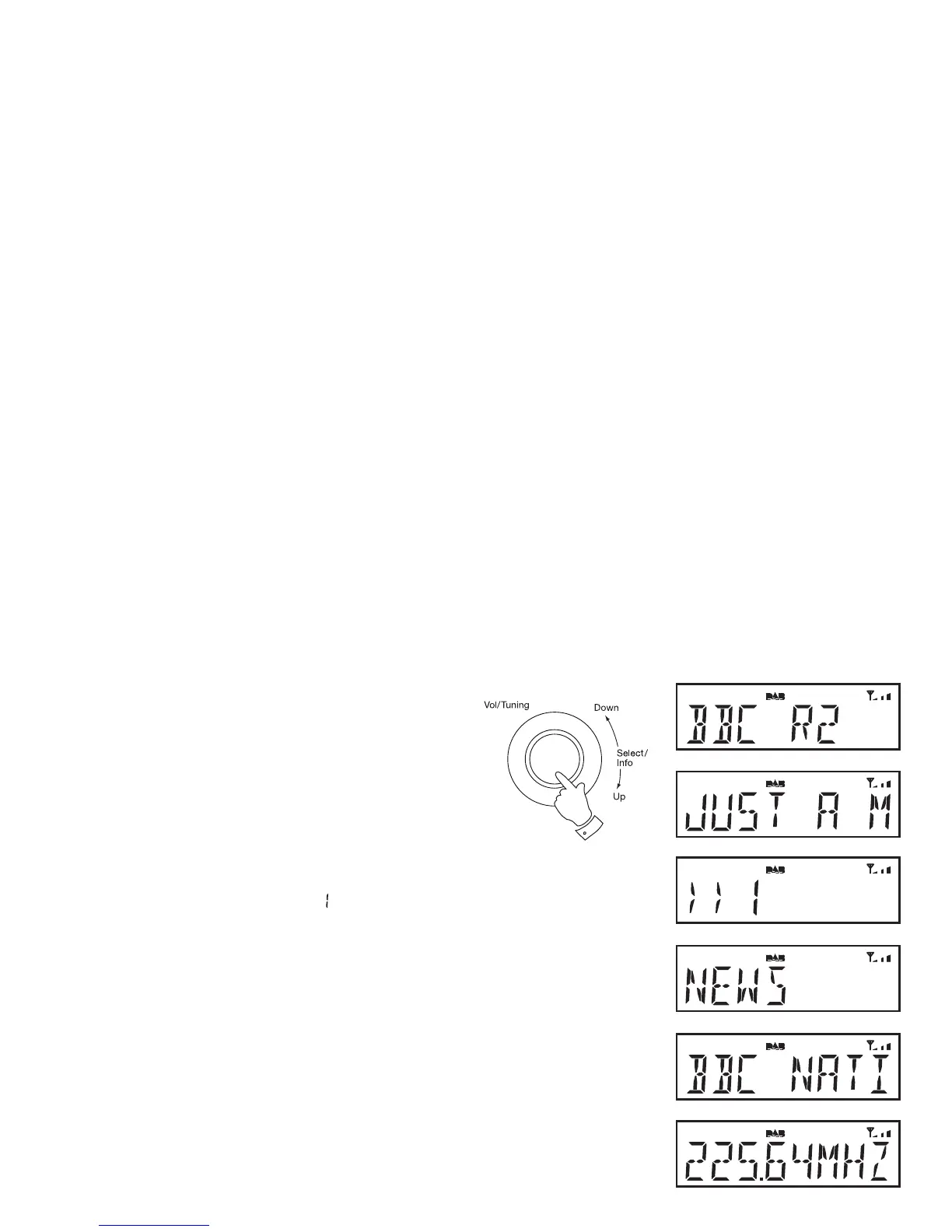
Display modes - DAB
Your radio has a range of display options when in DAB mode:-
1. Press and release the Tuning/Select control to cycle through
the various modes.
a. Station name Displays the station name being
listened to.
b. Scrolling text Displays scrolling text messages such
as artist/track name, phone in number,
etc.
c. Signal strength Displays the signal strength. The minimum
signal marker (
) shows the minimum
signal strength needed for good DAB
reception. The signal indicator chevrons
increase or decrease showing the changing
signal strength as you adjust the telescopic
aerial or your radio position.
d. Programme type Displays type of station being listened to
e.g. Pop, Classic, News, etc.
e. Multiplex Name Displays name of multiplex to which the
current station belongs.
f. Frequency Displays the frequency for the currently
tuned DAB station.
b
c
d
a
e
f
1












 To Next Page