19
Language function
Your radio's menus can be confi gured to a different language.
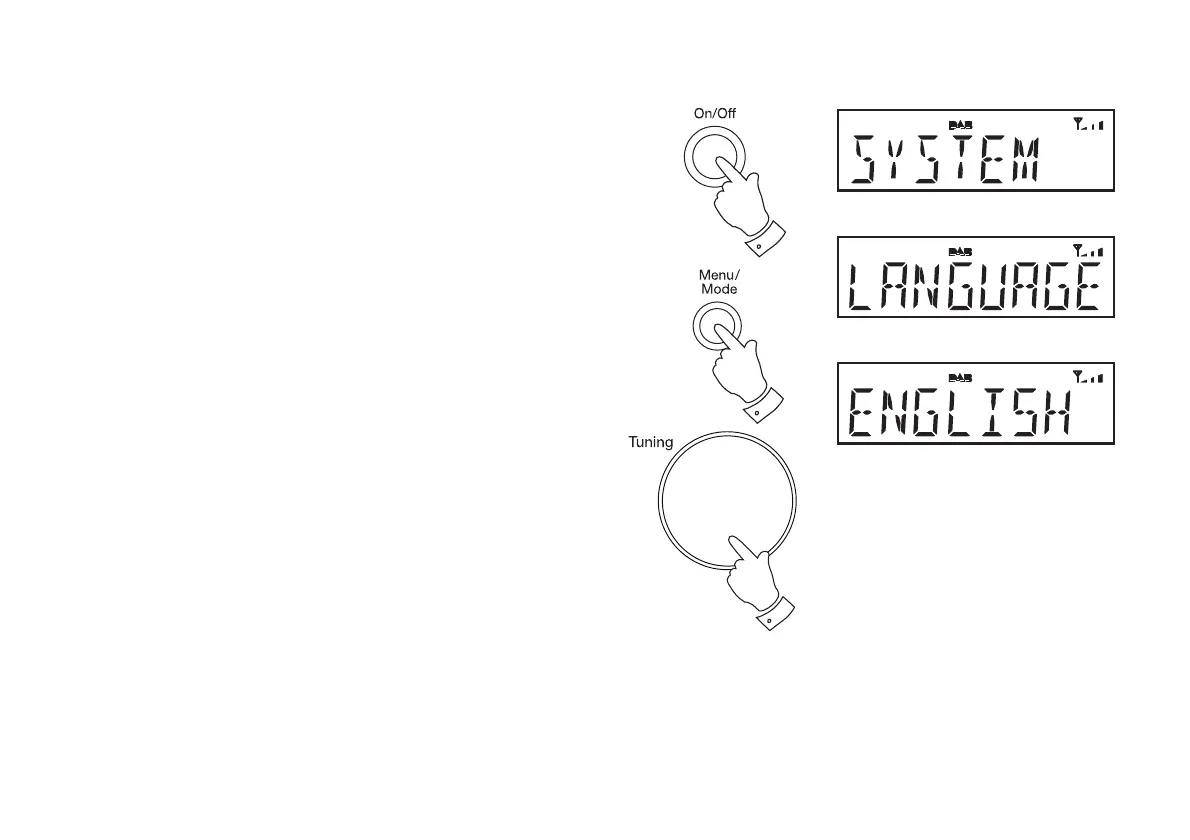
1. Press and release the On/Off button to switch on the radio.
2. Press and release the Menu button. The main menu will show on the
display.
3. Rotate the Tuning/Select control until 'SYSTEM' appears on the
display. Press and release the Tuning/Select control.
4. Rotate the Tuning/Select control until 'LANGUAGE' appears on the
display. Press and release the Tuning/Select control to enter the
language adjustment menu.
5. Rotate the Tuning/Select control until your desired language appears
on the display.
6. Press and release the Tuning/Select control to confi rm your choice.
The display will change to the chosen language.
1
2
3-6












 To Next Page