18
Software version
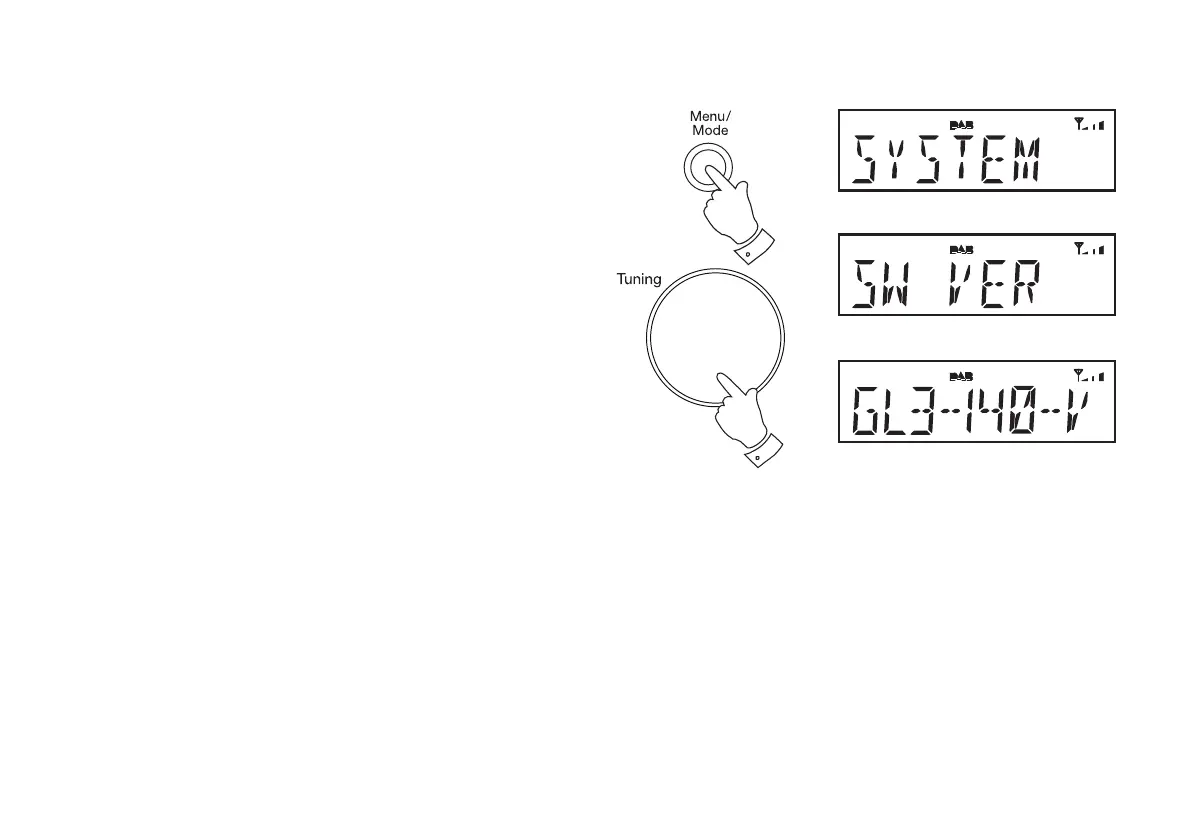
The software version display cannot be altered and is just for your reference.
1. Press and release the On/Off button to switch on the radio.
2. Press and release the Menu button. The main menu will show on the
display.
3. Rotate the Tuning/Select control until 'SYSTEM' appears on the
display. Press and release the Tuning/Select control.
4. Rotate the Tuning/Select control until 'SW VER' appears on the
display. Press and release the Tuning/Select control to display the
software version.
5. Repeatedly, press and release the Menu button to return to the normal
radio display.
2,5
3,4











 To Next Page