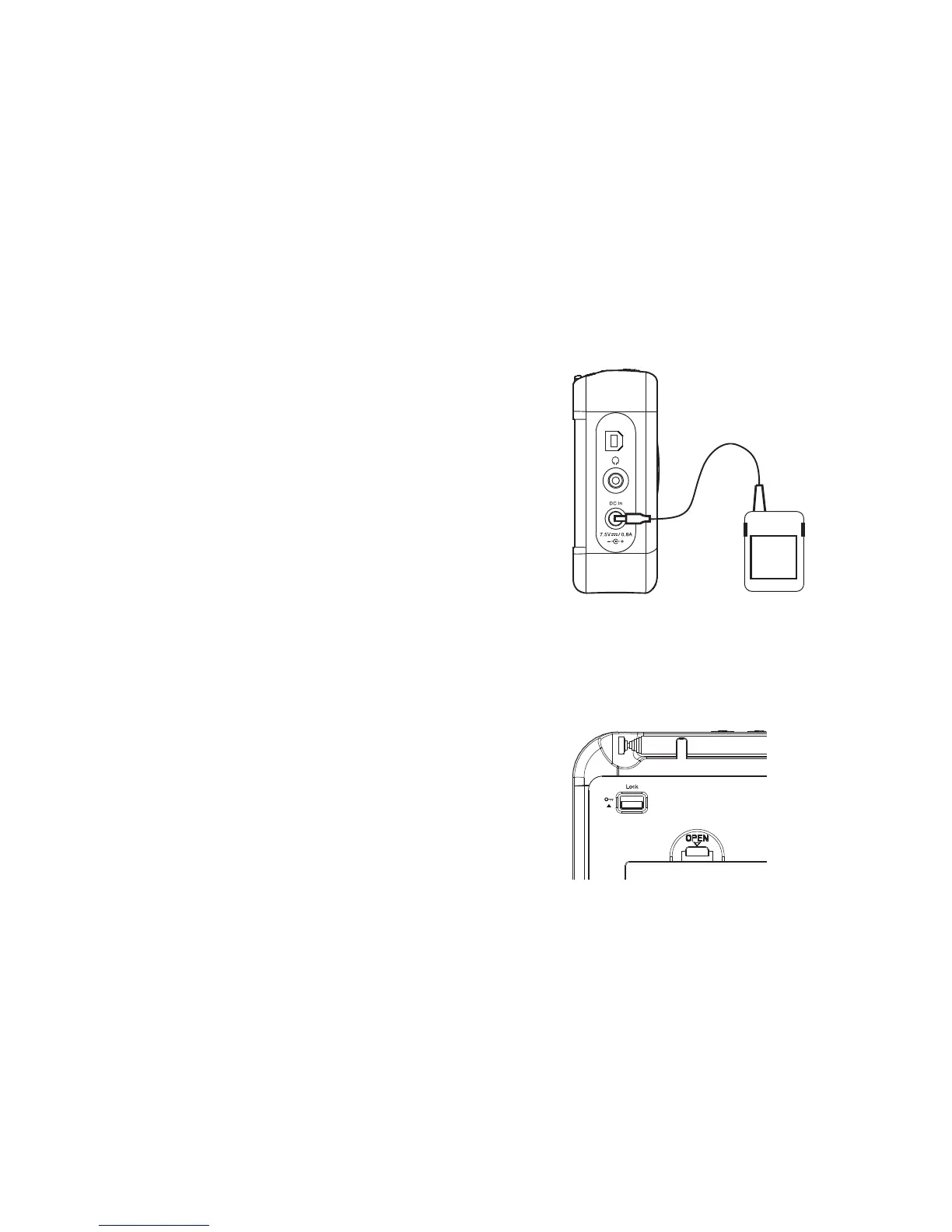
Lock switch
The Lock switch is used to prevent unintentional operation of your radio.
1. Set the Lock switch located on the back of your radio to the 'Lock'
position (up) . The power and all other buttons will be disabled, this will
prevent accidental operation when your radio is packed in a suitcase
or travel bag.
2. To release the lock, slide the Lock switch down to the 'Unlock'
position (down).
Service
Using the AC adaptor
1. Place your radio on a fl at surface.
2. Insert the adaptor plug into the DC In socket located on the left hand
side of your radio.
3. Plug the adaptor into a standard mains socket outlet. Whenever the
adaptor is plugged in to the radio and switched on at the mains the
batteries are automatically disconnected. If the adaptor is plugged in to
the radio but not switched on then the radio will run from the batteries
if fi tted.
The AC adaptor should be disconnected from the mains supply and
the radio when not in use.
IMPORTANT: The mains adaptor is used as the means of connecting the
radio to the mains supply. The mains socket used for the radio must remain
accessible during normal use. In order to disconnect the radio from the
mains completely, the mains adaptor should be removed from the mains
socket outlet completely.
6


 To Next Page