DAB / FM menus
STEP 4 - Selecting menu options
System settings
Other information
Circuit features
ROBERTS RADIO LIMITED
www.robertsradio.com
© 2021 Roberts Radio Limited
Issue 1
2021-06-23
DAB / DAB+ / FM radio with Bluetooth
Please read this guide and the safety/warranty leaet before use
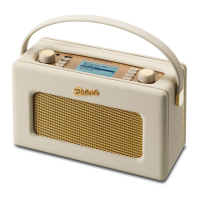
Revival Petite
Specications
Battery safety
Power requirements
DC in Micro USB jack 5V 1A
Charging current 500mA
Battery Rechargeable Lithium-ion 3.63V, 2600 mAh, 9.438Wh.
Battery play time Approx 20 hours from a full charge. This gure is
only approximate and is very dependent on play
back volume, battery age, and temperature.
Battery charge time - Approximately 6 hours.
Auxiliary input socket - 3.5mm dia.
Aerial System - DAB / FM external antenna
Bluetooth standards A2DP, AVRCP
Bluetooth codecs supported SBC and AAC
Frequency coverage FM 87.5 - 108MHz, DAB 174.928 - 239.200MHz
Bluetooth 5.0 frequencies 2.402 - 2.480GHz
Bluetooth BLE EIRP POWER (MAX.) 3.71dBm
Bluetooth EDR EIRP POWER (MAX.) 3.68dBm
Product markings
This symbol indicates DC voltage.
DAB menu
FM menu
System settings
Factory Reset
Auxiliary input
When in DAB mode, apply a long press
on the Tuning / Menu control to access
the following DAB menu options. Rotate
the control and press to select an option.
When in FM mode, apply a long press
on the Tuning / Menu control to access
the following FM menu options. Rotate the
control and press to select an option.
Apply a long press on the Tuning / Menu control
to access the current menu options. Rotate the
control and press to select an option.
The name plate is located underneath the radio.
The company reserves the right to amend the specication without notice.
Designed & Engineered in the UK
Made in China
Preset radio stations
There are 20 memory presets, 10 for DAB
and 10 for FM. Presets are remembered in
the event of a power failure.
To store a preset
1 Tune to the required radio station.
2 Apply a long press on the Tuning /
Menu control.
3 Choose ‘Save Preset’.
4 Use the Tuning control to scroll to an
unused preset or a preset you wish to
change.
Factory Reset - If you wish to completely reset your radio to its initial
state perform a factory reset. Choose ‘System’ then ‘Factory Reset’
and then choose ‘Yes’. All user entered settings will be erased.
Note: If the unit is in the Bluetooth or Auxiliary input stop mode position
for more than 15 minutes it will automatically switch off. To use the radio
again, simply press the Power button.
Note: Reduced power, distortion and stuttering sounds or the battery
indicator in low
are all signs that the battery needs to be recharged.
1 To access your radio’s menu system, apply a long press on the Tuning /
Menu control.
2 To select menu options, rotate the Tuning control to highlight the option.
3 Press the Tuning control to select the menu option.
4 To exit a menu, apply a long press on the Tuning control.
Alternatively, select the ‘Back’ option in the menu.
Brightness
System
Back
Menu
Time Update
Language
Factory Reset
System
Manual Tune
Station Order
DRC
DAB Advanced
11B 218.640MHz
11C 220.352MHz
11D 222.064MHz
Manual Tune
Recall Preset
Save Preset
Scan
Menu
Scanning...068
DAB
09:00
DAB Advanced
Sleep Timer
Brightness
Menu
Brightness
Brightness
6
Time Update
Language
Factory Reset
System
DAB *
FM
ANY
Time Update
Time Update
Language
Factory Reset
System
No *
Yes
Back
Factory Reset
Time Update
Language
Factory Reset
System
English *
Dansk
Français
Language
Language
Factory Reset
SW Version
System
SW Version
Revival Petite
15-V11-090A01-211A
Recall Preset
Save Preset
Scan Setting
Menu
Local *
Distant
Back
Scan Setting
Prune
DAB Advanced
Sleep Timer
Menu
Sleep off
15 minutes
30 minutes
Sleep Setup
Recall Preset
Save Preset
Scan
Menu
P1:BBC R1
P2:Empty
P3:Empty
Save Preset
Recall Preset
Save Preset
Scan
Menu
P1:BBC R1
P2:BBC R2
P3:Empty
Recall Preset
Scan
Prune
DAB Advanced
Menu
Manual Tune
Station Order
DRC
DAB Advanced
Alphanumeric *
Ensemble
Valid
Station Order
Manual Tune
Station Order
DRC
DAB Advanced
Off *
Low
High
DRC
Scan - Choose ‘Scan’ to scan the band
III DAB channels.
Prune - Choose ‘Prune’ to remove any
stations that are no longer available.
Manual tune - Choose ‘DAB Advanced’
and then choose ‘Manual Tune’ and then
choose the desired DAB channel. The
signal strength will be displayed. The signal
marker (
) shows the minimum strength
needed for good DAB reception.
Station order - Choose ‘DAB Advanced’,
‘Station Order’ and then choose either
Alphanumeric, Ensemble or Valid (available
stations).
DRC - Choose ‘DAB Advanced’, ‘DRC’ and
then choose ‘Off’, ‘Low’ or ‘High’. The DRC
facility can make quieter sounds easier to
hear when your radio is used in a noisy
environment. Note: Not all DAB broadcasts
use the DRC function.
Scan setting - Choose ‘Scan Setting’ and
then choose ‘Distant’ (your radio will scan
for both weak and strong signals) or ‘Local’
(your radio will scan for stations with good
reception).
Sleep Timer - Your radio can be set to turn off after
a preset time (between 15 and 120 minutes) has
elapsed. Choose ‘Sleep Timer’ and then choose
the desired sleep time. The sleep symbol will
appear on the display
. If you wish to switch off
the sleep timer, press the power button to cancel
the sleep timer and switch your radio off.
To recall a preset
1 Choose DAB or FM mode.
2 Apply a long press on the Tuning /
Menu control.
3 Choose ‘Recall Preset.
4 Use the Tuning control to scroll to the
desired preset.
5 Press the Tuning control to select it.
5 Press the Tuning control to save
the preset. ‘Preset 2 Saved’ will be
displayed. The preset number will be
shown on the playing display.
Brightness - Choose ‘Brightness’ and then choose
the desired brightness level.
Time Update - Your radio will usually set the time
using the DAB signal. From the current menu
choose ‘System’, and then ‘Time Update’ . Choose
to set the time from ‘DAB’, ‘FM’ or ‘ANY’.
Language - Choose ‘System’, ‘Language’ and
then choose a desired language from the list.
SW Version - The software display cannot be
altered and is just for your reference. Choose
‘System’ then ‘SW Version’. Press Tuning to exit
the software display.
Please handle with care. The leather-cloth nish may be susceptible to
damage if mistreated. Avoid all contact with any abrasive material, chemical
substances or cleaning solutions. Your radio may be wiped with a clean
lightly damp cloth. Please ensure that the product is unplugged before
attempting this procedure.
Connect a stereo or mono audio source to the Auxiliary input socket. Press
and release the Mode button until Aux In mode is selected. Adjust the volume.
Note that audio will be played in mono through the speaker.
• Do not puncture, crush, modify, or cause any unnecessary shock
to the battery. The battery may present a risk of re, explosion or
chemical burn if mistreated.
• Do not dispose of the battery in a re or incinerator.
• Do not leave, charge or expose the battery to a heat source such as
in a car under direct sunlight. Do not expose the battery to moisture.
• Do not use or charge the battery if it appears to be abnormally hot,
swollen, leaking or damaged in any way.
• Do not leave a charging battery unattended. Do not use any
alternative power source as a charger.
• Check the room temperature range is between 5-35°C (41-95°F)
before charging the product / battery.
Please also read the safety leaet provided
before charging your radio.

 Need help?
 General











 To Next Page