
 Need help?
Do you have a question about the Roberts RD-1 and is the answer not in the manual?
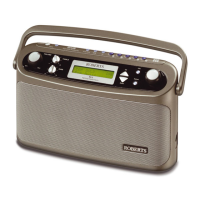
Identifies and labels all buttons and features on the front panel of the radio.
Details the DC input, headphone, RDI, and audio output sockets on the left side.
Details bass, treble, volume, tuning, SD card socket, lock switch, and battery compartment.
Explains battery insertion, signs of depletion, and removal for long periods.
Guides on connecting the radio to mains power via the AC adaptor.
Explains the automatic tuning process for DAB channels and initial station selection.
Explains how to manually tune to specific DAB stations using the tuning control.
Explains how to access and select secondary radio services associated with a station.
Describes switching between normal and extended display modes for station information.
Details how to pause and resume live DAB broadcasts using the PAUSEplus button.
Explains how to rewind live DAB audio using the PAUSEplus feature.
Guides on recording DAB content using the radio's internal memory.
Explains how to play back DAB content recorded to the radio's internal memory.
Details the process of recording DAB audio onto an SD card.
Explains how to play back DAB content stored on an SD card.
Describes how to allocate internal storage between Pause/Rewind and Record functions.
Guides on setting a timer to record DAB broadcasts automatically.
Explains how to erase all files and reformat an SD card for radio use.
Allows setting the radio to display only specific programme genres in the station list.
Sets the most listened-to stations to appear at the top of the list, marked with a symbol.
Guides on directly tuning to various DAB Band III channels by number.
Allows changing the DAB tuning range for use outside the UK.
Displays detailed information about the currently selected DAB station.
Explains how to interpret Multiplex name, channel, frequency, and bit rate.
Adjusts audio levels to make quieter sounds easier to hear in noisy environments.
Guides on switching on the digital optical (TosLink) output for external connections.
Guides on switching on the Radio Data Interface (RDI) output for external data decoders.
Details the dual analogue audio outputs and configuring Audio 2 for different stations.
Explains how to automatically scan and tune to FM stations.
Guides on manually tuning FM stations by adjusting frequency.
Describes how to save up to 6 stations for each waveband into memory presets.
Explains how to tune to a saved station by pressing its preset button.
Details how the clock is set automatically via DAB and format options.
Guides on manually setting the clock hour, minute, day, month, and year.
Guides on configuring the audible buzzer alarm, including setting time and days.
Guides on configuring the radio alarm, selecting station and time.
Explains how to temporarily silence an active alarm for 5 minutes.
Guides on setting the radio to turn off automatically after a preset time.
Configures the screen to blank when the radio is off, saving power.
Sets backlight behaviour to Off, On, On with AC, or Keypress activation.
Allows changing the contrast level to suit lighting conditions.
Configures the tuning display to revert to previous screen after inactivity.
Sets an audible beep to sound each time a key is pressed on the radio.
Resets all station presets and variable settings to their original factory configurations.
Details the 3.5mm socket for headphones/earpieces and its effect on the loudspeaker.
Provides advice on avoiding water, heat, and recommends using the DAB band.
Lists AC power, battery life, frequency coverage, and circuit features.
Outlines the 12-month warranty, what it covers, and exclusions.
Explains how to make a claim and contact Roberts Radio Technical Services.













 To Next Page
 General