EasyManua.ls Logo

Roberts Revival iStream - User Manual

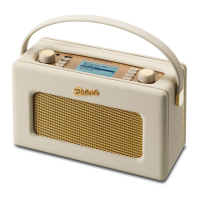
Roberts Revival iStream
100 pages
Print Icon
To Next Page IconTo Next Page
Loading...
ROBERTS
Enjoy Listening
DAB / FM and WiFi Internet Radio
with Music Player and Last.fm
Please read this manual before use

Table of Contents

Question and Answer IconNeed help?

Do you have a question about the Roberts Revival iStream and is the answer not in the manual?

Summary

Introduction

iStream Internet Radio Features

Lists the key features and capabilities of the Roberts iStream internet radio unit.

Controls and Connections

Battery Operation

Navigation Controls

Configuration

Connecting Your Radio to Your Computer Network

Guides the user through connecting the radio to a computer network via WiFi.

Manual Network Configuration

Internet Radio

Selecting a Radio Station by Location

Guides the user on how to find internet radio stations by geographical location.

Selecting a Radio Station by Genre

Explains how to find internet radio stations based on music genre.

Presetting Stations

Customising Your Radio

Music Player

Accessing Audio Files via UPnP Server

Guides on accessing music files from a UPnP server on a computer.

Using USB Memory Devices

Playlists

Windows 7 Play To Function

Last.fm

Setup a Last.fm User Account

Guides on creating and setting up a Last.fm user account on the radio.

DAB Radio

FM Radio

Presetting Stations in DAB and FM Modes

Clock and Alarms

Manually Setting the Clock

Guides on manually setting the clock, timezone, and daylight savings.

Setting the Alarm Clock

Details how to set up the radio's alarm functions.

Display and Audio

Information

Factory Reset

Guides on performing a factory reset to restore initial settings.

Troubleshooting

Music Player; UPnP Problems

Offers solutions for issues encountered with the Music Player and UPnP.

Cautions

Specifications

Summary

Introduction

iStream Internet Radio Features

Lists the key features and capabilities of the Roberts iStream internet radio unit.

Controls and Connections

Battery Operation

Navigation Controls

Configuration

Connecting Your Radio to Your Computer Network

Guides the user through connecting the radio to a computer network via WiFi.

Manual Network Configuration

Internet Radio

Selecting a Radio Station by Location

Guides the user on how to find internet radio stations by geographical location.

Selecting a Radio Station by Genre

Explains how to find internet radio stations based on music genre.

Presetting Stations

Customising Your Radio

Music Player

Accessing Audio Files via UPnP Server

Guides on accessing music files from a UPnP server on a computer.

Using USB Memory Devices

Playlists

Windows 7 Play To Function

Last.fm

Setup a Last.fm User Account

Guides on creating and setting up a Last.fm user account on the radio.

DAB Radio

FM Radio

Presetting Stations in DAB and FM Modes

Clock and Alarms

Manually Setting the Clock

Guides on manually setting the clock, timezone, and daylight savings.

Setting the Alarm Clock

Details how to set up the radio's alarm functions.

Display and Audio

Information

Factory Reset

Guides on performing a factory reset to restore initial settings.

Troubleshooting

Music Player; UPnP Problems

Offers solutions for issues encountered with the Music Player and UPnP.

Cautions

Specifications

Roberts Revival iStream Specifications

General IconGeneral
ConnectivityWi-Fi, Bluetooth
DAB/DAB+/FMYes
Internet RadioYes
WirelessYes
AlarmYes
Headphone SocketYes
Streaming ServicesSpotify
Power SourceBattery
Battery TypeRechargeable
USB PortYes
Color OptionsBlack, Cream, Red
TypeDigital Radio

Related product manuals