
 Need help?
Do you have a question about the Roberts RT100 and is the answer not in the manual?
Used to set the tracking force for the stylus.
Used to set the anti-skating force on the tone-arm.
Lever to raise and lower the tone-arm gently.
Secures the tone-arm when not in use.
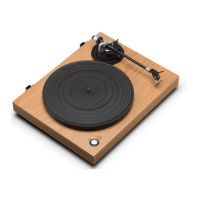
Component that holds the cartridge and stylus.
Selects the playback speed for records.
The surface where records are placed for playing.
Outputs audio signal to an amplifier.
Controls the built-in phono preamplifier.
Connection for digital recording to a computer.
Controls the automatic stop feature.
Socket for connecting the DC power adaptor.
Main power switch for the turntable unit.
Troubleshooting distorted audio playback.
Troubleshooting quiet audio playback.
Using external preamplifiers with the turntable.
Understanding why the auto-stop may not engage.
Explanation for the lack of automatic tone-arm return.
Guidance on how often to replace the stylus.
Instructions on how to clean the turntable.
 General
| Type | Belt Drive |
|---|---|
| Speed | 33 1/3, 45, 78 RPM |
| Drive System | Belt Drive |
| Mechanism | Manual |
| Built-in Speakers | No |
| Connectivity | RCA Output |
| Speeds | 33 1/3, 45, 78 RPM |
| Outputs | RCA |
| Tonearm | Static Balance |
| Cartridge | Magnetic |
| Dimensions | 420 x 360 x 120 mm |
| Platter | Aluminum |
| Power Supply | AC 100-240V |

 To Next Page