15
Recording using a computer
The RT100 turntable has a USB connection which allows digital recordings to be made of records that you own, so that you may later play them from
other devices such as a smartphone or digital audio player. Note that there are many ways to make a recording from a record using a computer or
similar platform. It is beyond the scope of a user guide such as this to cover all aspects of the process and the many different software applications
that can be used for this task. We have outlined a method here using a PC with Windows 10 to allow you to understand the basic steps. For many
usersthiswillbemorethansufcient,buttherearealsomanyresourcesandguidesavailableontheinternetforthosewhouseotherplatformsor
who wish to explore and gain a deeper understanding.
For this exercise, we suggest that you use the audio recording and processing program called Audacity. It is free, and it is available from
http://www.audacityteam.org/ for Windows, Mac OS and Linux. (Linux users may need to search for pre-built binaries or may build their own.)
1. InstallAudacityonyourcomputerfromtheofcialwebsite:
http://www.audacityteam.org/download
2. Switch on the turntable at the mains socket and then switch on using
the Power On/Off switch next to the DC input socket.
3. Connect the turntable to your PC using the USB cable provided.
4. Windows 10 will identify the turntable and will automatically install the
necessary drivers.
5. Start the Audacity program.
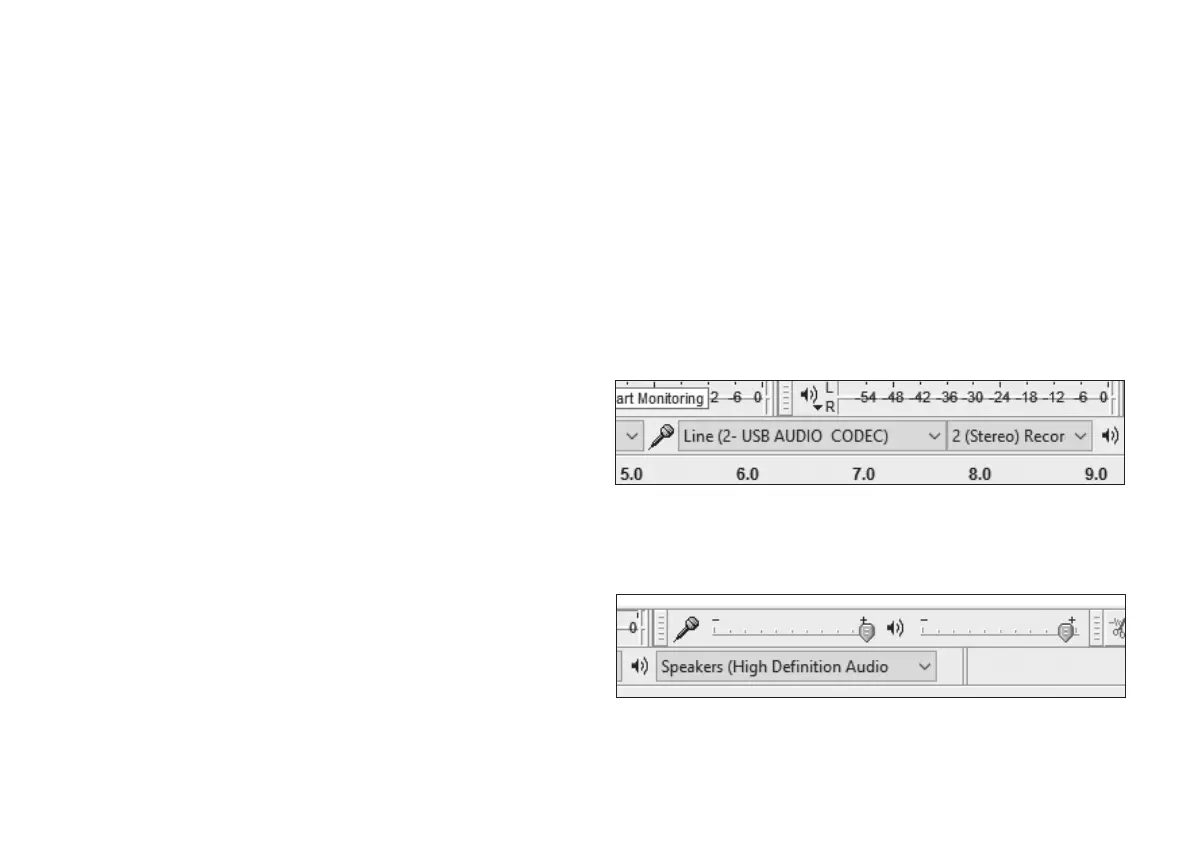
6. In the source selection box in Audacity select ‘Line (USB AUDIO
CODEC)’ as the source to be used.
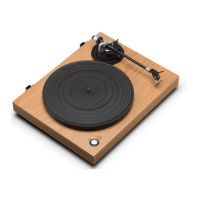
7. Check that the recording level is at maximum (as shown here).
8. Prepare your record for playing.
9. Ensure that the Pre-amp switch at the back of the turntable is set to On
to ensure a correct digital output to your computer. If the turntable is
alsoconnectedtoanaudiosystemwithabuilt-inphonopre-amplier
(see pages 9-10), you should either lower the volume on the audio
Step 6 - USB AUDIO CODEC selected as the recording source
with two channel (stereo) capability
Step 7 - Recording level adjustment (showing level = 1.0)


 To Next Page