80
Clock and Alarms
1
07:30
2
08:30
When the alarm sounds cont.
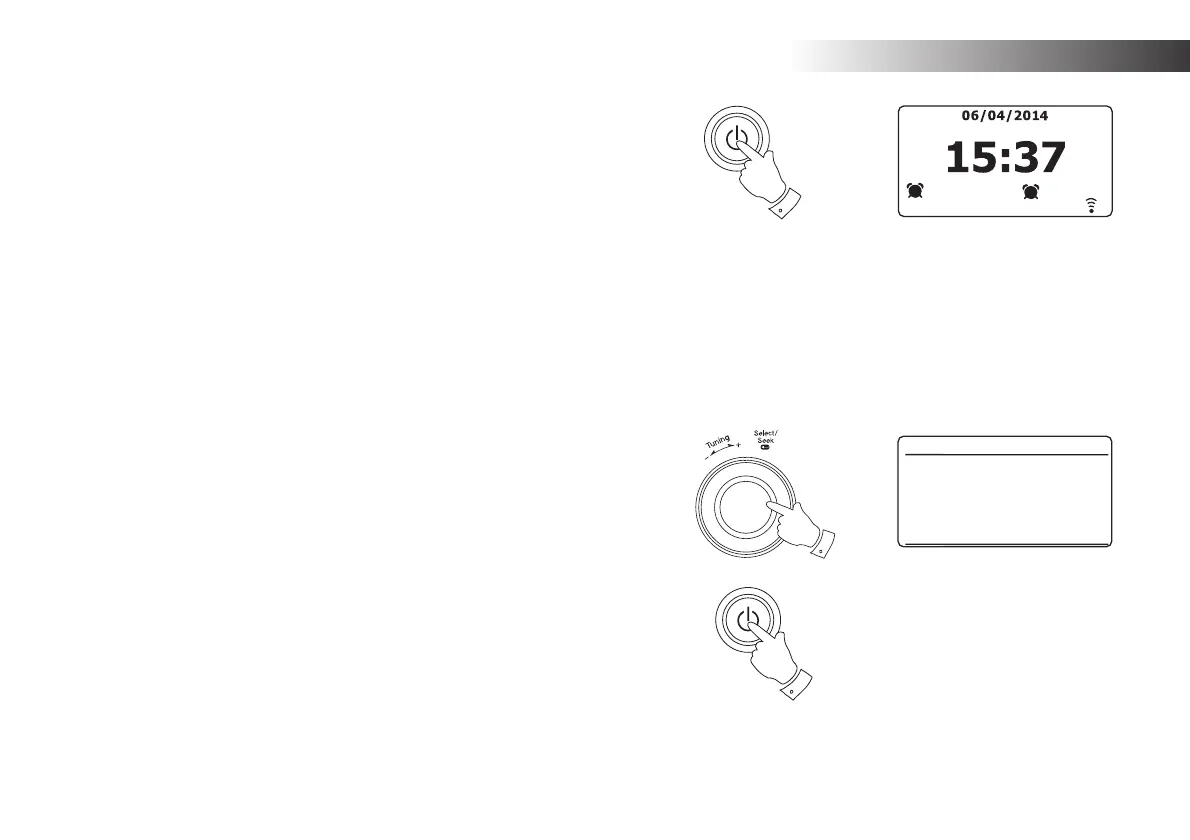
1. During an alarm, the alarm icon will fl ash at the bottom of the playing mode
displays. The radio will automatically revert to standby mode after 60 minutes.
2. To cancel an alarm, press the On/Standby button to return to Standby mode.
Note: If the radio is switched on because of an alarm you can control the volume
but the volume change display will not be shown.
You cannot perform operations which involve the Select control since this also
acts as the Snooze button (see below).
Snooze timer
1. The buzzer or radio alarm can be silenced for 5 minutes by pressing the
Tuning/Select/Snooze control. Should you wish for a longer snooze duration
this can be extended. Pressing the control again while the radio is snoozed
will set the available snooze time to 5, 10, 15 or 30 minutes. The snooze
duration may also be chosen by rotating and then pressing the control.
2. While the snooze timer is active the remaining snooze time is shown next
to the fl ashing alarm icon on the clock display.
3. In order to cancel the Snooze timer while the alarm is suspended, press the
On/Standby button. The display will briefl y show an 'Alarm Off' message.
Note: The radio's clock does not run when the radio is switched off and powered
only from batteries, so alarms will not operate under these conditions. If you are
using the radio powered from batteries and an alarm is due then the alarm will
sound, but the snooze function will not operate. If the Tuning/Select/Snooze
control is pressed, the alarm will be cancelled and then after a few seconds the
radio will continue playing.
1
2
3
15 MINS
Set snooze time














 To Next Page