EasyManua.ls Logo

Roberts Stream217 - User Manual

Roberts Stream217
104 pages
Print Icon
To Next Page IconTo Next Page
Loading...
ROBERTS
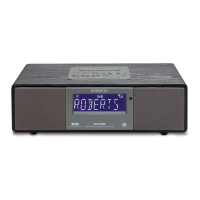
DAB/FM/WiFi Internet Radio with Music Player
and Spotify Connect
and remote control from iPhone and Android using UNDOK
Please read this manual before use

Table of Contents

Question and Answer IconNeed help?

Do you have a question about the Roberts Stream217 and is the answer not in the manual?

Summary

Before you can use this product

Controls and Connections

Front view

Overview of controls on the front panel of the radio.

Rear view

Overview of ports and connectors on the rear panel.

Navigation Controls

Configuration

Clock and Time Settings

Connecting to Your Computer Network

Manual Network Configuration

Detailed steps for manual configuration of network settings.

Internet Radio

Music Player

Accessing Your Audio Files via a UPnP Server

Guide to connecting to and browsing UPnP media libraries.

Using USB Memory Devices

Instructions for inserting and playing files from a USB memory device.

Spotify Connect

Playing Music Using Spotify Connect

How to play music from Spotify through the radio.

Controlling Spotify on Your Radio

Using radio controls to manage Spotify playback.

DAB Radio

Using DAB mode for the first time

Initial setup and scanning for DAB stations.

FM Radio

Operating Your Radio in FM Mode

How to tune and operate the radio in FM mode.

Clock and Alarms

Setting the alarm clock

How to set up the radio's alarm functions, including time, frequency, and sound mode.

Display and Audio

Information

Factory reset

Procedure to reset the radio to its original factory settings.

Software update

Instructions for updating the radio's internal software.

Troubleshooting

Steps to resolve common issues with the radio's functionality.

Summary

Before you can use this product

Controls and Connections

Front view

Overview of controls on the front panel of the radio.

Rear view

Overview of ports and connectors on the rear panel.

Navigation Controls

Configuration

Clock and Time Settings

Connecting to Your Computer Network

Manual Network Configuration

Detailed steps for manual configuration of network settings.

Internet Radio

Music Player

Accessing Your Audio Files via a UPnP Server

Guide to connecting to and browsing UPnP media libraries.

Using USB Memory Devices

Instructions for inserting and playing files from a USB memory device.

Spotify Connect

Playing Music Using Spotify Connect

How to play music from Spotify through the radio.

Controlling Spotify on Your Radio

Using radio controls to manage Spotify playback.

DAB Radio

Using DAB mode for the first time

Initial setup and scanning for DAB stations.

FM Radio

Operating Your Radio in FM Mode

How to tune and operate the radio in FM mode.

Clock and Alarms

Setting the alarm clock

How to set up the radio's alarm functions, including time, frequency, and sound mode.

Display and Audio

Information

Factory reset

Procedure to reset the radio to its original factory settings.

Software update

Instructions for updating the radio's internal software.

Troubleshooting

Steps to resolve common issues with the radio's functionality.

Roberts Stream217 Specifications

General IconGeneral
DisplayLCD
Power SourceMains/Battery
Battery LifeUp to 20 hours
Headphone SocketYes
AlarmYes
Sleep TimerYes
Snooze FunctionYes
TypeDAB/FM Radio
ConnectivityWi-Fi
Frequency RangeDAB/DAB+/FM
Battery Type4 x AA

Related product manuals