Date/Time
12/24 hour format
Clock and time settings
The following instructions assume that you have either just plugged in your radio
(see page 7) or that you have just specifi ed the language option for the menus
(see page 8).
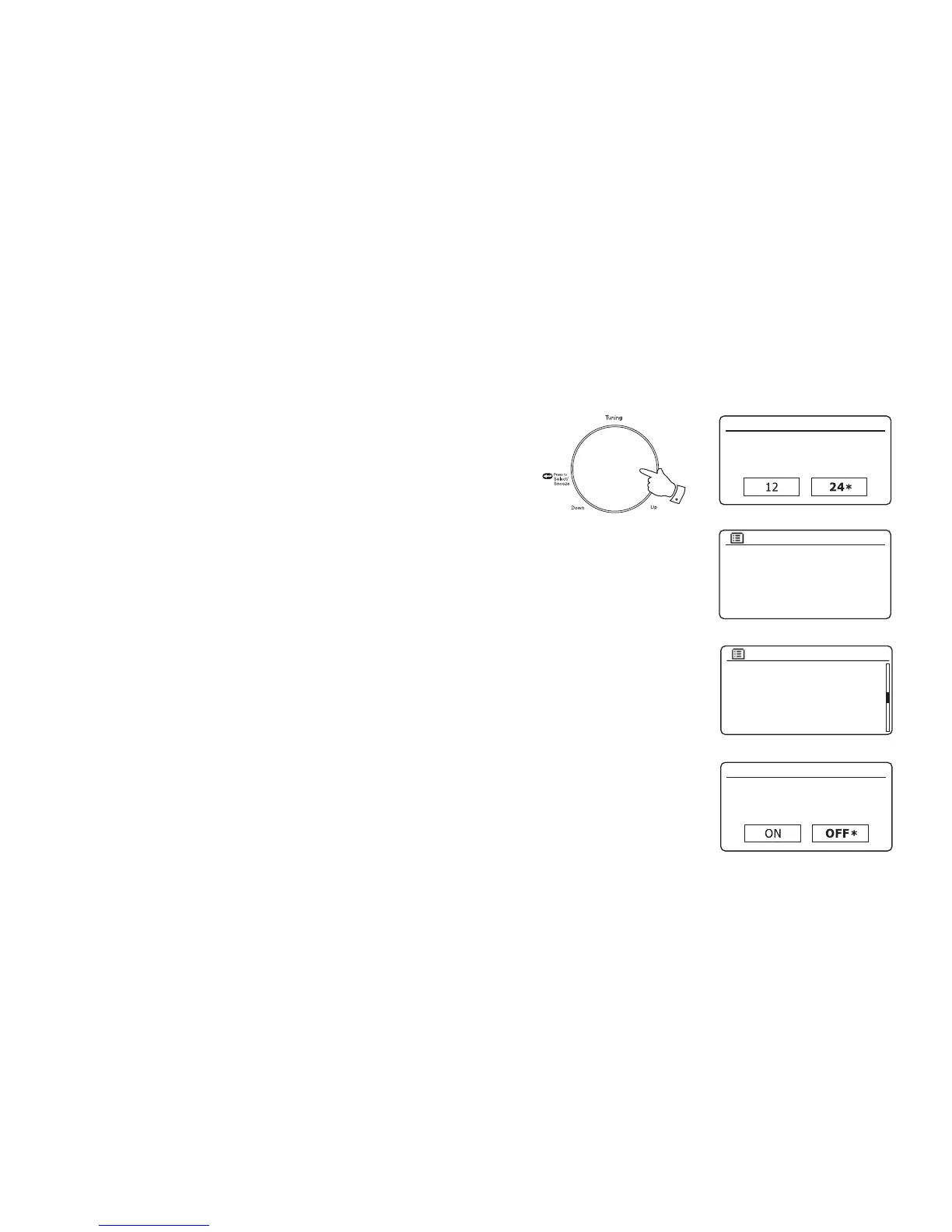
1. Rotate the Tuning/Select control to highlight the desired clock format (either
12 or 24 hour) then press the control to enter your selection.
2. Next, the way in which the radio updates its clock is set. A menu allowing you
to specify the auto-update option for the clock will be shown. The 'Update
from Network' option will be best for most users.
3. Rotate the Tuning/Select control to choose an auto-update option for the
clock. This can be updated from DAB or FM radio, from the Network, or not
updated. The default is to auto-update from the network. If you choose another
option go to 'Connecting to your computer network' on page 10. Otherwise
you will fi rst need to select the correct time zone and daylight savings setting,
see the next steps. If you choose 'No update' you will need to set the clock
manually later, see page 75. Press the control to confi rm your choice.
4. Rotate the Tuning/Select control to highlight the time zone for your current
location. Press the Tuning/Select control to enter the setting.
5. You will then need to set the Daylight Savings option according to your
location (Daylight Savings is also known as Summer/Winter time or BST/
GMT adjustment).
Rotate the Tuning/Select control to highlight 'ON' or 'OFF' as required. The
asterisk shows the current setting. Press the control to enter the selection.
In the UK, 'ON' is equivalent to British Summer Time and 'OFF' is equivalent
to Greenwich Mean Time.
6. Continue setting up your radio on the next page.
9
Auto update
Update from DAB
Update from FM
Update from Network
No update
*
UTC + 00:00: Dublin, Lond
UTC + 00:30:
UTC + 01:00: Madrid, Am
UTC + 01:30:
UTC + 02:00: Athens, Cair
UTC + 02:30:
Set timezone
*
Daylight savings
Daylight savings
1-5














 To Next Page