77
Setting the alarm clock
Your radio has two separate alarms which can be set to wake you to either
the radio or a buzzer alarm. In the event of a power interruption your radio
has built in memory that will retain your alarm settings.
Ensure that the time is set correctly before setting the alarms.
Alarms may be set while the radio is in standby mode or switched on.
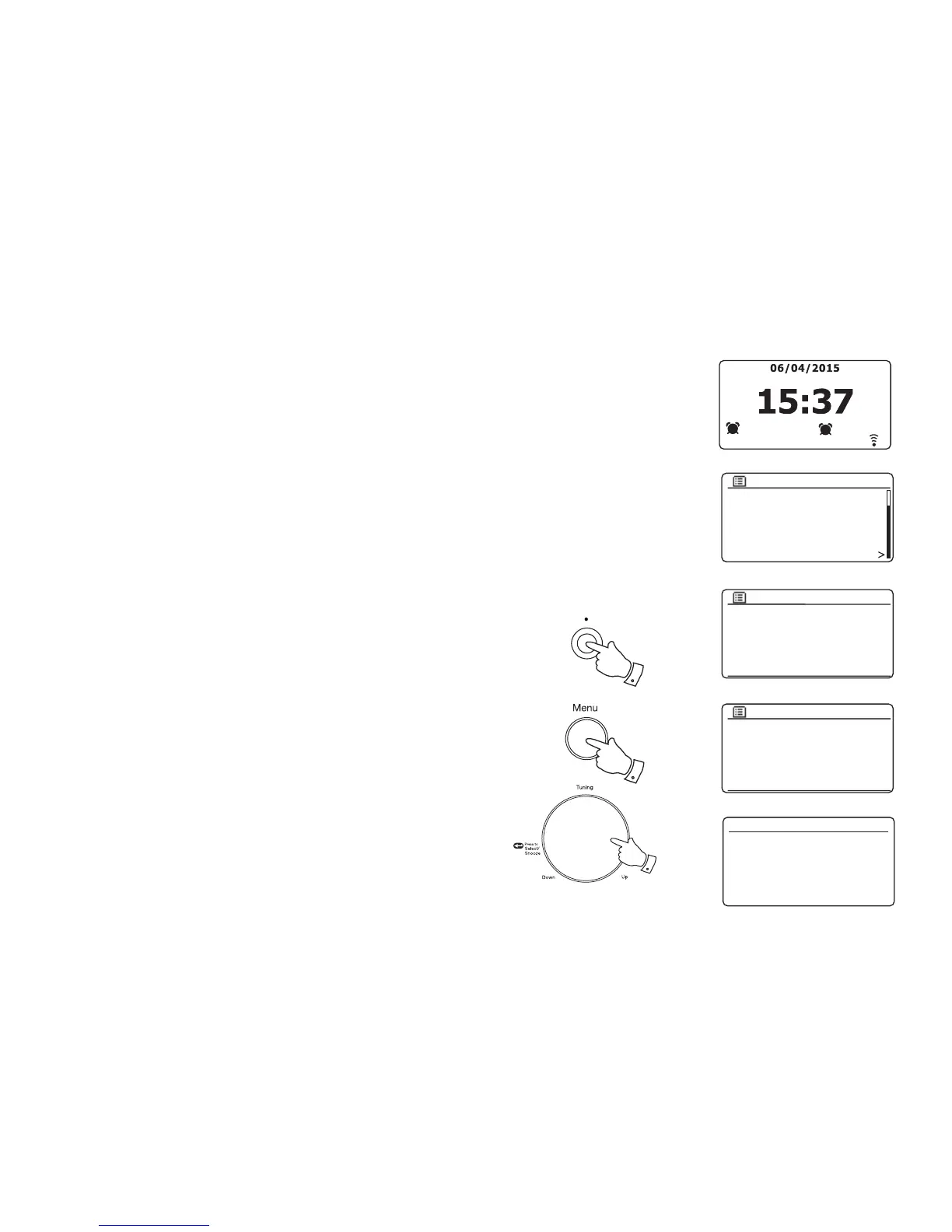
1. To change the states of the alarms while the radio is in Standby press
the Alarm button. The display will cycle through No Alarm, Alarm 1
enabled, Alarm 2 enabled or Alarms 1 and 2 enabled.
2. To change the alarm settings while the radio is in Standby, press
and hold the Alarm button. This will cause the Alarms menu to be
displayed. Then skip to step 5 below.
3. To change the alarm settings while the radio is switched on, either
press and release the Alarm button and then skip to step 5 below,
or alternatively press the Menu button to access the menu for the
current mode. Rotate the Tuning/Select control until 'Main menu' is
highlighted on the display. Press the control to enter the Main menu.
4. Rotate the Tuning/Select control until 'Alarms' is highlighted on the
display. Press the control to see the current alarm settings. If no change
is required, press the Menu or Back buttons to exit.
5. Rotate the Tuning/Select control until the desired alarm (1 or 2) is
highlighted on the display. Press the control to enter alarm setup.
6. Rotate the Tuning/Select control until 'Time' is highlighted on the
display. Press the control to adjust the alarm time.
7. Rotate the Tuning/Select control to choose the alarm hour. Press the
control to confi rm the setting.
DAB
FM
Aux In
Sleep
Alarms
System settings
Main menu
Alarm 1: Off [00:00]
Alarm 2: Off [00:00]
Alarms
Enable: Off
Time: 00:00
Mode: Buzzer
Volume: 20
Save
Alarm 1
07 : 00
Alarm 1 time
1
07:30
2
08:30
3
3-7
Alarm/ Sleep
1-3














 To Next Page