55
Display modes - Spotify Connect
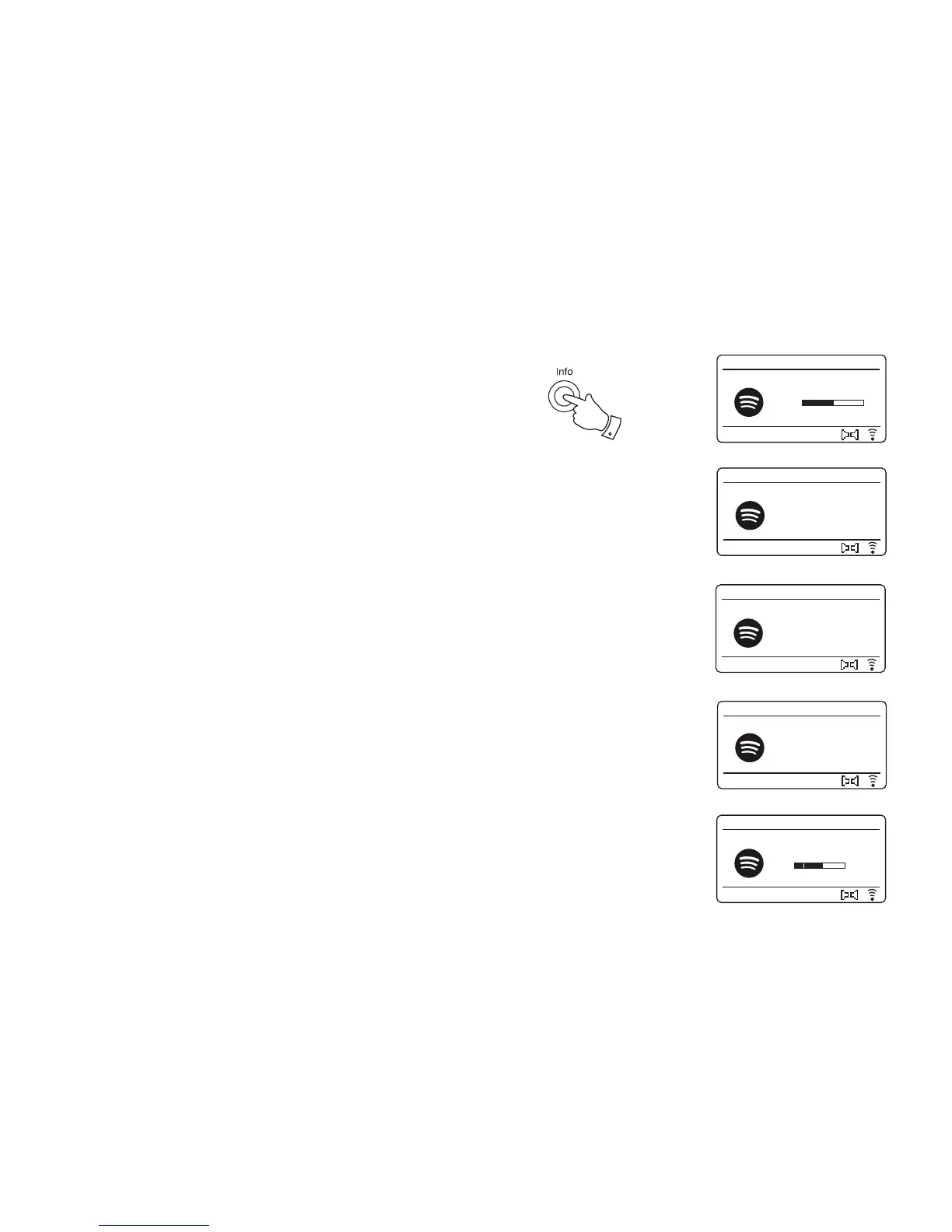
Your radio has a range of display options when playing Spotify Connect.
1. Press the Info button to cycle through the different options.
a. Progress bar Displays the playback progress for the
track currently playing.
b. Artist Displays the name of the artist for the
track currently playing.
c. Album Displays the name of the album from
which the current track is taken.
d. Bit rate Displays the bit rate and sampling rate of
the track currently playing.
e. Playback buffer Displays the radios internal buffer level.
Whenever the radio is displaying an information screen, the time is displayed
in the top-right corner of the display, and a WiFi strength or Ethernet
connection indicator is shown in the bottom-right corner.
Artist:
Edgar Froese
Spotify
12:34
Magic Lantern
Album:
Beyond the Storm
Spotify
12:34
Magic Lantern
Spotify
12:34
Magic Lantern
Bit rate: 320 kbps
Sampling Rate:
44.1 kHz
3.37
Spotify
12:34
Magic Lantern
5.05
Spotify
12:34
Magic Lantern
Playback buffer
d
a
e
c
b
1














 To Next Page