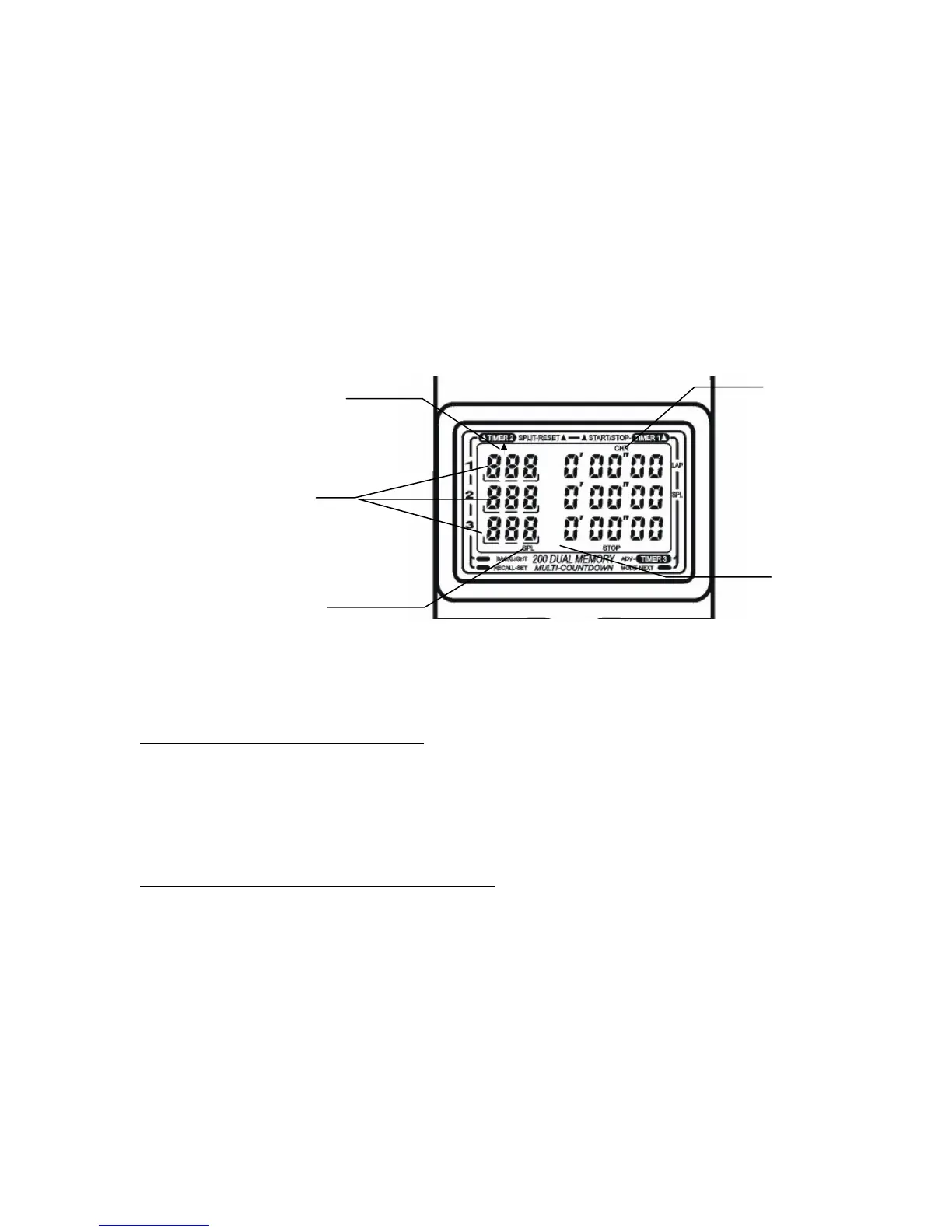
Triple Chronograph – Split Mode
Simultaneous Starts
Three (3) Lap
Counters
Split
In
dicator
No “SEP”
Indicator
Chrono
Indicator
Recall “Up”
Using the SC-888 as a Single Chronograph
From the Reset position (all zeros), press (A) to start timing (“RUN” indicator appears). Then, press (B) to
record Lap and Split times. The lap time will appear frozen in the upper row, the split time will appear
frozen in the middle row. The current running LAP or SPLIT time will appear in the bottom row.
Take as many lap/split readings as required, by pressing (B
). Press (A) to stop timing. Then, press (B) to
reset to all zeros.
Using the SC-888 as a Double or Triple Chronograph
Should you configure the SC-888 as a double or triple chronograph,
Use Pushbutton (A) for Timer #1
Use Pushbutton (B) for Timer #2
Use Pushbutton (C) for Timer #3



 To Next Page