Emergency Stop
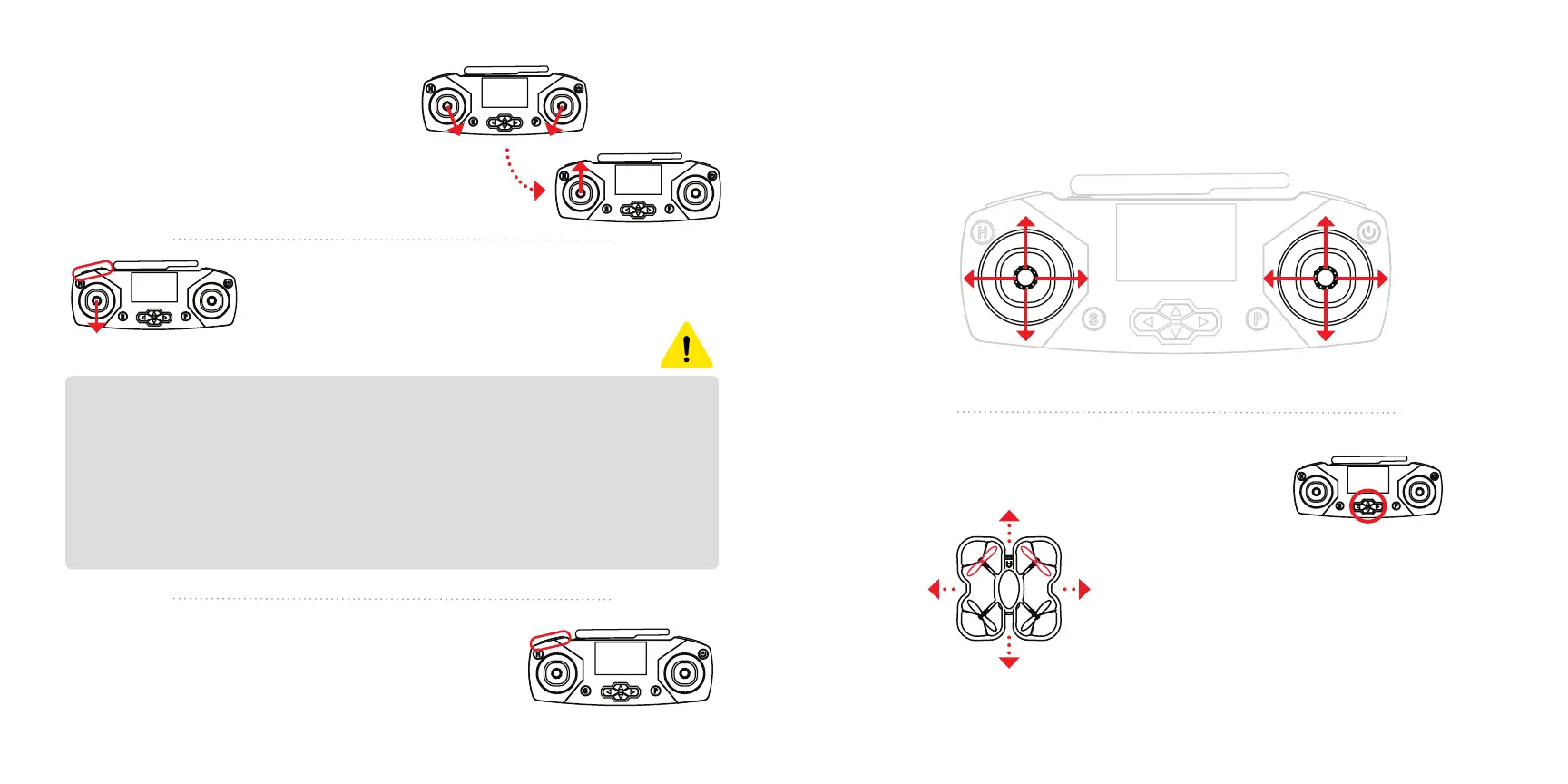
Press and hold L1 and pull down on the left joystick.
Use this to shut the motors o immediately.
While flying, these are the controls for the drone, using the joysticks. The
following is using Mode 2 controls, which is the default.
Quick take o
To start the motors, push both joysticks
downward, angling them toward
the middle. Then, push up on the left
joystick to take o.
This method will take o more quickly
than the L1 method (see page 15).
Trimming to prevent drift
Use the direction pad buttons
to trim the drone if it drifts
when hovering.
Trim in the opposite direction
that the drone is drifting.
Drifting back?
Press up
Drifting forward?
Press down
Up Forward
Down Backward
Rotate
left
Move left
Rotate
right
Move right
Drifting left?
Press right
Drifting right?
Press left
Change speed
Press L1 to change the speed between 30%,
70%, and 100%. The current speed is indicated in
the screen’s top left corner with S1, S2, and S3.
CAUTION
Whenever possible, press and hold L1 to land safely. However, if you’ve
lost control of the drone, you can use Emergency Stop to shut o the
motors. Memorize Emergency Stop, it will be useful if you lose control of
the drone when testing code.
Using Emergency Stop from above 10 ft or at high speeds could
damage your drone, so use it sparingly. It’s always best to catch your
drone whenever possible.
Movement during flight
Trimming your drone
16 17


 To Next Page
 Loading...