Complete controller guide
Take a look at our complete video guide about the
controller:
robolink.com/codrone-edu-controller-guide
Propeller Placement
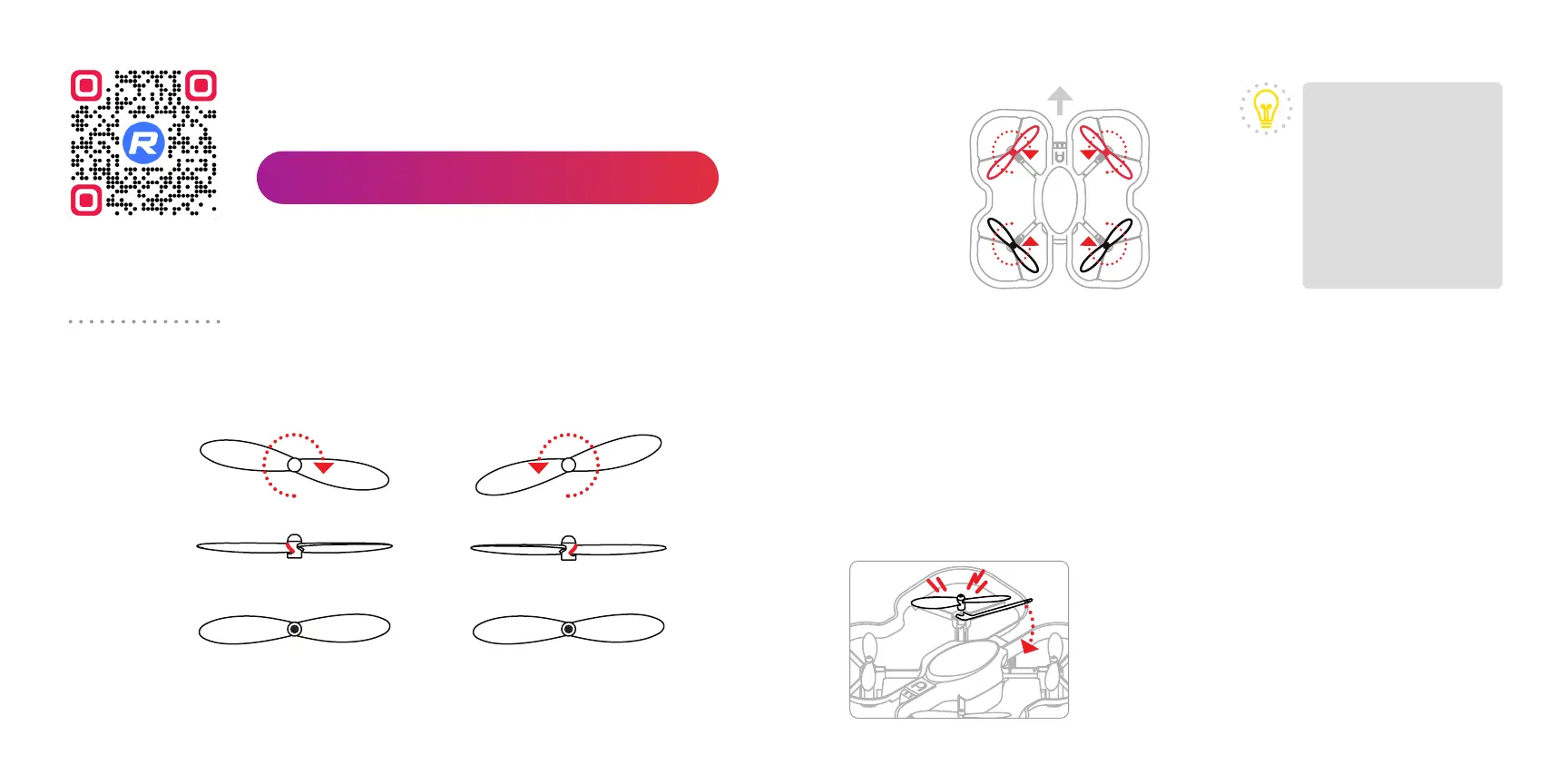
Your CoDrone EDU comes with 4 spare propellers. You can use the
propeller removal tool to remove them. Propeller placement is important
for the drone to fly correctly. There are 2 types of propellers.
Clockwise (cw) Counter-clockwise (ccw)
An easy way to
remember the
directions:
F for fast forward, so
clockwise.
R for rewind, so
counter-clockwise.
TIP
ccw |’R’
cw | ‘F’
‘F’ | cw
‘R’ | ccw
front
Propellers can be removed to clear out debris from under the propeller
hub. A propeller should be replaced if it’s bent, chipped, or cracked, and
it begins aecting the drone’s flight. Use the included propeller removal
tool to remove the propeller.
Please note, a propeller’s color does not indicate its rotation. However, we
recommend placing the red propellers at the front of the drone. This will
help identify the front of the drone during flight.
Removing propellers
Insert the fork-shaped end of the tool under the propeller hub, then
Top view
Bottom view
Top view
Side view
F R
push the handle down, like a lever. The new
propeller can be pushed onto the shaft of the
motor. Be sure it’s fully inserted, so it doesn’t
detach during flight.
Make sure that the replacement propeller’s
rotation is correct, and perform a quick flight
check.
18 19



 To Next Page