Pairing
Using the Controller
Your new drone and controller are already paired out of the box. If you
want to pair the controller to another drone, you can pair by following
these steps.
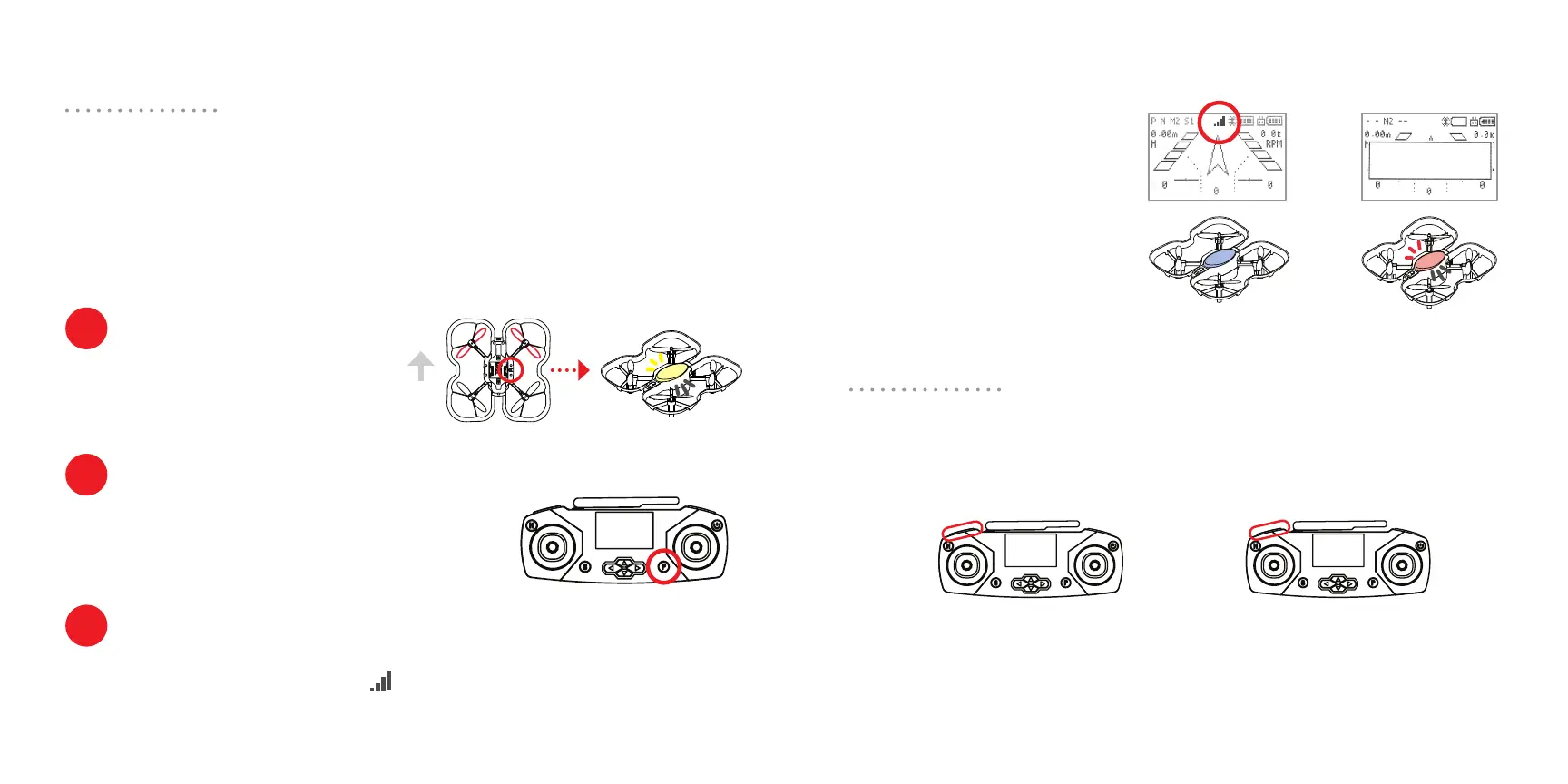
Insert a battery into the drone. Press
and hold the pairing button on the
bottom of the drone for 3 seconds
until the drone LED is flashing yellow.
Note, the drone and controller only need to be paired once. Once
paired, they will pair automatically when powered on and within range.
Power on the controller. Make sure you aren’t in
the LINK state (see page 12), if your controller is
connected to a computer. Press and hold the P
button for 3 seconds.
You should hear a chime, and the lights on the drone and controller
should turn solid. You should see a symbol on the screen.
Taking o, landing, stopping, and changing speed
How to pair
Put drone in pairing mode
Press and hold P
Verify that you’re paired
1
2
3
Bottom view
front
Not pairedPaired!
SEARCHING...
Here are a set of common commands you can use with the controller to
pilot the drone.
Take o
Press and hold L1 for 3 seconds.
The drone will take o and hover
at about 1 meter above ground.
Land
During flight, press and
hold L1 for 3 seconds.
Verify that you are paired
by pressing R1 a few times.
The colors of the drone and
controller should change
together.
If the LED on your drone is
flashing red and the controller
screen says “Searching...”,
your drone and controller are
not paired.
flashing red
flashing yellow
solid color
14 15



 To Next Page
 Loading...