Need help?
Do you have a question about the Roborock Auto-Empty Dock Pure and is the answer not in the manual?
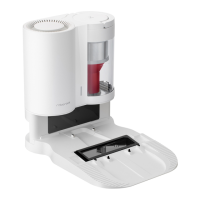
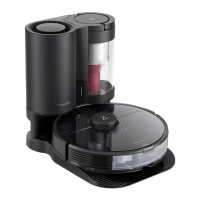
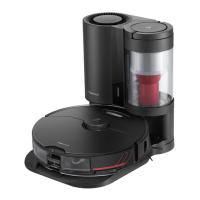
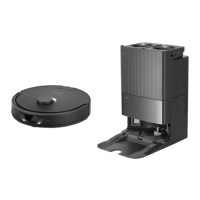
The Roborock Auto-Empty Dock Pure is an accessory designed to enhance the convenience and automation of your Roborock robot vacuum cleaner. Its primary function is to automatically empty the robot's dustbin, reducing the frequency with which you need to manually dispose of collected debris. This dock also serves as a charging station for the robot, ensuring it is always ready for its next cleaning task.
The core function of the Auto-Empty Dock Pure is to provide a hands-free dust disposal experience. When the robot vacuum returns to the dock after a cleaning cycle, or when manually triggered, the dock initiates an emptying process. A powerful suction mechanism within the dock draws dust and debris from the robot's internal dustbin into a disposable dust bag housed within the dock itself. This process ensures that the robot's dustbin is cleared, maintaining optimal suction performance for subsequent cleaning sessions. The dock also acts as the robot's home base, where it returns to recharge its battery.
The Auto-Empty Dock Pure is designed for indoor use and should be placed on a flat, hard floor surface, away from sources of fire, heat, and water. It requires specific clearance around it for optimal operation: at least 0.5 meters (1.6 ft) on either side, 1.5 meters (4.9 ft) in front, and 1 meter (3.3 ft) above. This ensures the robot can dock and depart without obstruction and that the air duct is not blocked. Good WiFi coverage in the chosen location is also recommended for seamless operation.
The dock features a Status Indicator Light that provides visual cues about its current state:
Auto-emptying is typically triggered automatically when the robot returns to the dock after completing a cleaning cycle. However, users can also manually initiate the emptying process by pressing the Dock button. Pressing any button on the dock will stop an ongoing emptying cycle.
For proper operation, it is crucial to ensure that the robot is compatible with the dock. The robot's dustbin must be replaced with the auto-empty dustbin designed for use with this dock, and the plate covering the air vent on the robot must be removed. The dock should always be used with its dustbin cover and a disposable dust bag installed.
The power cable can be routed from either side of the dock and excess cable should be stored within the designated storage slot to prevent tangling and accidental disconnection. It is important to keep the dock away from direct sunlight or anything that might block the dock location beacon, as this could interfere with the robot's ability to return to the dock.
Regular maintenance of the Auto-Empty Dock Pure is essential to ensure its continued efficient operation.
Dust Bag Replacement: The disposable dust bag needs to be replaced as needed. To do this, the dustbin cover is removed vertically. The full dust bag can then be lifted out of the dustbin and discarded. The dust bag handle is designed to seal the bag upon removal, preventing dust leakage. A new dust bag is then installed by sliding it into the slot, and the dustbin cover is replaced.
Air Duct Cleaning: The air duct should be cleaned periodically to prevent blockages. This involves unscrewing ten screws to remove the air duct cover. Once the cover is off, the air duct and the cover itself can be wiped clean with a dry cloth. After cleaning, the cover is re-installed and secured with the screws.
Charging Area Cleaning: The dock's charging area, including the dock location beacon, charging contacts, and electrode brushes, should be cleaned with a dry cloth as needed. This ensures good contact between the robot and the dock for effective charging and communication.
It is important to note that the dock should not be cleaned with a wet cloth. Frequent manual emptying should be avoided, as the system is designed for automated disposal. If any issues arise, troubleshooting steps are provided, and if problems persist, contacting customer support is recommended. The use of original packaging for transportation is advised, and the power cable should be unplugged before storing the dock.
 General
| Auto-Empty Function | Yes |
|---|---|
| Charging Function | Yes |
| Input Voltage | 100-240V |
| Frequency | 50/60 Hz |
| Compatibility | Roborock S7 |
| Dustbin/Bag Capacity | 2.5L |

 To Next Page