09
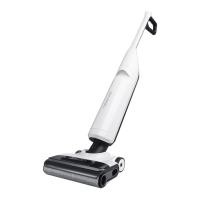
The vacuum cleaner can only be laid flat when
the Self-Clean button faces up.
When the vacuum cleaner is laid flat for cleaning
or when there is a significant amount of water on the
floor, it will automatically adjust its operating mode to
prevent sewage from entering, and there will be no
response when switching between modes.
Note:
C1–1—
C2–2—
C2–1—
C2–3—
C1–2—
C1–3—
Hold the upper part of handle firmly,
and pull out the clean tank.
Locked
Unlocked
Tap one side of the cleaning head
and push the handle to lock the
cleaning head or pull the handle to
unlock the cleaning head.
Open the plug, fill it with tap water,
and then close it tightly. The water
level should not exceed the MAX
line, then close the plug tightly.
Unlock the cleaning head and press the
button to start the vacuum cleaner.
1. When lowering the handle during
Tilt the clean tank, install the bottom
in place, and then gently push it
inward until it clicks in place.
Press the
button to switch to AUTO, MAX,
or ECO mode. The screen will display the
icon for the current mode.
1. When the vacuum cleaner is operating,
press the
button to pause it and enter
standby mode.
2. In standby mode, you can lock the
cleaning head and place the vacuum
cleaner upright on the floor.
3. Lock the cleaning head and press and
hold the
button for 2 seconds to turn
off the vacuum cleaner. If the vacuum
cleaner is left idle for 5 minutes in standby
mode, it will automatically turn off.
C1
Filling the Clean Tank
C2
Locking and Unlocking
C3
C4
Starting the Vacuum Cleaner
Low-Profile Cleaning
C5
C6
Switching Modes
Standby and Power Off
Notes:
• To avoid deforming the clean tank, only use cold water.
• To prevent any potential damage to the clean tank,
do not use any disinfectant and only use detergent
recommended by Roborock.
Notes:
• The cleaning head does not work when locked. Unlock
it first.
• Press the
button to start or stop drying while the
vacuum cleaner is charging.
Note:
Adding and Emptying Water
When the dirty tank is full or the clean tank
is empty during use, the vacuum cleaner
will provide audio and visual alerts. Add
water into the clean tank or empty the dirty
tank before continuing.
operation, the vacuum cleaner can be
positioned flat to clean low-lying areas.
Please be aware that when the vacuum
cleaner is in this flat position, the usable
volume of the dirty tank is reduced.
Therefore, we recommend cleaning the
dirty tank before tackling low-lying.
2. When the vacuum cleaner is laid flat for
cleaning, it will automatically adjust its
operating mode.
1. Lock the cleaning head, and place the
vacuum cleaner onto the charging dock.
The voice alert "Start Charging" indicates
that the vacuum cleaner is charging.
2. Press the
button on the top of the
handle to start self-cleaning. Press and
hold the
button for 2 seconds to start
DEEP self-cleaning.
3. After self-cleaning finishes, empty the
dirty tank to prevent odors.
C7–3— Reinstall the cover, tilt the dirty tank,
install the bottom in place, and then
gently push the tank inward until it
clicks in place.
C8
Charging and Self-Cleaning
C7–1— Hold the body of the dirty tank
with one hand, push the dirty tank
release with another hand, and then
remove the tank.
C7
Emptying the Dirty Tank
C7–2— Gently lift out the handle of the
cover to remove it, and then pour
out the dirty water.


 To Next Page