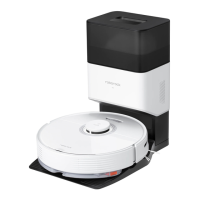
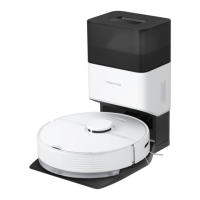
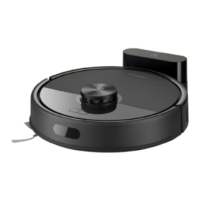
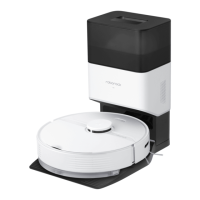
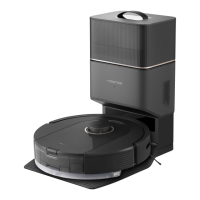
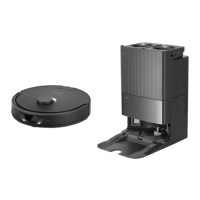
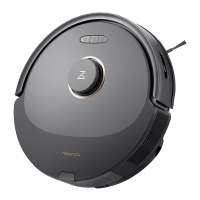
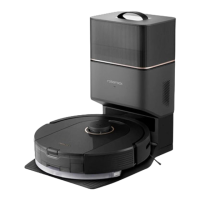
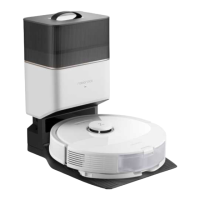
The Roborock Q7 Max is a robotic vacuum cleaner designed for automated floor cleaning, offering both vacuuming and mopping functionalities. It is equipped with advanced navigation and smart features to efficiently clean various home environments.
Function Description
The primary function of the Roborock Q7 Max is to autonomously clean floors. It can vacuum dirt, dust, and debris, and also mop hard surfaces to remove stains and grime. The robot uses a LiDAR sensor for navigation, allowing it to create a detailed map of its surroundings and plan an optimal cleaning route. It divides rooms into zones, cleaning them systematically in a zigzag pattern.
The robot features a "Power/Clean" button for turning the device on/off and initiating cleaning. A "Spot Clean/Child Lock" button allows for targeted cleaning of a specific area and can also be used to enable or disable the child lock feature. The "Dock" button sends the robot back to its charging dock.
The device comes with a dustbin and water tank combo unit, enabling it to perform both vacuuming and mopping tasks without needing to swap components. The mop cloth mount attaches to the bottom of the robot for mopping.
Usage Features
The Roborock Q7 Max offers several usage features that enhance its cleaning capabilities and user convenience:
- Smart Navigation: The robot uses a LiDAR sensor and other sensors (bumper, vertical bumper, wall sensor, cliff sensors) to navigate and avoid obstacles. It creates and stores cleaning maps, which can be managed through the accompanying mobile app.
- App Control: The robot can be connected to either the Roborock App or the Mi Home app. Through the app, users can:
- Start/stop cleaning.
- Monitor the robot's real-time vacuum and mop route.
- Manage multiple maps.
- Define cleaning zones and no-go zones/invisible walls.
- Edit maps.
- Schedule cleaning times.
- Select specific rooms for cleaning.
- Adjust suction power levels and mop intensity levels.
- Access cleaning history, battery level, and care/maintenance information.
- Update firmware, adjust volume, select language, and enable/disable Do Not Disturb (DND) mode.
- Enable voice assistant support.
- DND Mode: The robot has a default Do Not Disturb period (22:00 to 08:00), which can be customized or disabled via the app. During DND mode, the robot will not automatically resume cleanup, the power indicator light dims, and voice prompts are lowered.
- Child Lock: This feature prevents accidental button presses when the robot is stationary. It can be enabled/disabled by pressing and holding the "Spot Clean/Child Lock" button or through the app.
- Spot Cleaning: For targeted cleaning, the robot can clean a 1.5 m x 1.5 m square area centered on itself. After spot cleaning, it returns to its starting point and enters standby mode.
- Automatic Charging and Resumption: When the battery level is low during a cleaning cycle, the robot automatically returns to the charging dock. After recharging, it resumes cleaning from where it left off.
- Mopping Functionality: To use the mopping feature, the dustbin and water tank combo unit must be filled with water (only Roborock branded floor cleaner is recommended). The mop cloth is wetted, wrung out, and then slid onto the mop cloth mount, which is then attached to the robot. The mop cloth should be cleaned after each use to maintain water flow and cleaning quality.
- Error Reporting: If an error occurs, the power indicator will flash red quickly, and a voice alert will sound, guiding the user to troubleshoot the issue.
- System Reset: If the robot becomes unresponsive, a system reset can be performed by pressing the Reset button. This restores scheduled cleaning and WiFi settings to factory defaults.
- Restore Factory Settings: If a system reset doesn't resolve issues, the robot can be restored to factory settings by pressing and holding the "Power/Clean" button and the Reset button simultaneously until a voice prompt confirms the action.
Maintenance Features
Regular maintenance is crucial for the optimal performance and longevity of the Roborock Q7 Max. The manual provides detailed instructions for various components:
- Main Brush:
- Clean every 2 weeks and replace every 6-12 months.
- To clean, turn over the robot, press the latches to remove the main brush cover, pull out the main brush, and remove the main brush bearing and caps.
- Remove any tangled hair or dirt.
- Reinstall the main brush, ensuring the tabs are properly placed in the slots and all four tabs of the cover are hidden.
- Wipe with a wet cloth and dry away from direct sunlight. Avoid corrosive cleaning fluids.
- Side Brush:
- Clean monthly and replace every 3-6 months.
- Unscrew and remove the side brush, clean it, and then reinstall and tighten the screw.
- Omni-Directional Wheel:
- Clean as required.
- Use a small screwdriver to pry out the axle and remove the wheel.
- Rinse the wheel and axle with water to remove hair and dirt, then dry and reattach.
- Main Wheels:
- Clean monthly with a soft, dry cloth.
- Dustbin and Water Tank Combo Unit:
- Clean weekly and replace the filter every 6-12 months.
- Open the upper cover, remove the unit, and empty the dustbin.
- Empty any unused water from the water tank.
- Fill the dustbin with clean water, shake gently, and pour out the dirty water. Only use clean water to prevent blockage.
- Rinse the filter repeatedly and tap it to remove dirt. Avoid touching the filter surface with hands, brushes, or hard objects.
- Allow 24 hours for the filter to dry thoroughly before reinstalling.
- Mop Cloth:
- Clean after each use and replace every 3-6 months.
- Remove the mop cloth from its mount, clean it, and air-dry it. A dirty mop cloth affects mopping performance.
- Robot Sensors:
- Clean monthly with a soft, dry cloth. This includes the dock locator, wall sensor, and four cliff sensors.
- Charging Contact Areas:
- Clean monthly with a soft, dry cloth on both the robot and the charging dock.
- Battery:
- Keep the robot charged to maintain the performance of the high-performance lithium-ion rechargeable battery pack.
- If storing the robot for a long period, charge it fully, turn it off, and store it in a cool, dry place. Recharge at least every three months to prevent over-discharge.

 Need help?
 General
 Weight and Dimensions

 To Next Page