Robustel GoRugged M1000 USB Quick Guide
RT_QG_M1000 USB _v.1.0.0 25.01.2014 6 /7
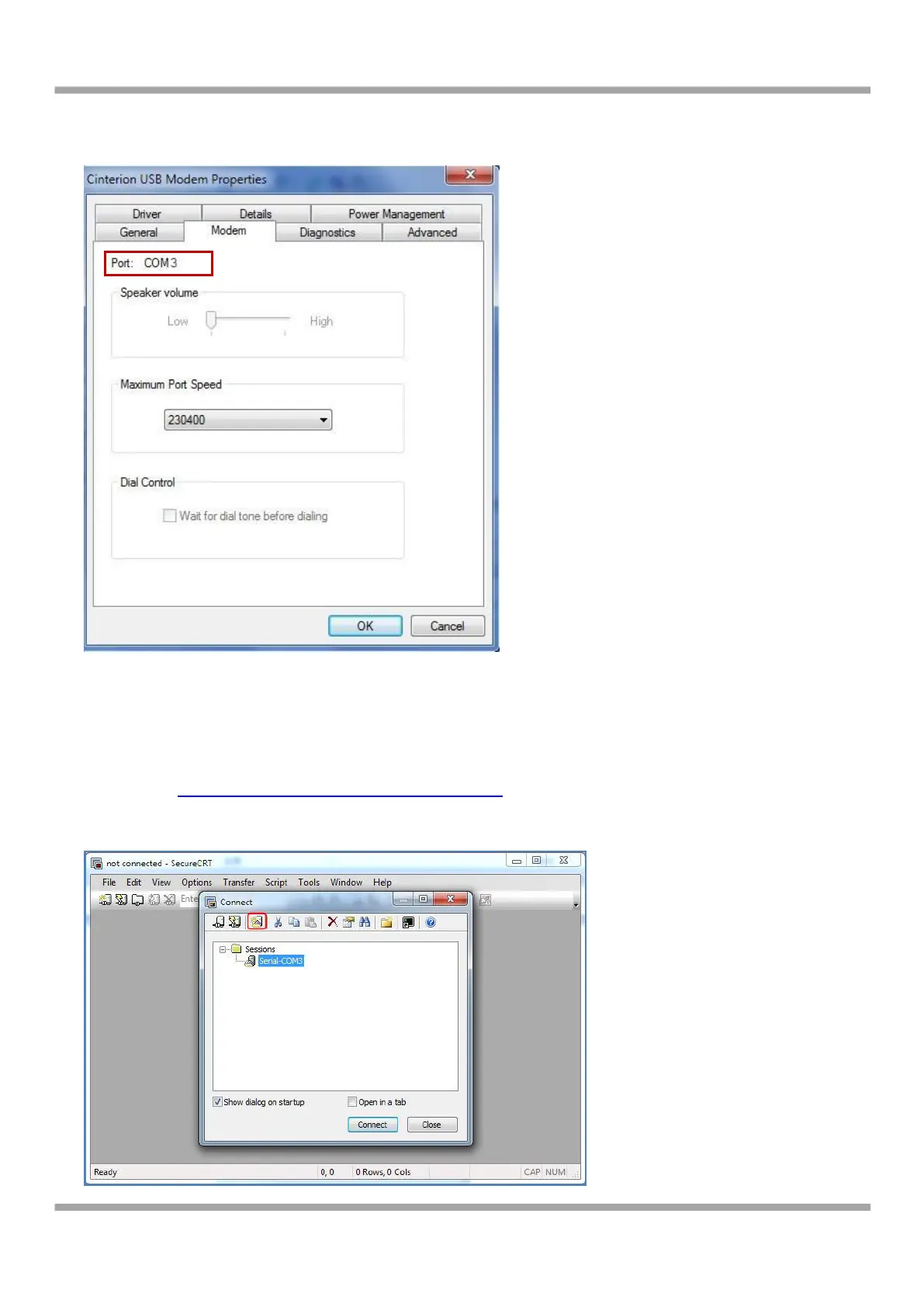
7. Select the USB modem and right-click to enter “Properties”. In tab “Modem”, you will find that there is simulated
COM port which serial software such as secureCRT needs to connect to.
3.2 Start SecureCRT
We can enter AT commands to configure M1000 USB from serial software such as secureCRT, you can download this
software via link: https://app.box.com/s/arkn6xk1asgs1myvuuie.
1. Double click SecureCRT Potable.exe .
2. File->Connect->New Session


 To Next Page
 Loading...


