Need help?
Do you have a question about the Roccat VULCAN TKL and is the answer not in the manual?
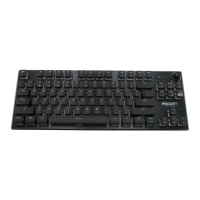
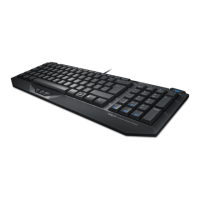
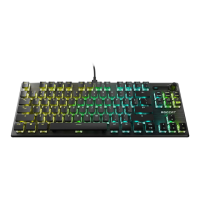
Details the ROCCAT VULCAN TKL's hardware features and specifications.
Lists the necessary operating systems and connectivity for the keyboard.
Explains common FN key shortcuts for enhanced keyboard control.
Fold out the keyboard stands for an ergonomic typing position.
Connect the keyboard to your PC using the detachable USB-C to USB-A cable.
Download and install the latest ROCCAT Swarm software for full functionality.
Follow general safety guidelines regarding product modification, environment, and usage.
Keep the product away from fire, water, and extreme temperature conditions.
Use the product only as intended with a compliant PC; misuse voids liability.
Register your product online to become a ROCCAT member and access benefits.
Access customer support, authenticity checks, and exclusive offers.
 General
| Polling rate | 1000 Hz |
|---|---|
| Windows keys | Yes |
| Keyboard layout | - |
| Pointing device | No |
| Device interface | USB |
| Recommended usage | Gaming |
| Keyboard key switch | Mechanical |
| Keyboard form factor | Tenkeyless (80 - 87%) |
| Keyboard number of keys | 109 |
| Keyboard keys operating life | 50 million characters |
| Keyboard key switch technology | Roccat Titan |
| Product color | Black |
| Backlight type | RGB LED |
| Keyboard style | Straight |
| Backlight color | Red/Green/Blue |
| Surface coloration | Monochromatic |
| USB connector type | USB Type-A |
| Number of products included | 1 pc(s) |
| Windows operating systems supported | Windows 10, Windows 11, Windows 7, Windows 8 |
 Weight and Dimensions
| Keyboard weight | 660 g |
|---|---|
| Keyboard dimensions (WxDxH) | 360 x 133.3 x 34 mm |

 To Next Page