Need help?
Do you have a question about the Roccat Valo and is the answer not in the manual?
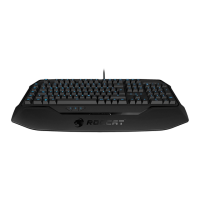
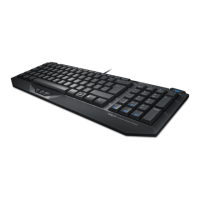
The ROCCAT™ Valo is a versatile gaming keyboard designed for maximum customization and performance. It features an unparalleled range of functions that cater to both general gameplay and specific game requirements, offering unmatched flexibility.
The Valo keyboard is equipped with 41 macro keys that can be quickly and easily assigned. Users can program their own command sequences to suit their needs and the game's demands without having to leave the game. Macros can be recorded, saved, and assigned to keys directly during gameplay. This eliminates the need to pre-plan macros before a game, allowing for on-the-fly adjustments.
A key feature is the Profile-2-Go, which allows users to store a complete profile, including four layers, directly on the keyboard. This means macros and configurations can be carried and used on any computer without needing to transfer computer files; simply plug in the keyboard.
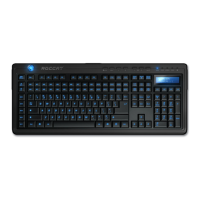
To manage the extensive number of programmable macros, the Valo includes an on-screen display and an LCD. These displays show the current layer of the five available profiles. Additionally, the keyboard comes with 45 interchangeable keys in three different colors, enabling users to categorize macro functions. A practical Key Releaser is included to facilitate safe and easy key swapping.
The keyboard offers manual configuration options directly on the device. The "KEYS" button allows for deactivating/activating Windows keys to prevent accidental activation during gaming. The "LIGHT" button controls keyboard illumination settings, cycling through ROCCAT logo, LCD brightness, LCD contrast, and key illumination. Brightness and contrast levels can be adjusted using the '-' and '+' buttons. The master volume can be adjusted with "VOL -" and "+", and sound can be muted with the "MUTE" button.
In-game Macro Recording (Mrec key) is a core feature. The PROG LED illuminates when the Mrec key is pressed, indicating readiness to record. The LCD guides users through the recording process, prompting for macro names, sub-names, and key combinations. Macros are saved to the chosen key, and recording can be canceled with the Esc key.
The configuration menu, accessible via the Start menu or the ROCCAT symbol in the taskbar, provides detailed control over the keyboard's functions. The "Main Control" tab offers information on macro and additional key functions and allows reassignment of functions to macro keys. For instance, the Mrec and Esc key functions can be swapped to prevent accidental presses. Settings can be applied immediately without exiting the menu.
Key functions can be changed and assigned to the 41 macro keys. Available functions include Internet Explorer actions (Search, Home, Back, Forward, Stop, Refresh, Favorites) and multimedia functions (Open player, Pre track, Next track, Play/Pause, Stop, Select player). Profiles 1 to 5 can also be assigned to macro keys.
The "Assign a shortcut" option allows users to combine Ctrl, Shift, Alt, and Windows keys with any other key. It also enables key remapping, allowing users to customize motion keys or other frequently used game functions. The "Standard" option resets a key's function to default, while "Deactivate" disables it. Functions like "Email," "Calculator," and "My Computer" can also be assigned to keys.
The Macro Manager, accessed via the "Assign Macro" option, is used to create, edit, and manage macros. It consists of three areas: macro set/individual macro selection, macro basic editor (displaying key combinations), and start/stop record buttons. Macros are saved with Game Profiles, making them accessible regardless of the connected computer.
The macro creation process involves adding a macro set, naming it (e.g., "Magic buffs" or "Weapons arsenal"), and then creating individual macros within the set (e.g., "Arcane rotation" or "Sniper rifle"). The "Start Record" button initiates macro recording, allowing users to input key combinations. The "Record delays between key commands" option enables precise timing of key presses, useful for specific in-game actions.
Integrated mouse clicks are a unique feature, allowing mouse actions (Left Button, Right Button, Wheel, Side Button 1, Side Button 2) to be included in macros, executed before, after, or between key sequences. Users can specify "Down" (button pressed), "Up" (button released), or "Click" (down and up in succession). Delays between commands can be manually adjusted.
The "Advanced Editor" allows for manual adjustment of time intervals between individual key presses within a macro, displayed as blue bars on a timeline in milliseconds. The time scale can be zoomed for precise adjustments. Individual macros can be added or deleted within the editor.

 To Next Page
 General