Need help?
Do you have a question about the Roccat VULCAN PRO and is the answer not in the manual?
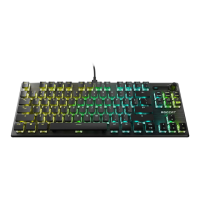
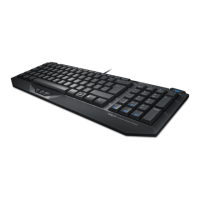
Detailed specifications for the ROCCAT Vulcan Pro keyboard.
Requirements for operating the ROCCAT Vulcan Pro keyboard.
Standard FN key combinations for media control and application launching.
Contact information for technical assistance with the product.
Easy access to customer support.
Verify product originality.
Opt-in for special offers and downloads.
 General
| Polling rate | 1000 Hz |
|---|---|
| Numeric keypad | Yes |
| Keyboard layout | - |
| Pointing device | No |
| Device interface | USB |
| Recommended usage | Gaming |
| Keyboard key switch | Opto-mechanical key switch |
| Keyboard form factor | Full-size (100%) |
| Keyboard key profile | Low-profile |
| Built-in memory capacity | 512 KB |
| Keyboard keys operating life | 100 million characters |
| Keyboard key switch technology | Roccat Titan |
| Product color | Black |
| Backlight type | RGB LED |
| Keyboard style | Straight |
| Backlight color | Red/Green/Blue |
| Surface coloration | Monochromatic |
| USB connector type | USB Type-A |
| Number of products included | 1 pc(s) |
| Windows operating systems supported | Windows 10, Windows 11, Windows 7, Windows 8 |
 Weight and Dimensions
| Keyboard weight | 1150 g |
|---|---|
| Keyboard dimensions (WxDxH) | 462 x 235 x 32 mm |

 To Next Page