EasyManua.ls Logo

Roccat SUORA - User Manual

Roccat SUORA
2 pages
Print Icon
To Next Page IconTo Next Page
Loading...
Should you need assistance …
Our support team is ready to help with any technical questions.
Just send an e-mail to support@roccat.org. Or visit our website at:
WWW.ROCCAT.ORG/SUPPORT
PLEASE USE YOUR PRODUCT’S SERIAL NUMBER
(LOCATED ON THE BOTTOM LABEL)
TO CHECK ITS AUTHENTICITY AT:
ROCCAT GmbH
Otto von Bahrenpark, Paul-Dessau-Str. 3G, 22761 Hamburg, Germany
WWW.ROCCAT.ORG/SUPPORT/AUTHENTICITY-CHECK
QUICK-INSTALLATION GUIDE
IMPORTANT DOCUMENT
SPECIFICATIONS
RAW POWER.
UNCHAINED.
MSIP-REM-ROA-SUORA
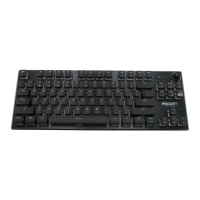
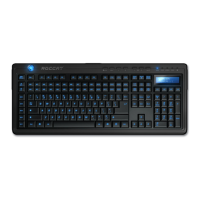
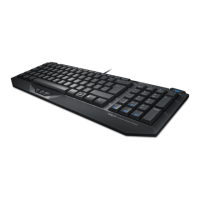
COMPACT
FRAMELESS
No palm rest, no thick border, no thumb keys, and
no unnecessary media keys – just high-quality, robust
mechanical keys mounted on a durable plate.
ADVANCED
ANTI-GHOSTING
The Suora comes complete with n-key rollover plus
a 1000Hz (1ms) polling rate, ensuring that every
key stroke will be registered, time and time again.
SOLID
DURABLE
Featuring a robust aluminum housing that provides a
consistent gaming platform. Complemented by tough
mechanical keys with a 50 million key stroke lifecycle.
Our goods come with guarantees that cannot be excluded under the Australian Consumer Law. You are
entitled to a replacement or refund for a major failure and for compensation for any other reasonably
foreseeable loss or damage. You are also entitled to have the goods repaired or replaced if the goods
fail to be of acceptable quality and the failure does not amount to a major failure.
© 2016 ROCCAT GmbH. All rights reserved. Any product names mentioned in this manual may be trademarks
or registered trademarks and are the property of their respective owners. Information contained herein is
subject to change without notice. ROCCAT GmbH shall not be made liable for any errors that may appear in this
manual. This publication or parts of it may not be reproduced without the express consent of the publisher.
PACKAGE CONTAINS
ROCCAT
®
Suora –
Frameless Mechanical Gaming Keyboard
Quick-Installation Guide
SYSTEM REQUIREMENTS
Windows
®
7 32/64 bit
Windows
®
8
Windows
®
10
USB 1.1 port (or better)
Internet connection
(for driver installation)
TECH SPECS
N-key rollover
Polling rate 1000Hz (1ms response time)
50 Million keystrokes lifecycle
Multimedia functions and
6 programmable macro keys
43cm × 12.5cm size
CONGRATUL ATIONS!
You are now the proud owner of a ROCCAT
®
Suora! The Suora’s frameless design channels its philosophy as a raw, performance
keyboard for gaming purists. Its stripped back style provides you with a more direct gaming experience that puts you closer in
touch with its impressive command power. For those who want their finger on the pulse of their games, there’s no better choice.
The Suora gives you raw power, unchained!
D3B283
Question and Answer IconNeed help?

Do you have a question about the Roccat SUORA and is the answer not in the manual?

Summary

ROCCAT Suora Product Highlights

Compact Frameless Design

Features a frameless design with mechanical keys mounted on a durable plate, omitting unnecessary elements for a purer experience.

Advanced Anti-Ghosting

Ensures every keystroke is registered with n-key rollover and a 1000Hz polling rate for precise gaming input.

Solid Durable Construction

Built with a robust aluminum housing and mechanical keys rated for 50 million keystrokes for consistent gaming performance.

ROCCAT Suora System Requirements & Specs

System Requirements

Lists compatibility with Windows operating systems and the need for a USB 1.1 port or better.

Technical Specifications

Details key features including n-key rollover, polling rate, keystroke lifecycle, macro keys, and dimensions.

ROCCAT Swarm Software Guide

Swarm Software Overview

Introduces Swarm as a unified driver suite for managing all ROCCAT devices from a single interface.

Game Mode Button Functionality

Explains how the game mode button enables quick profile switching and Windows key deactivation.

Key Remapping and Macros

Guides users on remapping gaming keys and assigning macros for customized gameplay.

Macro Examples

Provides examples of macro assignments for specific in-game actions like Attack or Autorun.

ROCCAT Suora Setup Instructions

Ergonomic Stand Adjustment

Instructions on unfolding the keyboard's base stands for a more ergonomic typing position.

USB Connection and Internet Setup

Details on connecting the keyboard via USB and the necessity of an internet connection for software installation.

Swarm Software Download and Installation

Steps to download the latest Swarm version from the ROCCAT website and proceed with installation.

Roccat SUORA Specifications

General IconGeneral
TypeMechanical
Polling Rate1000 Hz
Key RolloverN-key rollover
Cable Length1.8 m
Key SwitchesTTC Mechanical Switches
ConnectivityUSB

Related product manuals