W W W.ROCCAT.ORG / SUPPORT
0
mAiN CONTROL
Standard keyboard layout
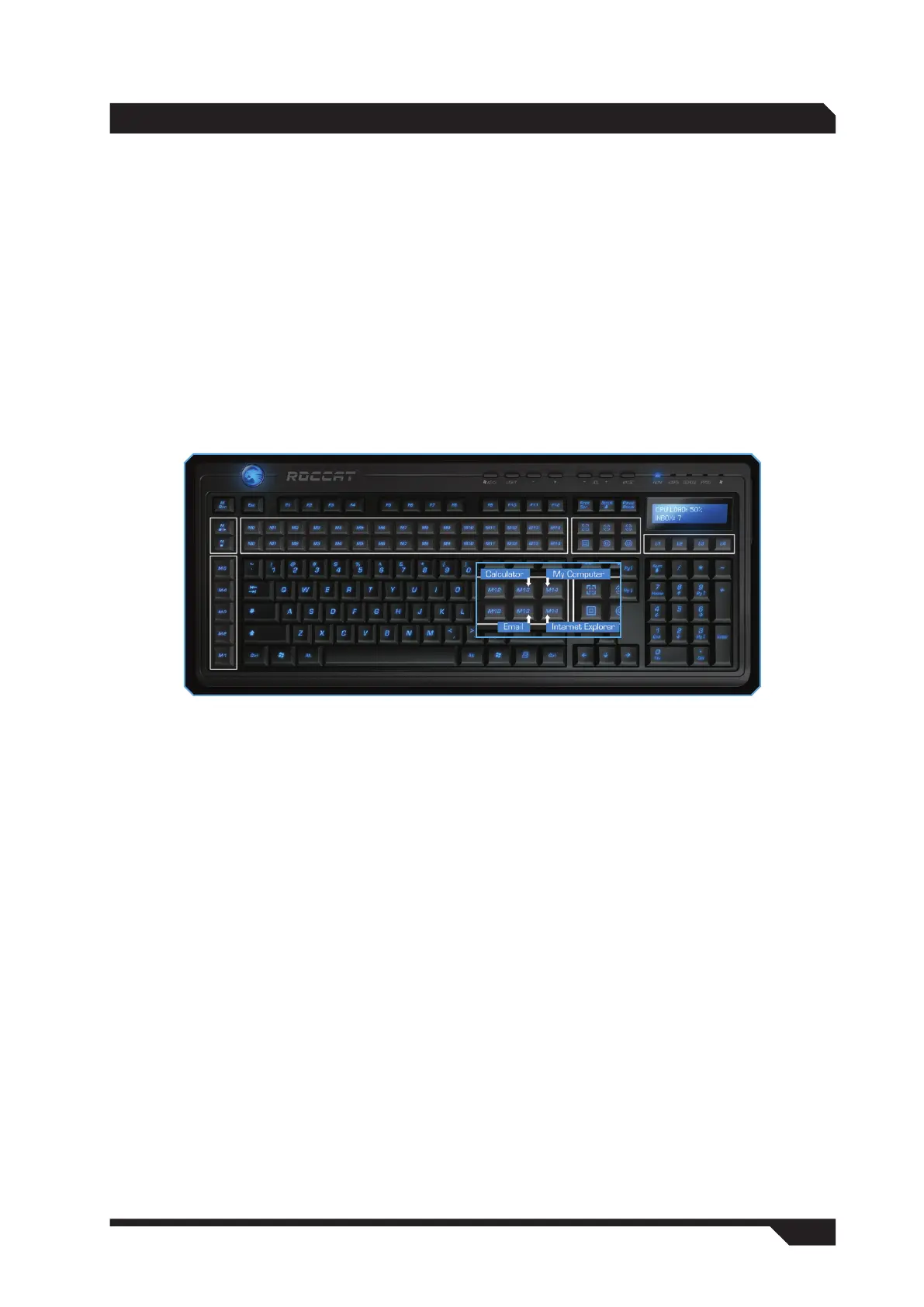
Located beneath the Mrec button is the macro pause button, which you use to pause and continue a
macro during playback, and the macro kill button which stops a macro.
Directly beneath those are the profile keys M-1 to M-5 for profiles 1-5.
Layer keys L1 to L4 are located on the right beneath the LCD. These allow you to switch between the
layers within a profile.
By default, the upper row of the 30-key macro block is assigned with Shift + characters and numbers
from the top-most row of a standard keyboard, and the lower row with Ctrl + characters and numbers of
the top-most row of keys.
Located next to those are the hotkeys for launching the calculator (M13), My Computer (M14), the email
program (M13) and the internet browser (M14) as well as six multimedia keys for opening and controlling
the multimedia player.
Changing key functions
It is also possible to assign different functions and macros to these 41 keys. In the configuration menu,
simply click on the key which you want to reassign, search for the function you want from the dropdown
menu and confirm the assignment by clicking ‘Apply’.
Available functions:
For Internet Explorer
• Search
• Home
• Back
• Forward
• Stop
• Refresh
• Favorites
For multimedia functions
• Open player
• Pre track
• Next track
• Play/Pause
• Stop
• Select player


 To Next Page